afeefa/debug-dump-log
最新稳定版本:0.0.34
Composer 安装命令:
composer require afeefa/debug-dump-log
包简介
Simple console or logfile debugging
README 文档
README
Dump one or more variables to the screen or into a log file.
Description
This is a convenience wrapper around PHP's print_r() function with the ability to:
- inspect multiple variables at once
- dump the output right into a log file
- provide calling context
- show less verbose output
- format output depending on the output channel (html, cli, log)
The package provides two global functions debug_dump() and debug_log() that can be called from elsewhere within a PHP project without explicit import. Yet, a log file must be configured in order to use debug_log().
Example
<?php

require_once __DIR__ . '/../vendor/autoload.php';

$string = 'This is a text string';

class Animal
{
    public $name = 'camel';
    protected $version = '2 humps';
    private $hidden = 'do not feed';
}

$object = (object) [
    'key' => 'value',
    'foos' => [
        'bar1',
        'bar2'
    ]
];

debug_dump($string, $object, new Animal());
// debug_log($string, $object, new Animal());
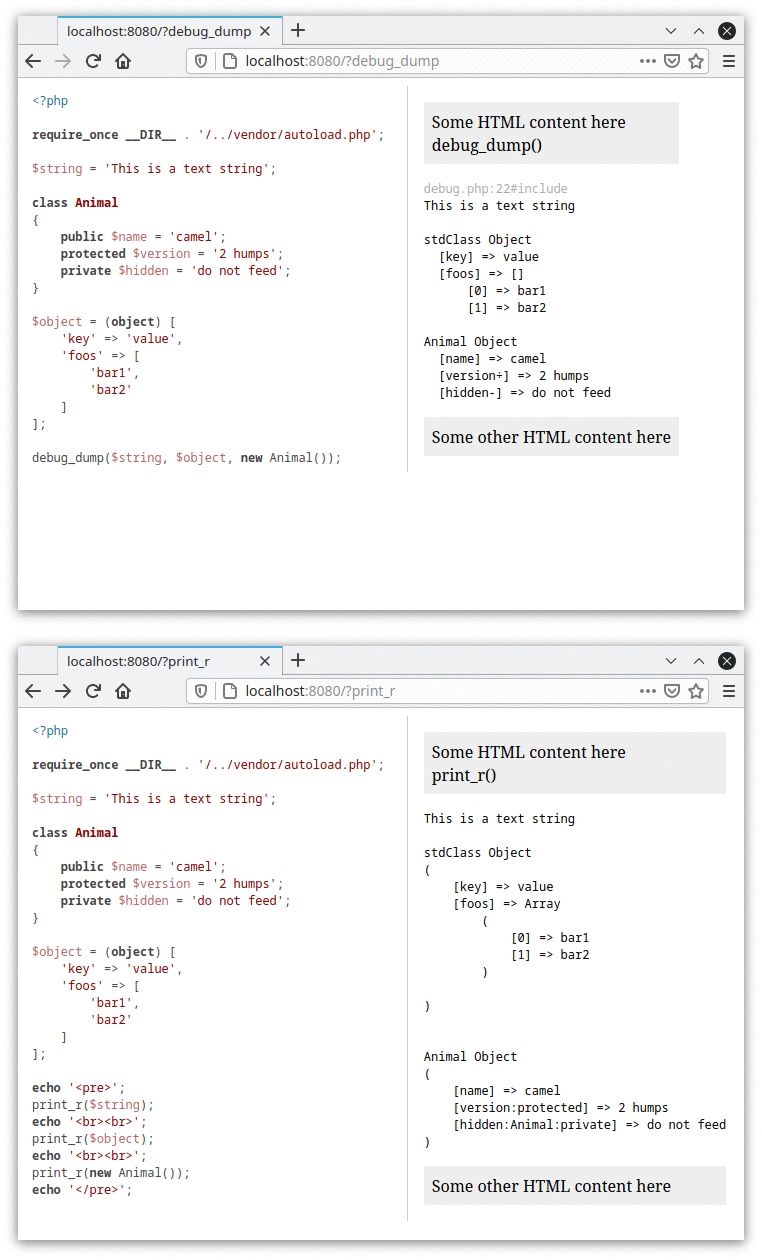
HTML output debug_dump() and print_r()
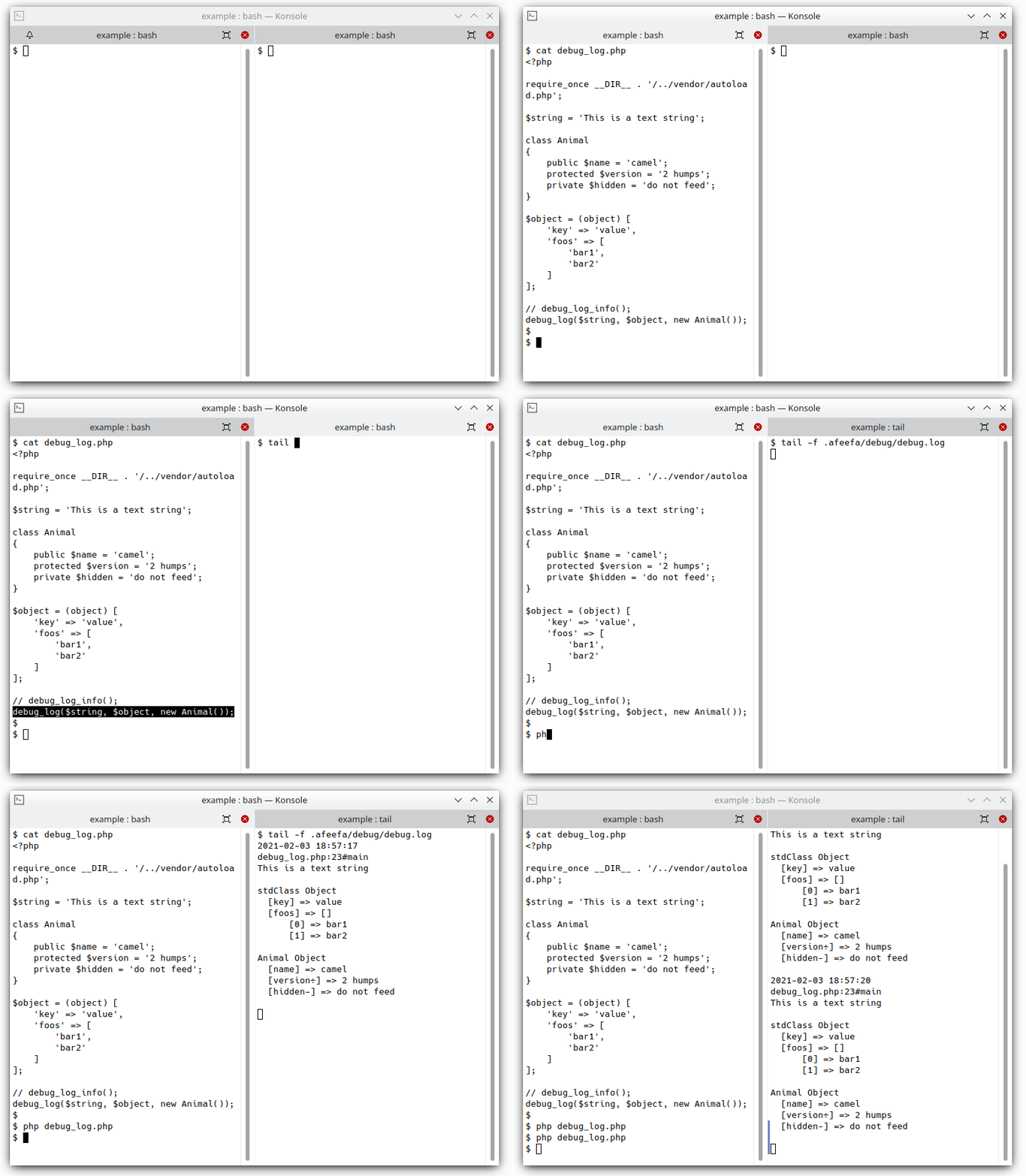
Log example
Installation
Install via composer as usual:
composer require afeefa/debug-dump-log
Using the debug_log function requires a little log file configuration you can read about in the documentation.
Documentation
https://afeefa-debug-dump-log.readthedocs.io
Why this library?
It is not always possible or appropriate to configure a huge debugging or logging framework overhead around a small or short time project. This library is made for the everyday life, just plug in and use, work on the project, not on the configuration.
统计信息
- 总下载量: 5.14k
- 月度下载量: 0
- 日度下载量: 0
- 收藏数: 0
- 点击次数: 1
- 依赖项目数: 2
- 推荐数: 0
其他信息
- 授权协议: MIT
- 更新时间: 2021-02-01