basilicom/pimcore-data-quality-bundle
最新稳定版本:v3.0.2
Composer 安装命令:
composer require basilicom/pimcore-data-quality-bundle
包简介
Data Quality Bundle for Pimcore
README 文档
README
Depending on user-configurable weighted rules (data quality configuration objects) one- or multiple quality values are computed and stored in data objects.
Version
| Bundle Version | PHP | Pimcore |
|---|---|---|
| < 2.0 | ^7.3 | ^6.0 |
| >= 2.0 | ^8.0 | ^10.0 |
| >= 3.0 | ^8.0 | ^11.0 |
Installation
- Require the bundle using
composer require basilicom/pimcore-data-quality-bundle - Enable the bundle
bin/console pimcore:bundle:enable DataQualityBundle - Install the bundle
bin/console pimcore:bundle:install DataQualityBundle
Configuration
Add field to object class
- Add a field of type
numberto the object class that you want to analyze.

Add new DataQualityConfig
- Add a new data object of type
DataQualityConfigin your object tree- Give it a name
- Choose a class from the select box and hit
Save & Publishand reload - Choose the field you created in step 1 for the data quality percentage
- Set "Allow System User" to "Yes" if you want to allow system users to trigger an update


Rules
- Set Rules
- Choose the field you want to check
- Choose the condition you want to check for
- Some conditions need extra parameters. parameters are ; separated values.
- Set a weight or use 1 for default weight
- if you want one field to be double the weight, set to 2
- set a Group name if you want, or it will be just one group
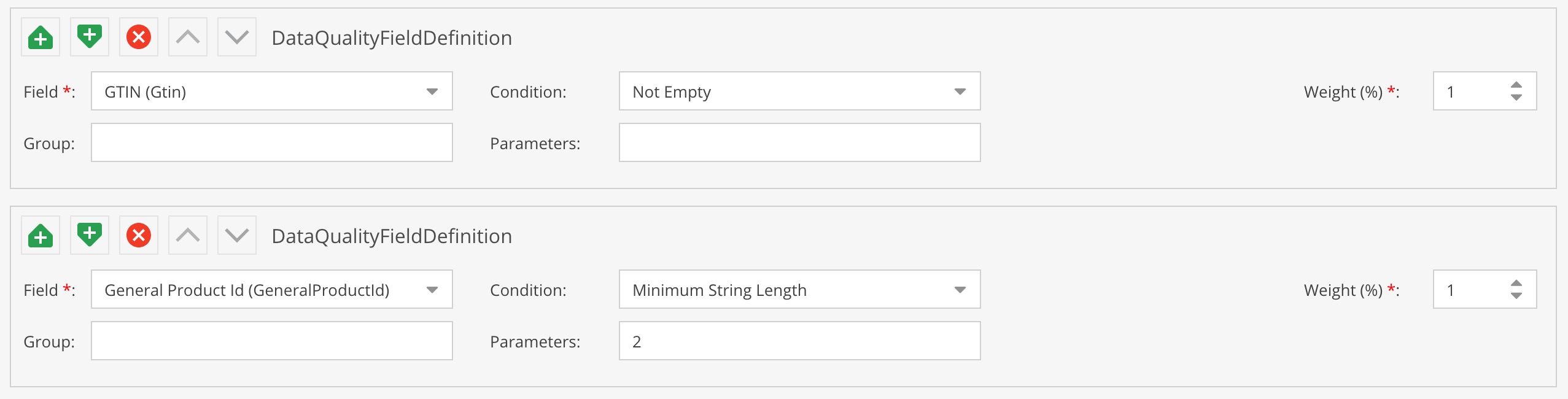
- Localized fields: The condition current applies to ALL configured Pimcore system languages (the condition for a field is only valid, if it is valid in all languages) - this should be made configurable via configuration parameters in the future.

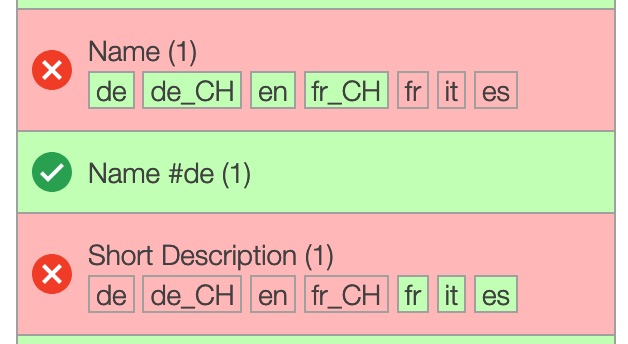
Multilanguage Fields
- you can setup multilanguage fields for all languages
- see example with
Name (NameDE) #All(NameDE is just the complete fieldname)
- see example with
- you can also setup a test for just one language
- see example with
Name (NameDE) #de(NameDE is just the complete fieldname)
- see example with
- they will be presented differently in the view


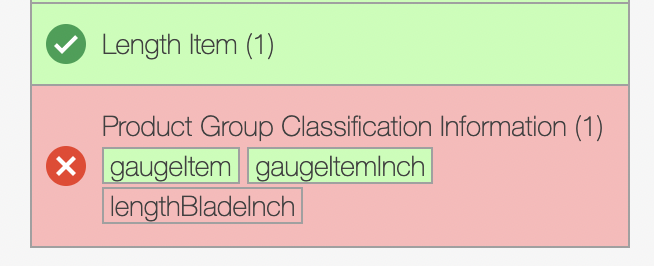
Object Bricks
- you can see in the view which fields of the object brick are valid (similar to the languages)

Layout Component Data Quality (Optional)
- Add the new field type
Data Qualityfrom the Layout Components to the chosen object class- it works like a panel so use it where ever you like
- you can configure on DataQualityConfig object id to show only the one or leave it empty to show all configs

- this is the layout inside of the DataQuality Tab
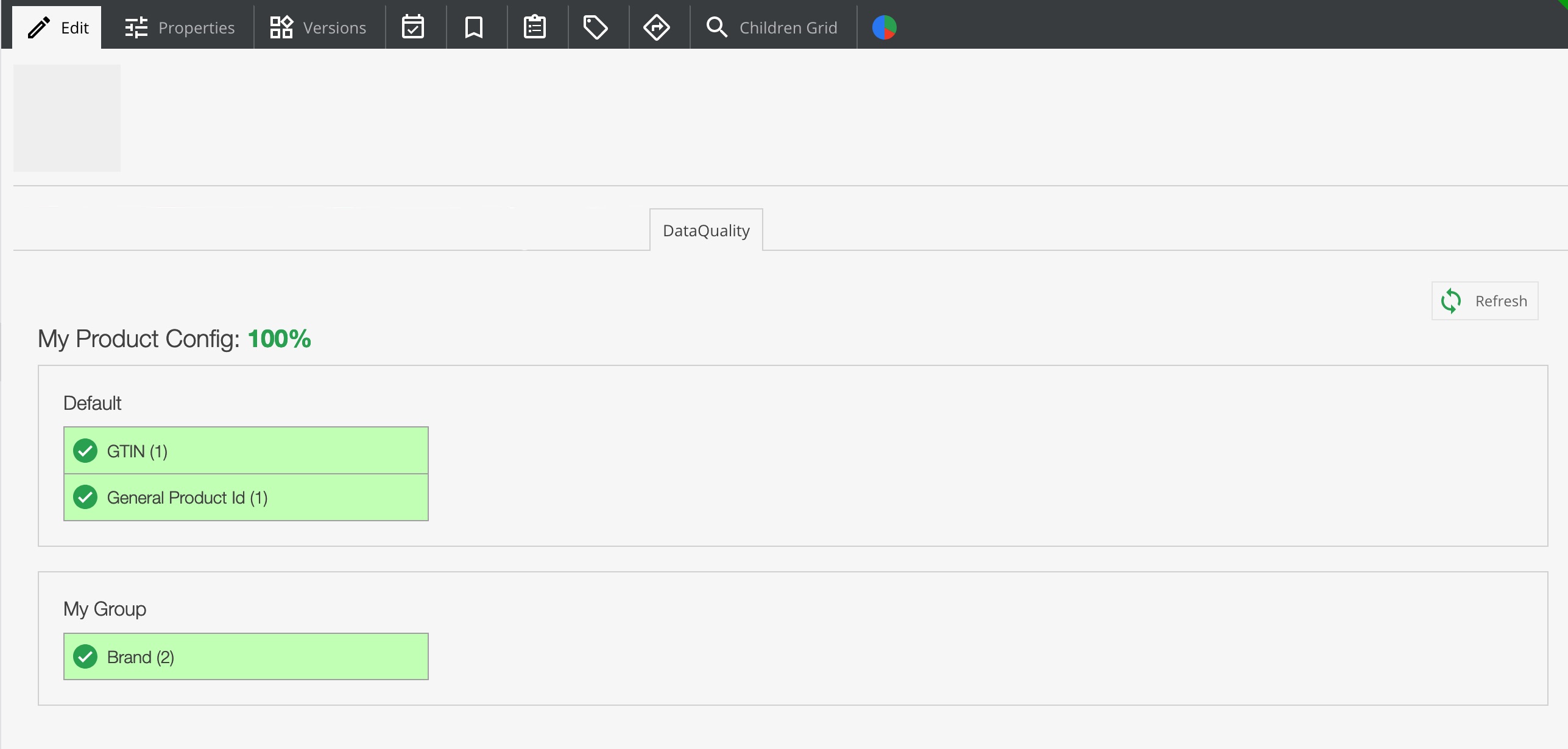
- or just use the Tab that is added by the bundle that shows all configs
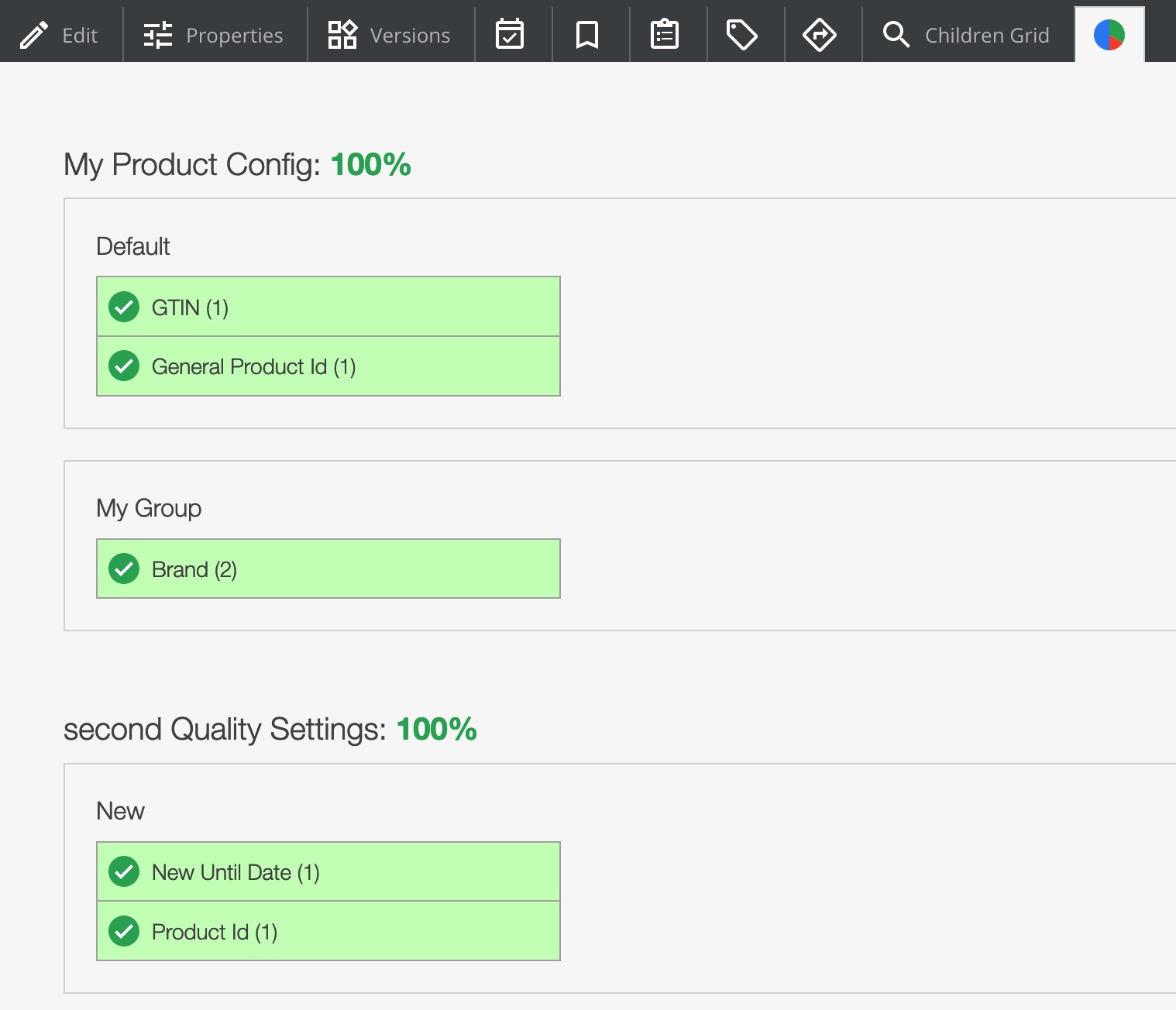


Data Quality calculation is updated
- The data quality value field is updated whenever
- an object is saved by a normal user (non-system user), or
- the data quality tab or iframe is displayed, or
- a full update (re-calculation) of all data quality values was performed via the console command:
bin/console dataquality:update <quality-config-id> <batch-size>
Grid View
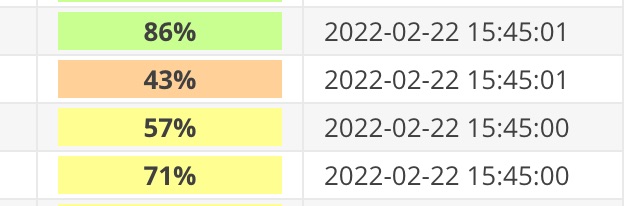
- You can use the "Operator PHP Code"
Basilicom\DataQualityBundle\GridOperator\Qualityon a Data Quality (number) field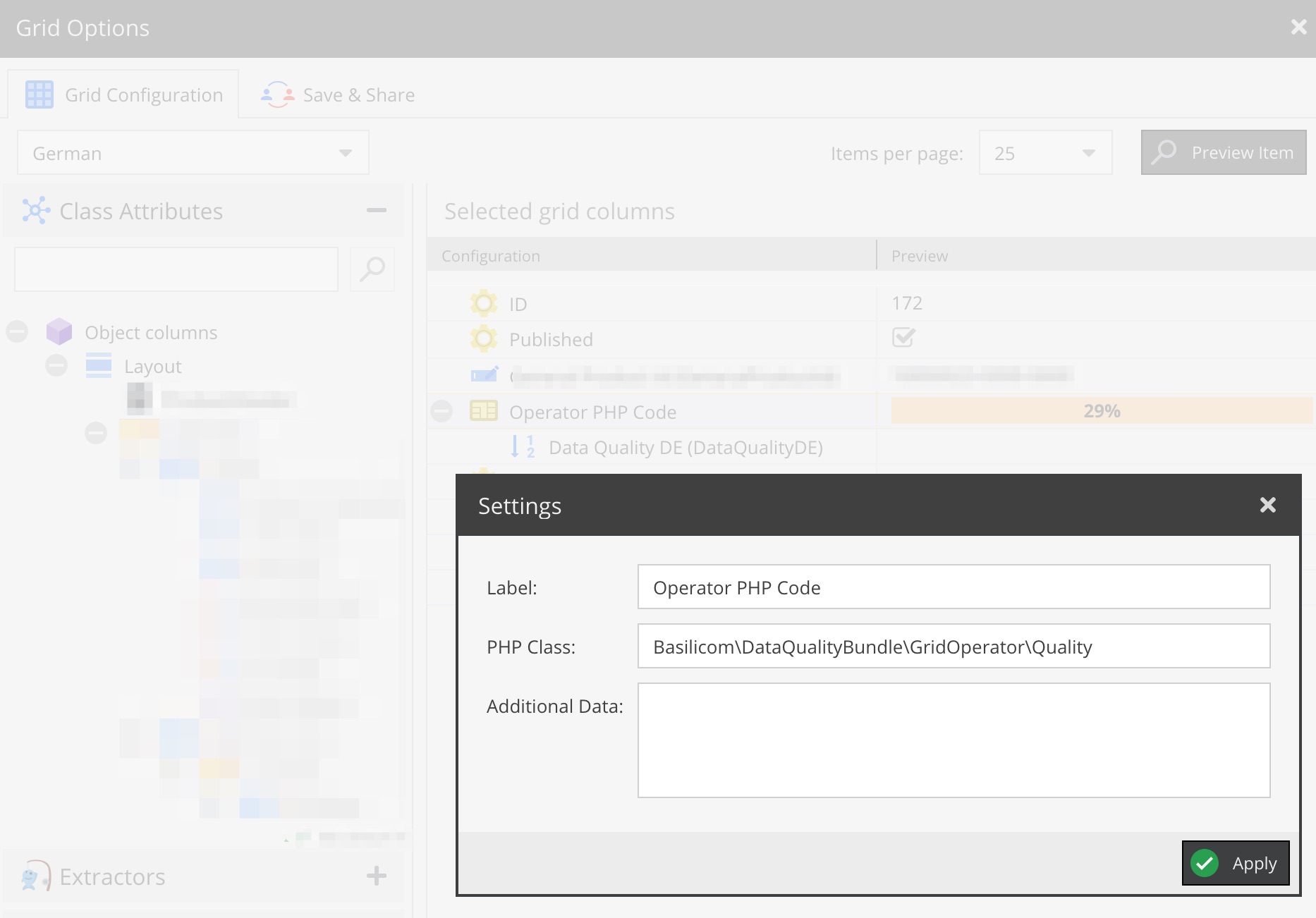
- to get color-coded (red to green) percentages


Authors:
- Conrad Guelzow (Basilicom GmbH)
- Kerstin Gerull (Basilicom GmbH)
- Christoph Luehr (Basilicom GmbH)
License: GPL v3, see LICENSE
统计信息
- 总下载量: 12.27k
- 月度下载量: 0
- 日度下载量: 0
- 收藏数: 16
- 点击次数: 1
- 依赖项目数: 0
- 推荐数: 0
其他信息
- 授权协议: GPL-3.0-or-later
- 更新时间: 2021-05-16