born05/craft-twofactorauthentication
Composer 安装命令:
composer require born05/craft-twofactorauthentication
包简介
Craft 4 plugin for two-factor or two-step login using Time Based OTP.
关键字:
README 文档
README

Two-Factor Authentication
Craft 4 plugin for two-factor or two-step login using Time Based OTP (TOTP, like Google Authenticator). Every user can setup TOTP themselves, the plugin does not force users. Admins can list usage in user tables.
Inner working
Login works as usual for users without 2-factor auth.
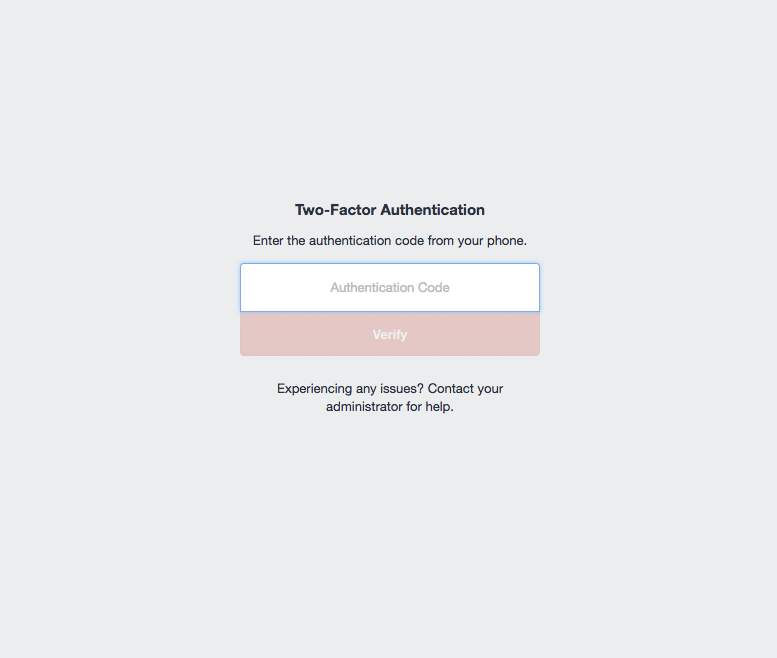
When enabled, the user is redirected to the 2-factor verification page after login. This means the user is already logged in. When the user tries to visit an other Control Panel page than the public ones before verification, the logout is triggered. This blocks the user from visiting the CP unverified.
Requirements
- Craft 4.0.0 and up
- PHP 8.1 and up
Setting up back end 2FA
- Set
verifyBackEndtotruein the config file (this is the default). - Set
forceBackEndtotrueif you want to prevent users from accessing the control panel without first enabling 2FA.
Setting up front end 2FA
When using a login for front end users, the following steps add 2FA support.
- Copy the two-factor-authentication.php file to your
config/folder. - Set
verifyFrontEndtotruein the config file. - Define what urls should be protected with 2FA verification. Choose between using the
frontEndPathAlloworfrontEndPathExclude! Using both will block everything! See config for additional info. - Build a 2FA login-verify form accessible by url like the example twig.
- Set the
verifyPath. For ourlogin-verify.twigexample the path would belogin-verify. - Allow users setting up 2FA in front end by building a template like the example twig.
- Set the
settingsPath. For ourtwo-factor-settings.twigexample the path would betwo-factor-settings.
Setting up config
Copy the two-factor-authentication.php file to your config/ folder.
Resetting a user's 2FA
Simply remove the user's twofactorauthentication_user record. This disables 2FA for that user.
Screens
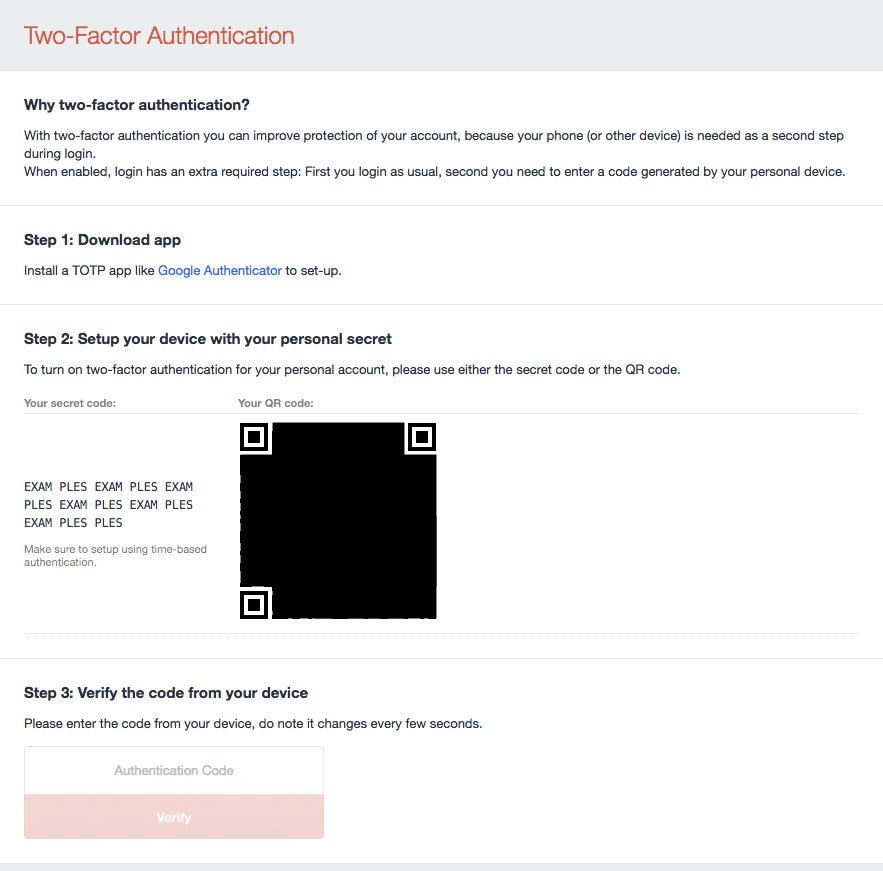
Setting screen when turning 2FA on
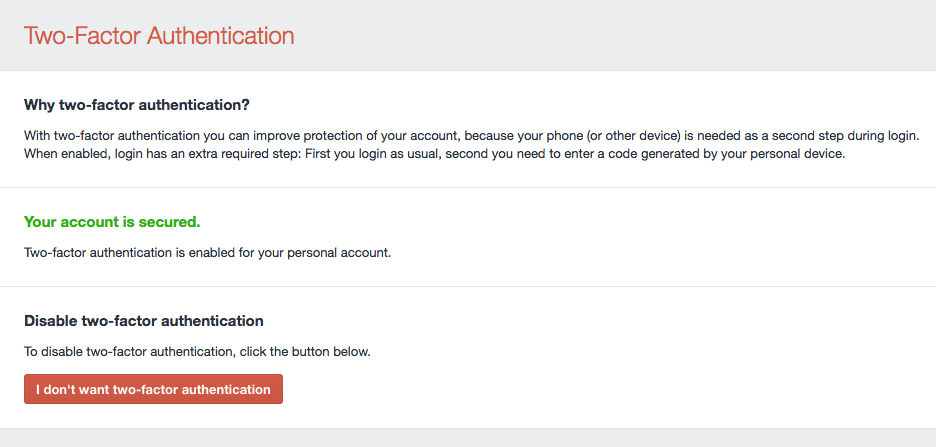
Setting screen when turning 2FA off
Login verification screen
统计信息
- 总下载量: 100.96k
- 月度下载量: 0
- 日度下载量: 0
- 收藏数: 36
- 点击次数: 6
- 依赖项目数: 1
- 推荐数: 0
其他信息
- 授权协议: MIT
- 更新时间: 2018-10-10