craffft/css-style-selector-bundle
最新稳定版本:1.6.3
Composer 安装命令:
composer require craffft/css-style-selector-bundle
包简介
Contao 4 Css Style Selector bundle
关键字:
README 文档
README
This extension allows backend users to use predefined styles in articles, news, content elements, and many more. It's easy to use because it uses clear names for every style. The selected styles are then set to their corresponding CSS class, which can be styled as usual. It's really helpful if you want to set up a simple system for the end-user.
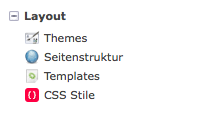
CSS styles can be defined here
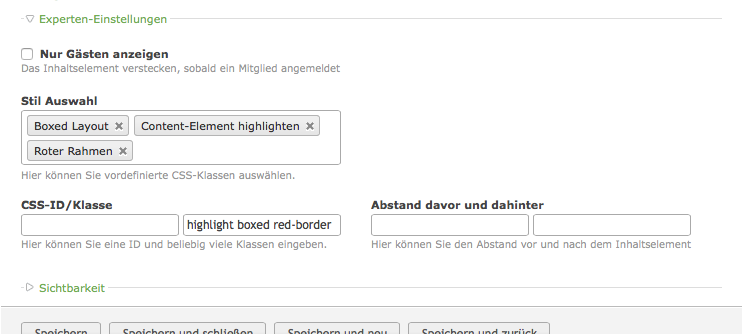
The predefined styles can be selected here
Installation
Step 1: Download the Bundle
Open a command console, enter your project directory and execute the following command to download the latest stable version of this bundle:
$ composer require craffft/css-style-selector-bundle "dev-master"
This command requires you to have Composer installed globally, as explained in the installation chapter of the Composer documentation.
Step 2: Enable the Bundle
Then, enable the bundle by adding it to the list of registered bundles
in the app/AppKernel.php file of your project:
<?php
// app/AppKernel.php

// ...
class AppKernel extends Kernel
{
    public function registerBundles()
    {
        $bundles = array(
            // ...

            new Craffft\CssStyleSelectorBundle\CraffftCssStyleSelectorBundle(),
        );

        // ...
    }

    // ...
}
统计信息
- 总下载量: 27.57k
- 月度下载量: 0
- 日度下载量: 0
- 收藏数: 11
- 点击次数: 5
- 依赖项目数: 0
- 推荐数: 0
其他信息
- 授权协议: MIT
- 更新时间: 2016-05-29