dionera/laravel-beanstalkd-ui
最新稳定版本:4.0.0
Composer 安装命令:
composer require dionera/laravel-beanstalkd-ui
包简介
An Admin UI for Beanstalkd and Laravel
README 文档
README


🔥 A slick Admin Interface for monitoring your Beanstalkd queues right out of your Laravel application. 🔥
Installation
Require the package through composer
composer require dionera/laravel-beanstalkd-ui
Version Table
| Laravel | Required PHP Version | Package Version |
|---|---|---|
^5.7.28 |
^7.2 |
^2.0 |
^6.0, ^7.0 |
^7.2 |
^2.1 |
^7.0 |
^7.4 |
^3.0 |
^7.0, ^8.0 |
^7.4 |
^3.1 |
^8.0 |
^7.4, ^8.0 |
^4.0 |
Publish assets
Next we need to publish the package's assets. We do this by running the following command:
php artisan vendor:publish --provider="Dionera\BeanstalkdUI\BeanstalkdUIServiceProvider" --tag="public"
This will publish all the required Javascript and CSS into your applications public/vendor/beanstalkdui folder.
View it in the browser
Now navigate to http://<your-app>/beanstalkd/tubes in your browser. If you're not already authenticated you will now be asked to log in. This is because by
default all routes use the auth middleware. See the Configuration section for information about how to overwrite this.
Live Updating
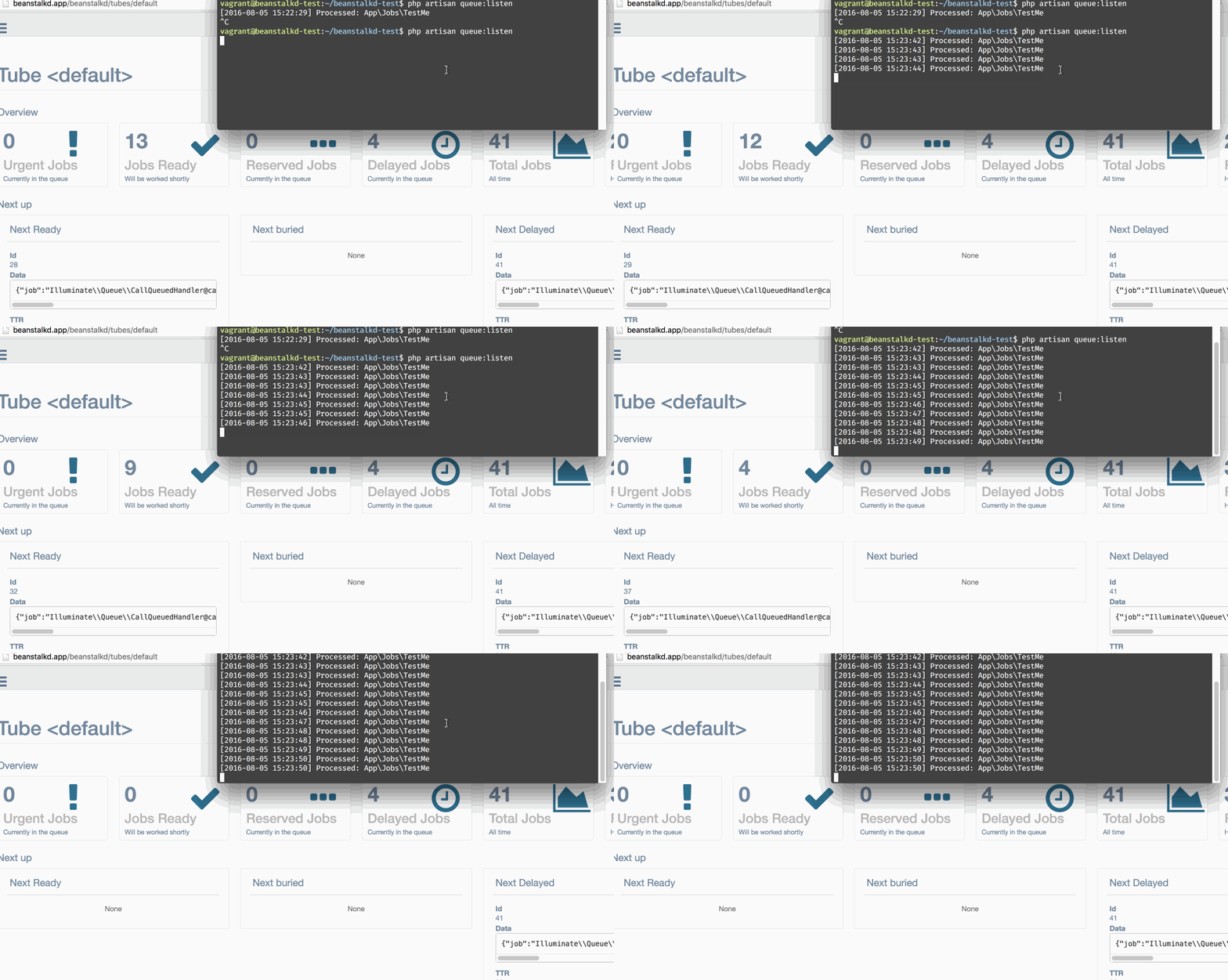
Configuration
In order to overwrite the default configuration we first need to publish the package's config file.
php artisan vendor:publish --provider="Dionera\BeanstalkdUI\BeanstalkdUIServiceProvider" --tag="config"
This will place a beanstalkdui.php in your application's config folder. Inside you will find the following settings:
| Value | Default | Description |
|---|---|---|
host |
'127.0.0.1' |
The Beanstalkd host. |
port |
11300 |
The Port Beanstalkd is running on. |
middleware |
['web', 'auth'] |
An array of middlewares which get applied to all the package's routes. If no middleware should be applied simply remove auth from the array. |
prefix |
'' | Route prefix that should be applied the Admin UI routes. |
failed_jobs |
true |
Defines if you want to be able to also manage your failed jobs through the UI. If set to true an additional table containing all failed jobs for the current tube will be displayed. |
failed_jobs_table |
failed_jobs |
The name of the table containing your failed jobs. |
统计信息
- 总下载量: 203.52k
- 月度下载量: 0
- 日度下载量: 0
- 收藏数: 203
- 点击次数: 1
- 依赖项目数: 0
- 推荐数: 0
其他信息
- 授权协议: MIT
- 更新时间: 2016-08-04