doublesecretagency/craft-inventory
最新稳定版本:3.2.0
Composer 安装命令:
composer require doublesecretagency/craft-inventory
包简介
Take stock of your field usage.
README 文档
README

Inventory plugin for Craft CMS 4
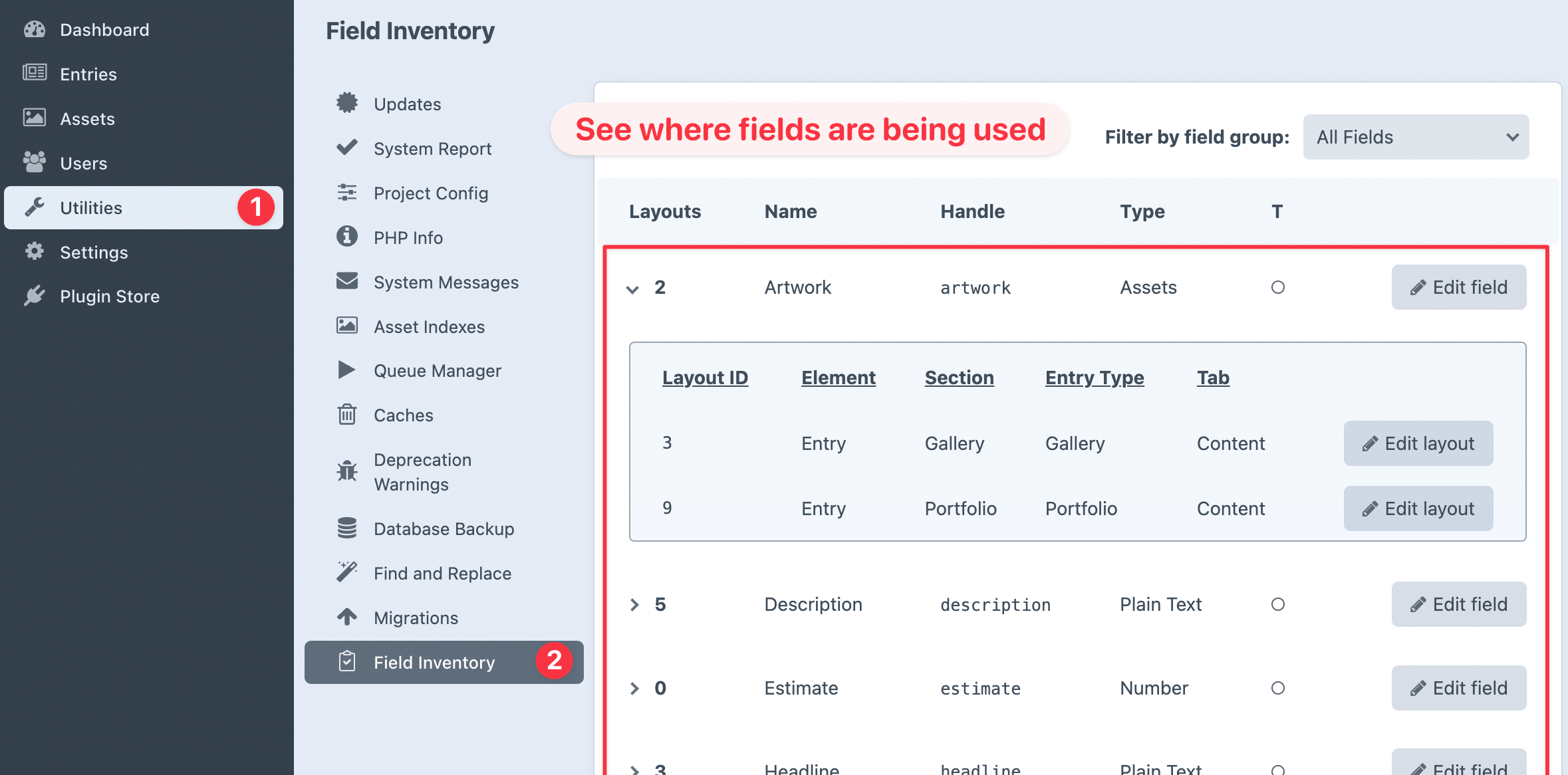
Take stock of how your fields are being used.
"Am I using this field? Where am I using this field?"
You no longer have to wonder... Inventory will show you exactly where your fields appear!
⭐️ INVENTORY HAS BEEN RETIRED ⭐️
Inventory will not be ported to Craft 5, because it is no longer necessary! Craft's new native field management UX replaces all functionality that Inventory provided prior to Craft 5. 👏
See our blog post for more information.
Still available & supported for Craft 3 & 4 ✅
How to Install
See official installation instructions on the Craft CMS Plugin Store...
Viewing the Field Inventory
Once the plugin is installed, view your field inventory by going to:
Utilities > Field Inventory
Managing the Field Inventory
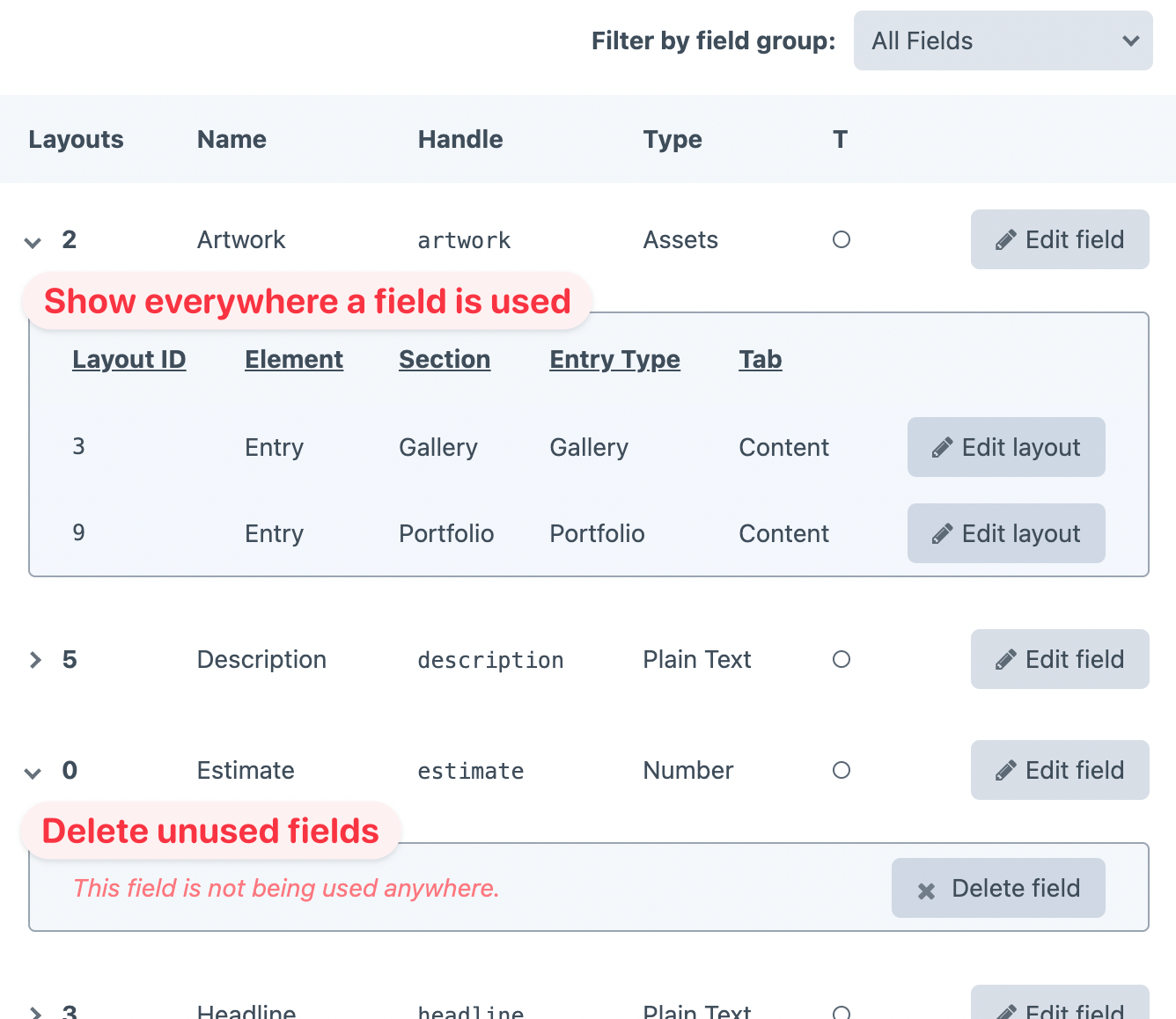
After determining how your fields are being used, it's possible to then delete or edit those fields. Or you can "Edit layout" to change how (or whether) the field appears in that layout.
Anything else?
We've got other plugins too!
Check out the full catalog at plugins.doublesecretagency.com
On behalf of Double Secret Agency, thanks for checking out our plugin! 🍺
统计信息
- 总下载量: 124.63k
- 月度下载量: 0
- 日度下载量: 0
- 收藏数: 70
- 点击次数: 1
- 依赖项目数: 1
- 推荐数: 0
其他信息
- 授权协议: MIT
- 更新时间: 2017-12-15