f0ska/auto-grid-bundle
最新稳定版本:v1.1.2
Composer 安装命令:
composer require f0ska/auto-grid-bundle
包简介
Automatic grid generation for Symfony Doctrine entities.
README 文档
README
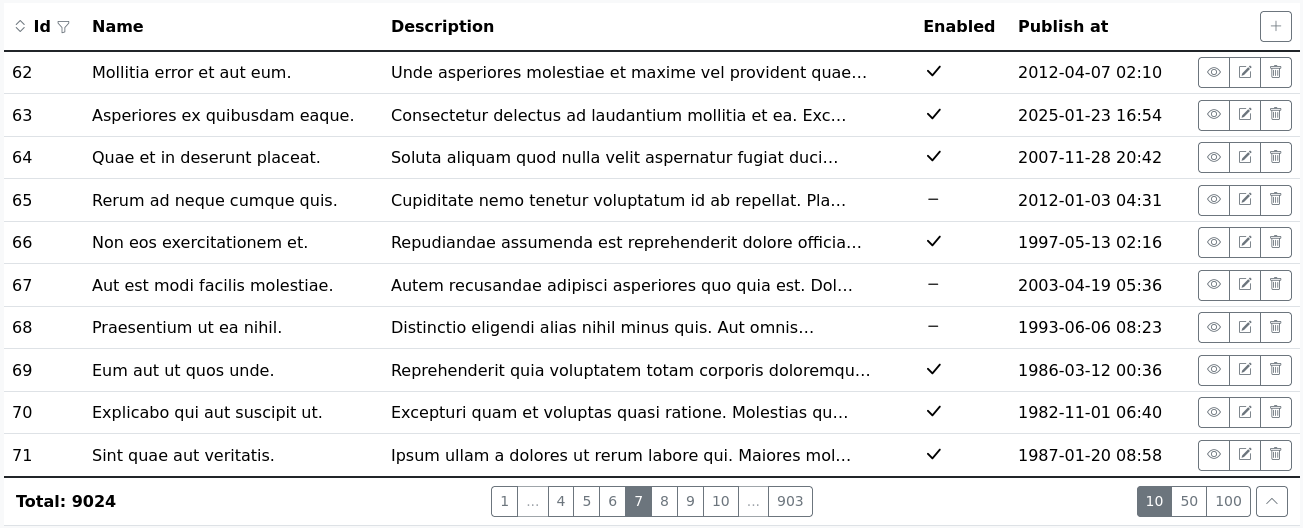
AutoGrid is a Symfony bundle that automatically generates fully functional grids for your Doctrine entities. It provides columns for each property, along with pagination, filtering, and sorting capabilities. Additionally, it includes basic CRUD functionality. Built-in forms and views for your entity are simple, designed to help you get started quickly. Of course, you can easily provide your own form definitions and templates.
AutoGrid is designed for developers who either do not want or do not have the time to write grids for Doctrine entities. It is ideal for proof-of-concept projects, simple admin interfaces, and more.
You don’t need any configuration to get started. Just two lines of code in your controller and one line in your Twig template are all that's required.
Controller Example:
use F0ska\AutoGridBundle\Factory\AutoGridFactory; ... public function myAction(AutoGridFactory $autoGridFactory): Response { $autoGrid = $autoGridFactory->create(MyEntity::class); return $autoGrid->getResponse() ?? $this->render('my-template.html.twig', ['autoGrid' => $autoGrid]); }
Twig Template Example:
{{ agRender(autoGrid) }}
For more advanced usage, refer to the documentation.
For more examples, check the demo bundle.
Technical notice
AutoGrid is built for Symfony 6+ and PHP 8.1+. It uses the Bootstrap 5 theme and icons to display content nicely.
You will need to adapt AutoGrid templates if your project does not use Bootstrap 5. However, this process is straightforward and much faster than building grids from scratch. Initially, it's recommended to include the Bootstrap theme (even from a CDN) to see how it is supposed to look by default. This will help you customize AutoGrid templates for your specific theme.
Bundle Installation
Make sure Composer is installed globally, as explained in the installation chapter of the Composer documentation.
Applications that use Symfony Flex
Open a command console, enter your project directory and execute:
composer require f0ska/auto-grid-bundle
Applications that don't use Symfony Flex
Step 1: Download the Bundle
Open a command console, enter your project directory and execute the following command to download the latest stable version of this bundle:
composer require f0ska/auto-grid-bundle
Step 2: Enable the Bundle
Then, enable the bundle by adding it to the list of registered bundles
in the config/bundles.php file of your project:
// config/bundles.php return [ // ... F0ska\AutoGridBundle\F0skaAutoGridBundle::class => ['all' => true], ];
统计信息
- 总下载量: 17
- 月度下载量: 0
- 日度下载量: 0
- 收藏数: 0
- 点击次数: 0
- 依赖项目数: 1
- 推荐数: 0
其他信息
- 授权协议: MIT
- 更新时间: 2025-11-02