gboquizosanchez/phpstan-report
最新稳定版本:1.0.4
Composer 安装命令:
composer require gboquizosanchez/phpstan-report
包简介
Laravel package to display PHPStan errors in a view
README 文档
README

gboquizosanchez/phpstan-report
A beautiful web interface for PHPStan results in Laravel
Stop squinting at terminal output. Run PHPStan, browse results, fix errors — all from your browser.
Overview
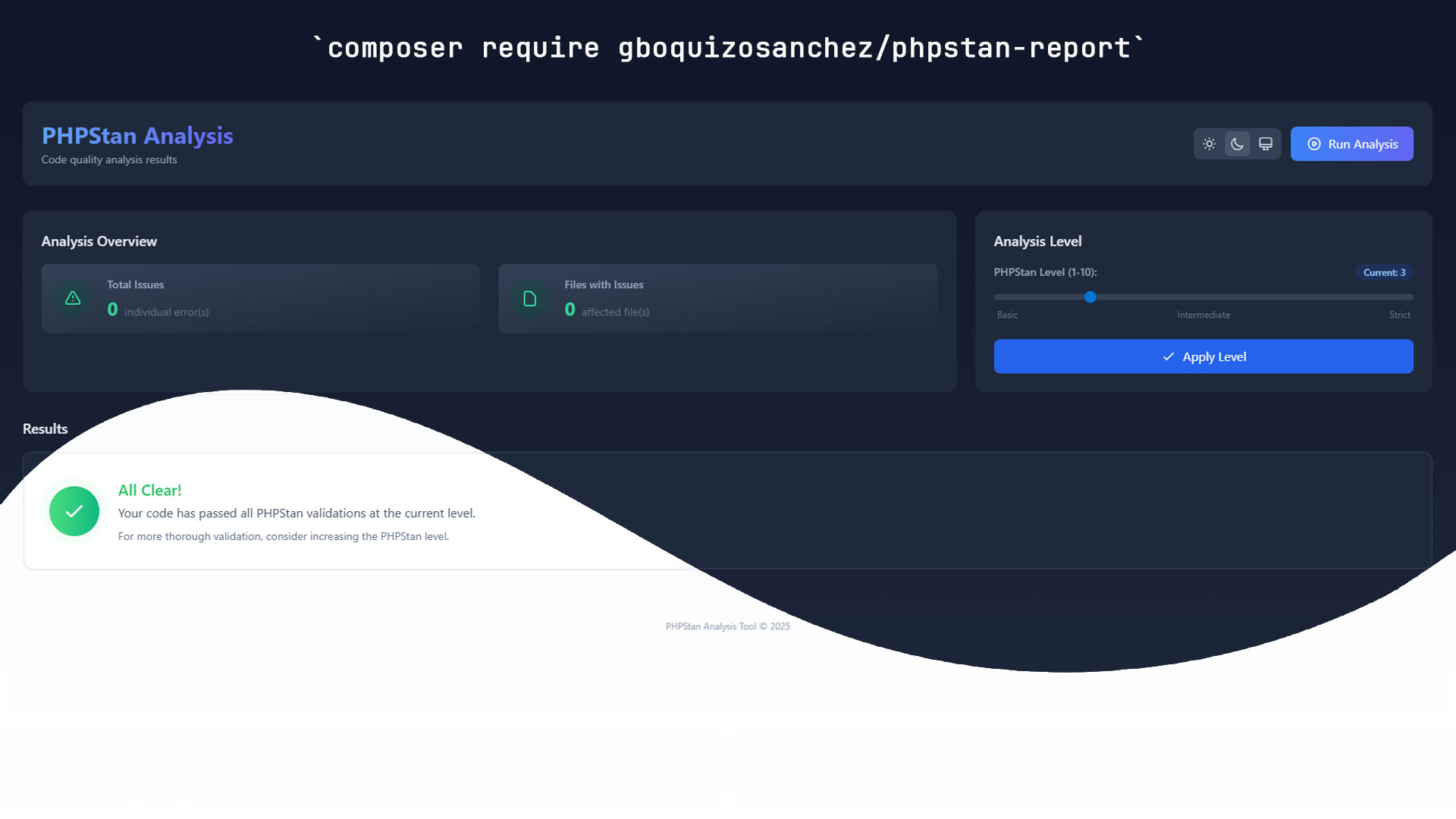
PHPStan Report is a Laravel package that provides an elegant web interface for viewing, analyzing, and managing PHPStan static analysis results. Transform your code quality insights into an interactive, user-friendly dashboard.
✨ Features
- 🎯 Dynamic Level Control — Adjust PHPStan analysis levels (1–10) from the UI
- ⚡ Real-time Analysis — Run PHPStan directly from your browser
- 📊 Beautiful Reports — Errors grouped by file, expandable inline, with severity indicators
- 🌓 Dark / Light theme — Persisted per session
- 📋 One-click copy — Copy error messages and suggested fixes instantly
- 📱 Responsive — Optimized for mobile and desktop
- 🚀 Composer integration — Seamless integration with Composer scripts
- 💾 Auto-save — Remembers your preferred configuration
Requirements
- PHP 8.3+
- Laravel 11.0+ or 12.0+
Warning
This package is intended for development environments only. Do not install it in production.
📦 Installation
composer require gboquizosanchez/phpstan-report
Run the installation command to automatically configure everything:
php artisan install:phpstan-report
This command will:
- Create
phpstan.neon— Generates a base config at level 3 (if not already present) - Publish assets — Copies assets to
public/vendor/phpstan-report - Update
composer.json— Adds aphpstan-reportComposer script - Run initial analysis — Executes PHPStan and discovers your codebase
Generated phpstan.neon
parameters:
    level: 3
    paths:
        - app
You can customize this file to match your project's needs.
🚀 Usage
Navigate to the dashboard in your browser:
https://your-application.com/phpstan-report
Or verify the route is registered:
php artisan route:list --name=phpstan
You can also trigger analysis from the command line:
composer phpstan-report
Dashboard features
Analysis overview — Real-time stats showing total errors, warnings, and current analysis status.
Level management — Interactive slider to adjust PHPStan levels (1–10) with instant feedback and automatic re-analysis on change.
Error browser — File-based organization with expandable error lists, color-coded severity, and one-click copy for quick sharing.
Theme & preferences — Toggle between dark and light mode; settings persist across sessions.
Troubleshooting
- Check the logs — Laravel logs may contain helpful error messages.
- Verify requirements — Ensure PHP and Laravel versions meet the minimum requirements.
- Clear cache — Run
php artisan config:clearandphp artisan cache:clear. - Open an issue — Report bugs or request features.
Contributing
Contributions are welcome!
- 🐛 Report bugs via GitHub Issues
- 💡 Suggest features or improvements
- 🔧 Submit pull requests with fixes or enhancements
- 📖 Improve documentation or add examples
Credits
- Author: Germán Boquizo Sánchez
- Built with: PHPStan · Laravel · Alpine.js · Tailwind CSS
- Contributors: View all contributors
📄 License
This package is open-source software licensed under the MIT License.
Made with ❤️ for the PHP community
统计信息
- 总下载量: 274
- 月度下载量: 0
- 日度下载量: 0
- 收藏数: 0
- 点击次数: 6
- 依赖项目数: 0
- 推荐数: 0
其他信息
- 授权协议: MIT
- 更新时间: 2025-08-01