juniora/nova-filepond
最新稳定版本:v1.1.1
Composer 安装命令:
composer require juniora/nova-filepond
包简介
A Nova field for uploading File, Image and Video using filepond.
README 文档
README
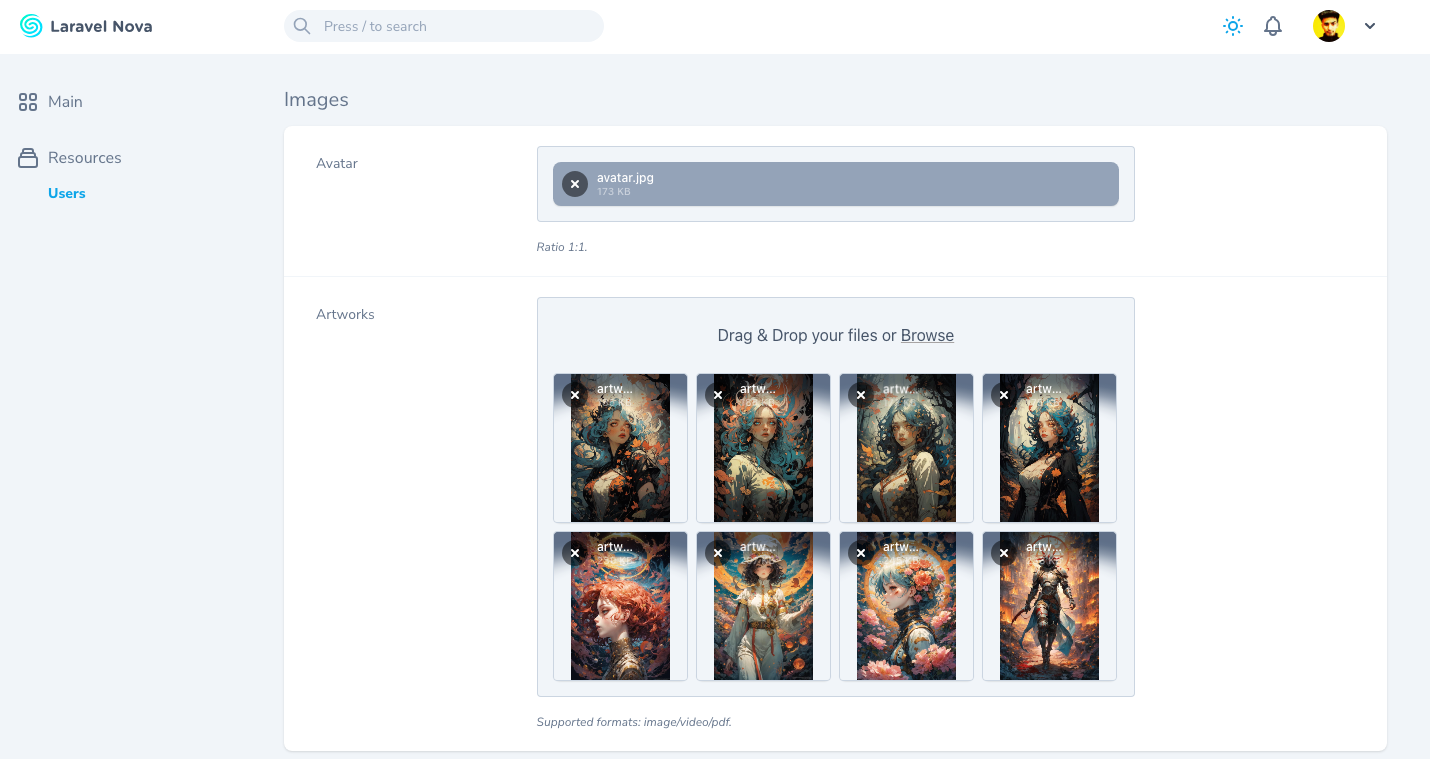
A Nova field for uploading File, Image and Video using Filepond.
Installation
You can install the package via composer:
composer require juniora/nova-filepond
Features
- Single/Multiple files upload
- Sortable files
- Preview images, videos and audio
- Enable / Disable preview
- Extends the original Laravel Nova File field giving you access to all the methods/functionality of the default file upload.
- Drag and drop files
- Paste files directly from the clipboard
- Store custom attributes (original file name, size, etc)
- Prunable files (Auto delete files when the model is deleted)
- Dark mode support
Usage
The field extends the original Laravel Nova File field, so you can use all the methods available in the original field.
Basic usage:
use DigitalCreative\Filepond\Filepond;

class Post extends Resource
{
    public function fields(NovaRequest $request): array
    {
        return [
            Filepond::make('Images', 'images')
                ->rules('required')
                ->prunable()
                ->disablePreview()
                ->multiple()
                ->limit(4),
        ];
    }
}
When uploading multiple files you will need to cast the attribute to an array in your model class
class Post extends Model {

    protected $casts = [
        'images' => 'array'
    ];

}
You can also store original file name / size by using storeOriginalName and storeOriginalSize methods.
use DigitalCreative\Filepond\Filepond;

class Post extends Resource
{
    public function fields(NovaRequest $request): array
    {
        return [
            Filepond::make('Images', 'images')
                ->storeOriginalName('name')
                ->storeSize('size')
                ->multiple(),

            // or you can manually decide how to store the data
            // Note: the store method will be called for each file uploaded and the output will be stored into a single json column
            Filepond::make('Images', 'images')
                ->multiple()
                ->store(function (NovaRequest $request, Model $model, string $attribute): array {
                    return [
                        $attribute => $request->images->store('/', 's3'),
                        'name' => $request->images->getClientOriginalName(),
                        'size' => $request->images->getSize(),
                        'metadata' => '...'
                    ];
                })
        ];
    }
}
Note when using
storeOriginalNameandstoreSizemethods, you will need to add the columns to your database table if you are in "single" file mode.
⭐️ Show Your Support
Please give a ⭐️ if this project helped you!
Other Packages You Might Like
- Nova Dashboard - The missing dashboard for Laravel Nova!
- Nova Welcome Card - A configurable version of the
Help cardthat comes with Nova. - Icon Action Toolbar - Replaces the default boring action menu with an inline row of icon-based actions.
- Expandable Table Row - Provides an easy way to append extra data to each row of your resource tables.
- Collapsible Resource Manager - Provides an easy way to order and group your resources on the sidebar.
- Resource Navigation Tab - Organize your resource fields into tabs.
- Resource Navigation Link - Create links to internal or external resources.
- Nova Mega Filter - Display all your filters in a card instead of a tiny dropdown!
- Nova Pill Filter - A Laravel Nova filter that renders into clickable pills.
- Nova Slider Filter - A Laravel Nova filter for picking range between a min/max value.
- Nova Range Input Filter - A Laravel Nova range input filter.
- Nova FilePond - A Nova field for uploading File, Image and Video using Filepond.
- Custom Relationship Field - Emulate HasMany relationship without having a real relationship set between resources.
- Column Toggler - A Laravel Nova package that allows you to hide/show columns in the index view.
- Batch Edit Toolbar - Allows you to update a single column of a resource all at once directly from the index page.
License
The MIT License (MIT). Please see License File for more information.
统计信息
- 总下载量: 945
- 月度下载量: 0
- 日度下载量: 0
- 收藏数: 1
- 点击次数: 6
- 依赖项目数: 0
- 推荐数: 0
其他信息
- 授权协议: MIT
- 更新时间: 2025-04-14