juniyasyos/dash-stack-theme-juniyasyos
最新稳定版本:v1.3.3
Composer 安装命令:
composer require juniyasyos/dash-stack-theme-juniyasyos
包简介
DashStack theme for filament php
README 文档
README


Tested on Filamentphp demo app
Acknowledgements
Name based and Design inspired from DashStack Theme. Big thanks for Seju for this amazing design.
🚀 Installation & Usage (Auto Mode)
Step 1: Install the Package
Install the package using Composer:
composer require juniyasyos/dash-stack-theme-juniyasyos
Step 2: Run Install Command
This command will install required npm packages (if not already installed) and publish its assets.
php artisan filament-dash-stack-theme-juniyasyos:install
Step 3: Register Filament Plugin
Within your targeted panel provider, register DashStack Theme Plugin:
use Juniyasyos\DashStackTheme\DashStackThemePlugin;

// ...

$panel->plugin(DashStackThemePlugin::make());
🔧 Development Mode
Step 1: Publish Assets Manually
Run the following commands to publish the assets:
php artisan vendor:publish --tag=dash-stack-theme-juniyasyos-assets --force
php artisan vendor:publish --tag=dash-stack-theme-juniyasyos-dist --force
Step 2: Configure Vite Theme in Filament Panel
Modify your Filament Panel configuration and set the viteTheme path to:
->viteTheme('resources/css/filament/dash-stack-theme-juniyasyos/theme.css')
Step 3: Build the Assets
After making any modifications, run the following command to compile the assets:
npm run build
Development Notes
- Ensure that
vite.config.jsincludes the correct input path for the theme CSS. - After publishing assets, you may need to clear the cache using
php artisan config:clear. - If the styles are not reflecting, check if
npm run devornpm run buildhas been executed properly.
⚙️ Configuration
DashStack theme comes by default with a configuration for primary color and predefined dashboard settings. To customize, publish the config file:
php artisan vendor:publish --tag=filament-dash-stack-theme-juniyasyos-config
Example configuration (config/filament-dash-stack-theme-juniyasyos.php):
use Juniyasyos\DashStackTheme\Support\Colors\Color;

return [
    'default-colors' => [
        'primary' => Color::Blue,
    ],

    'side-bar-collapsable-on-desktop' => true,
    'collapsible-navigation-groups' => false,
    'breadcrumbs' => false,

    /**
     * Nunito Sans is the default font for the theme.
     */
    'use-default-font' => true,
];
Note: The default font used for Dash Stack Theme is Nunito Sans. You can disable this by setting
use-default-fonttofalsein the config file.
📌 Upcoming Features
If you have feature requests or suggestions, feel free to submit them on GitHub.
Planned Updates:
- Date / DateTime / DateRange component
- Enhanced Select component (UI improvements)
🎨 Appearance
Login Page
| Login Page Light | Login Page Dark |
|---|---|
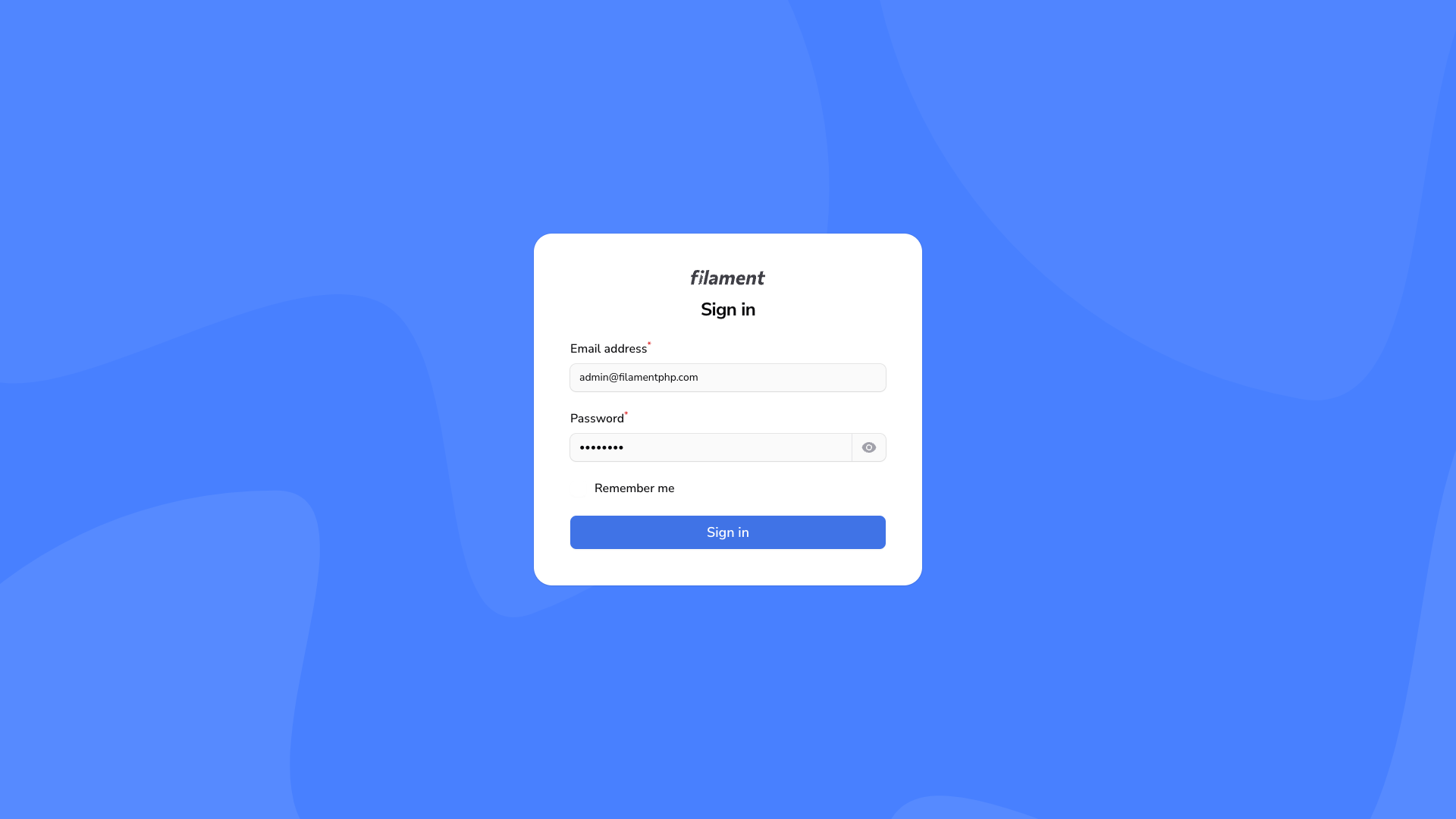
|
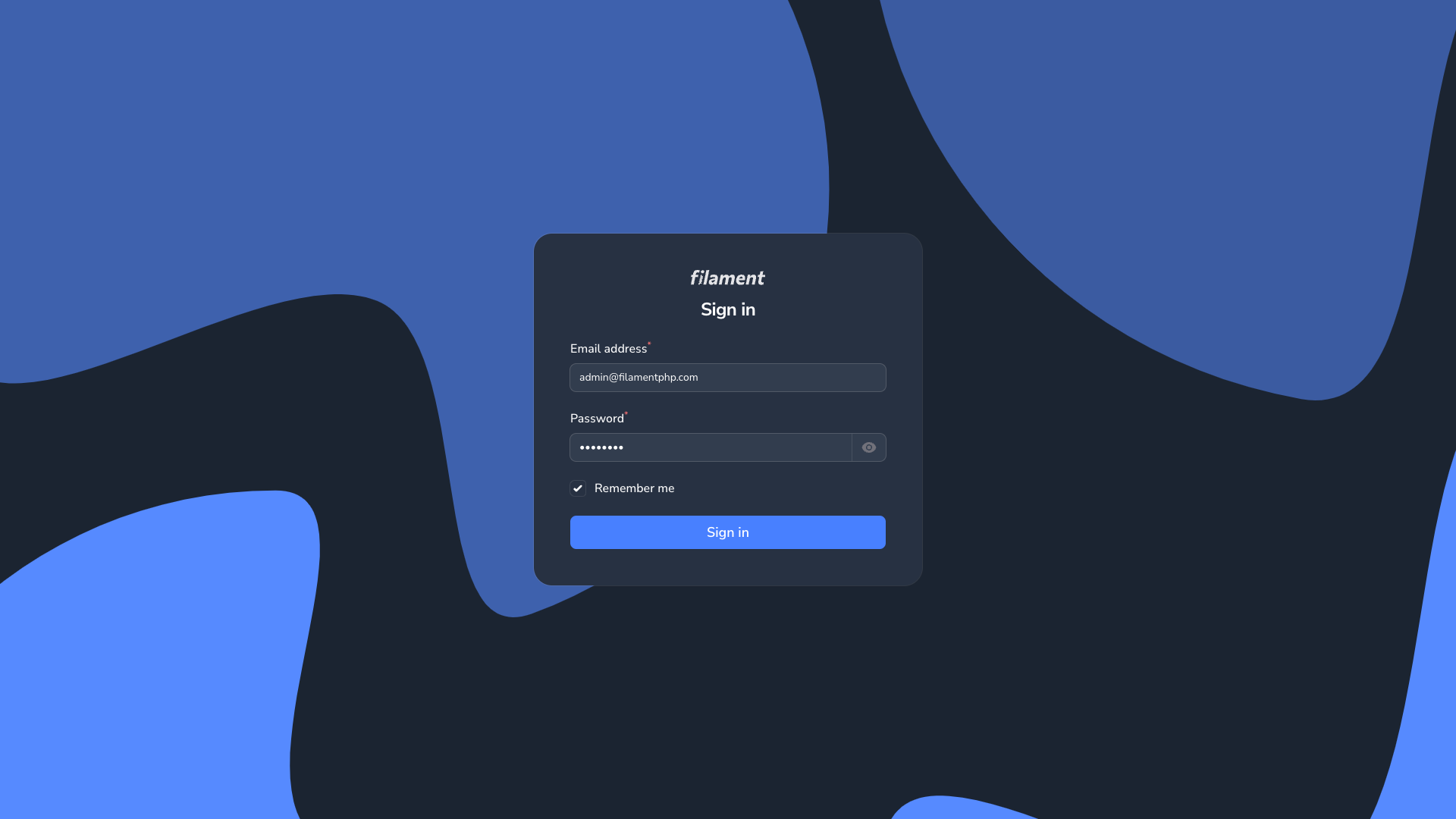
|
Dashboard Page
| Dashboard Page Light | Dashboard Page Dark |
|---|---|
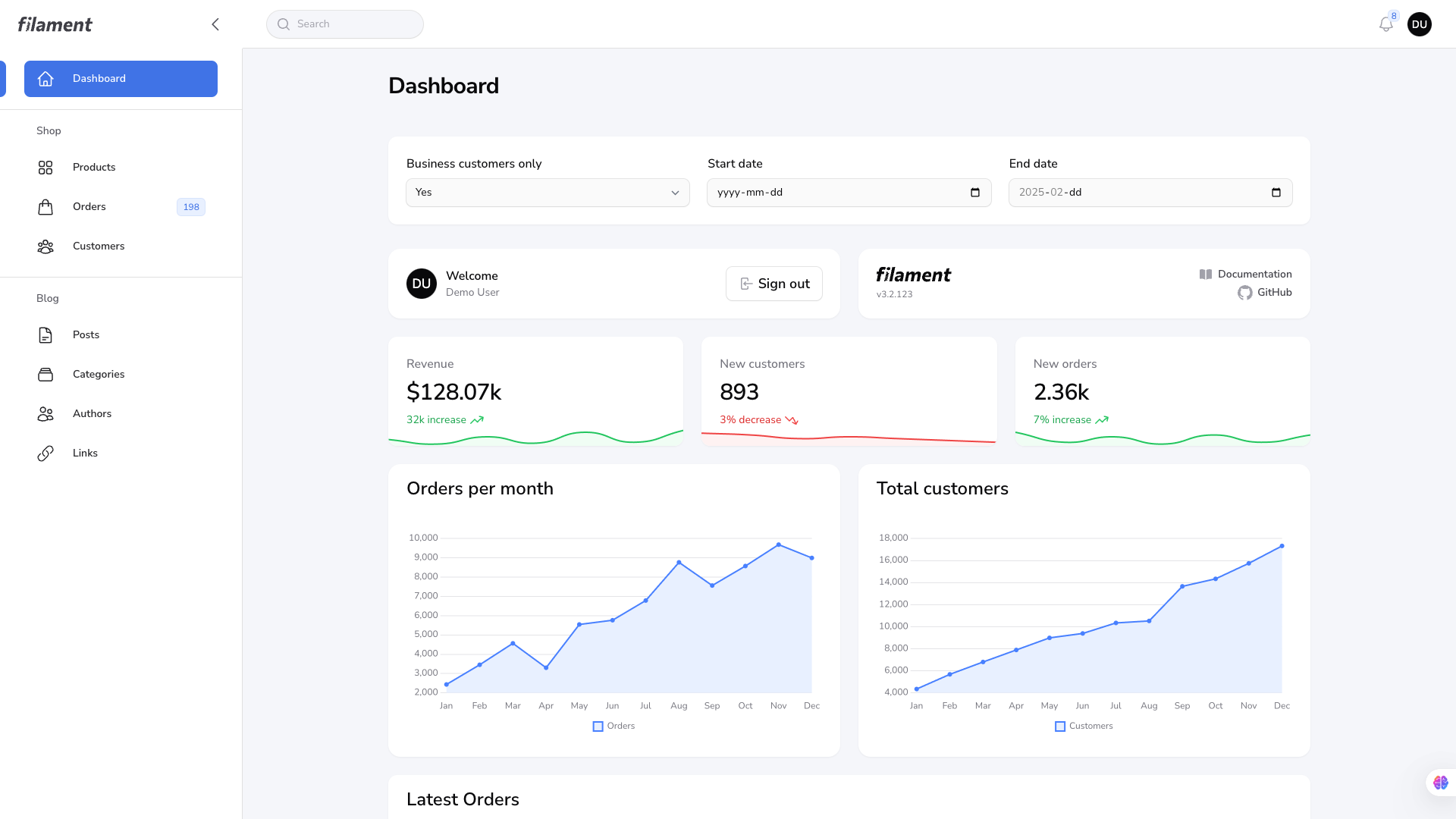
|
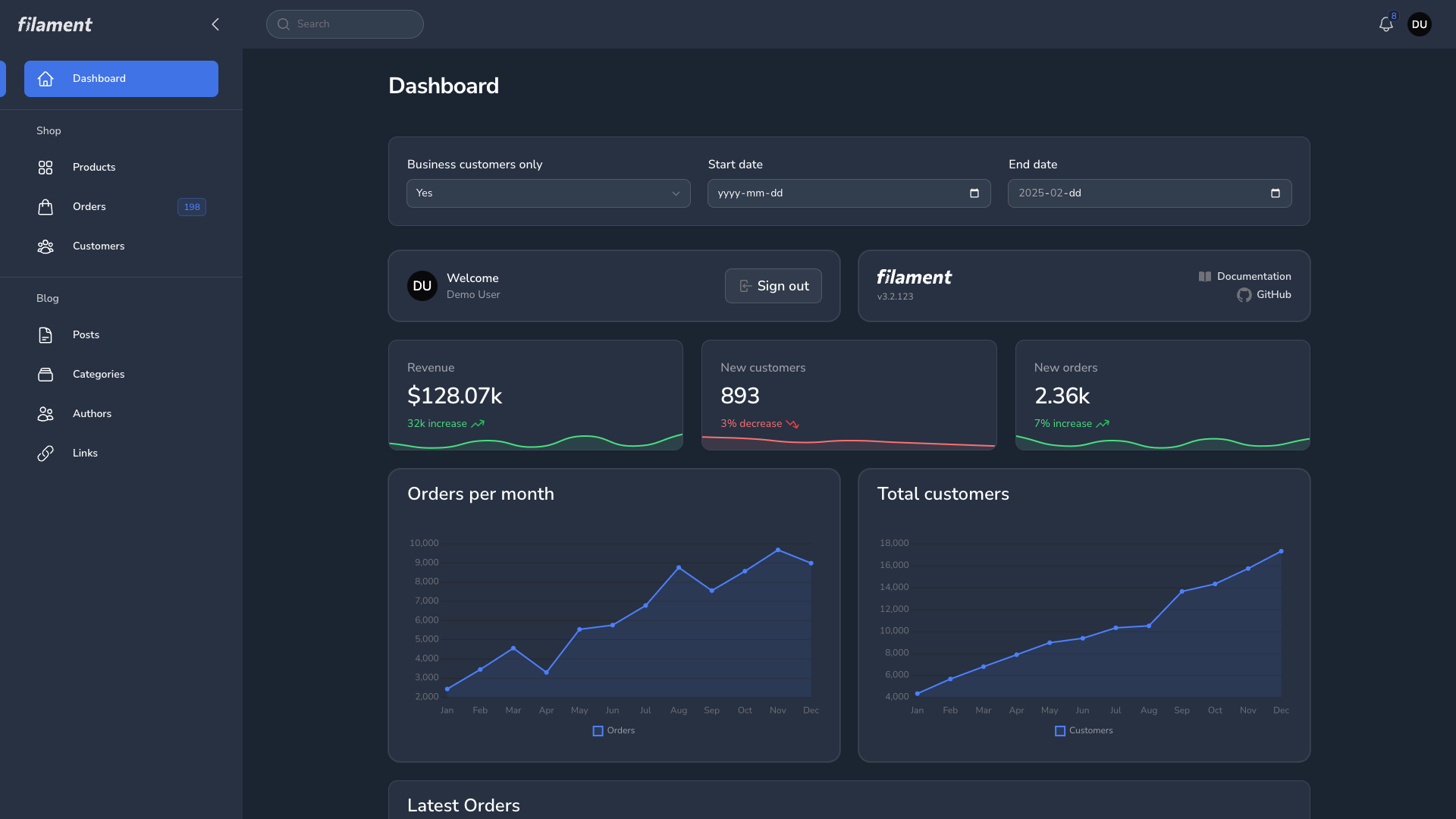
|
Global Search
| Global Search Light | Global Search Dark |
|---|---|
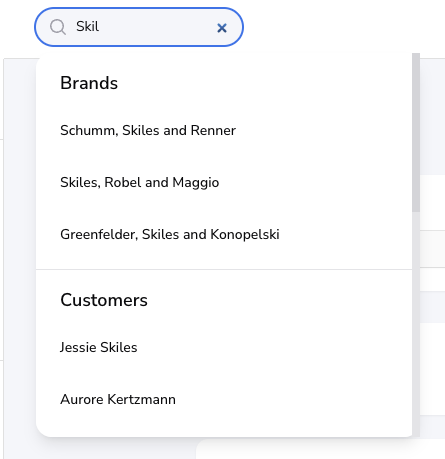
|
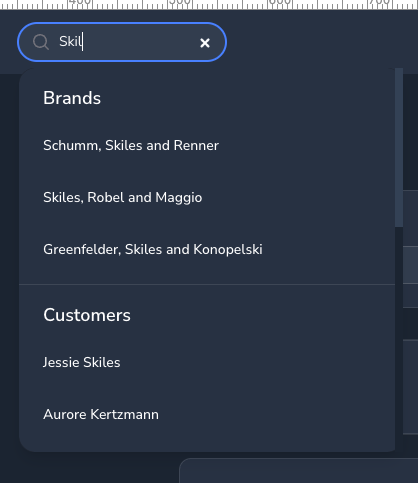
|
Notification Modal
| Notification Modal Light | Notification Modal Dark |
|---|---|
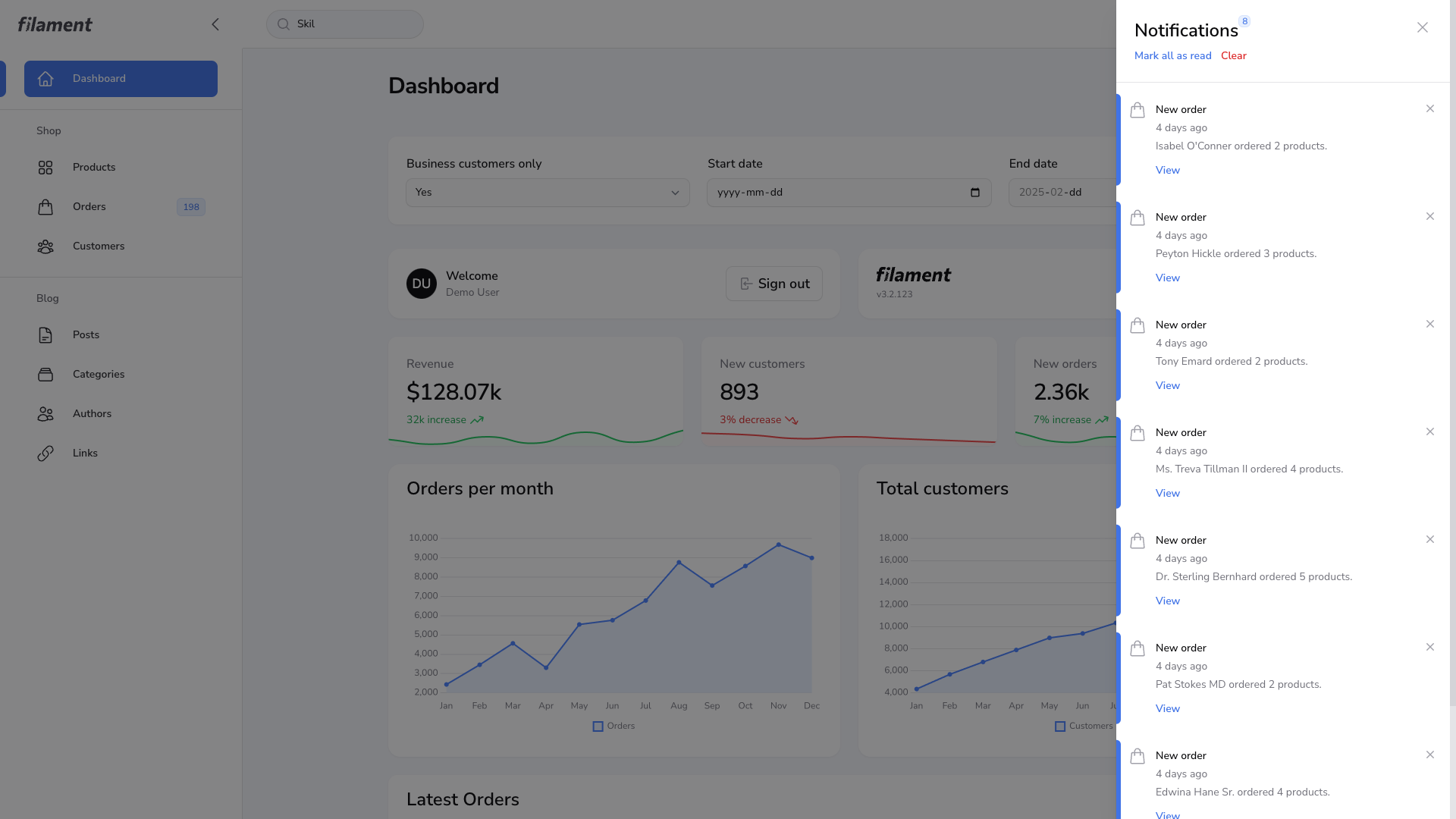
|
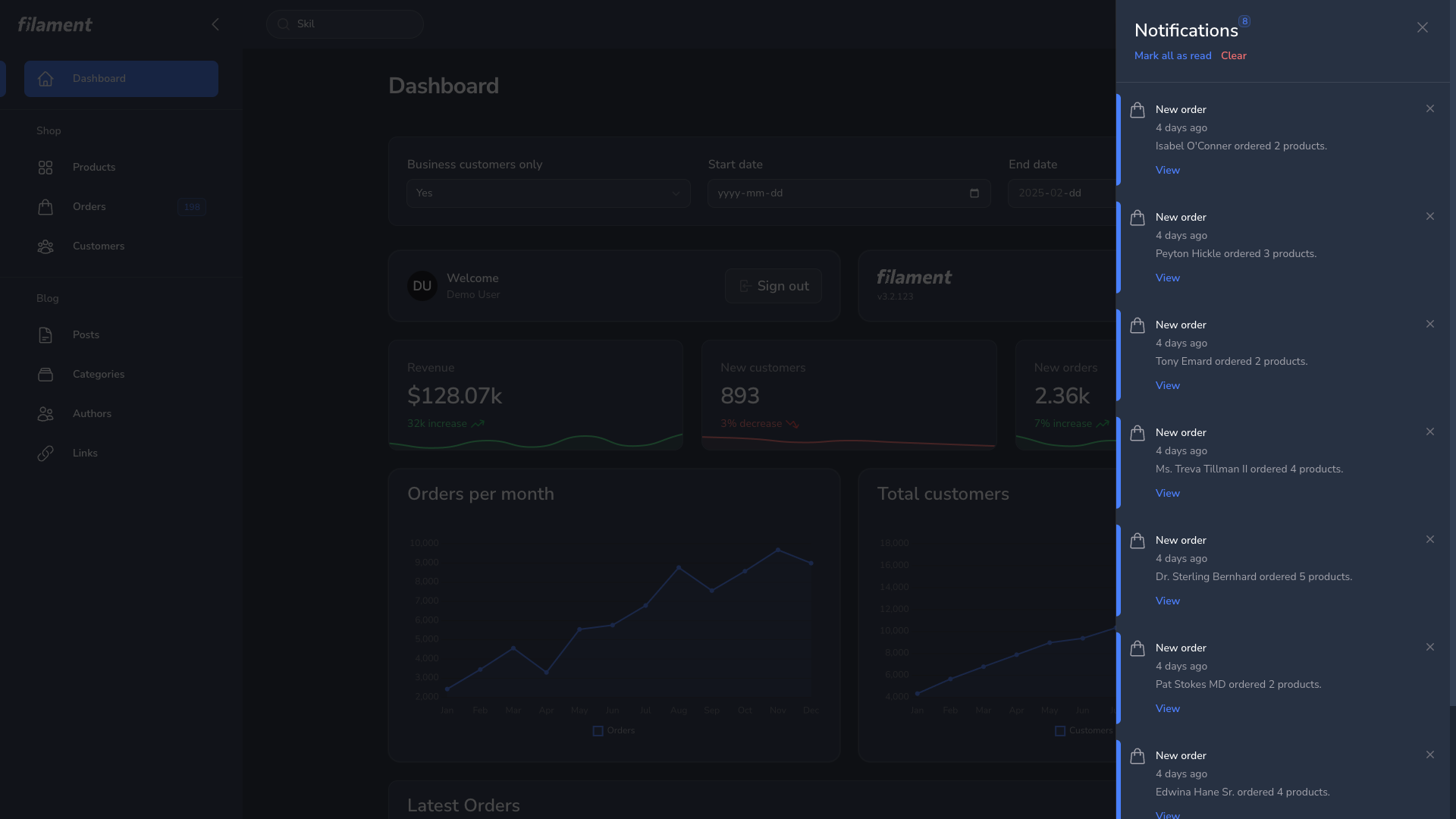
|
User Menu
| User Menu Light | User Menu Dark |
|---|---|
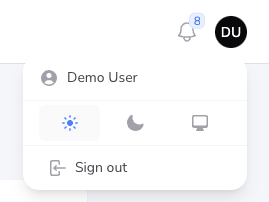
|
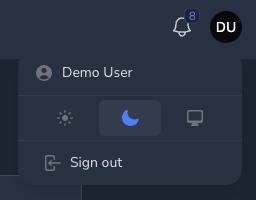
|
Resource Page
| Resource Page Light | Resource Page Dark |
|---|---|
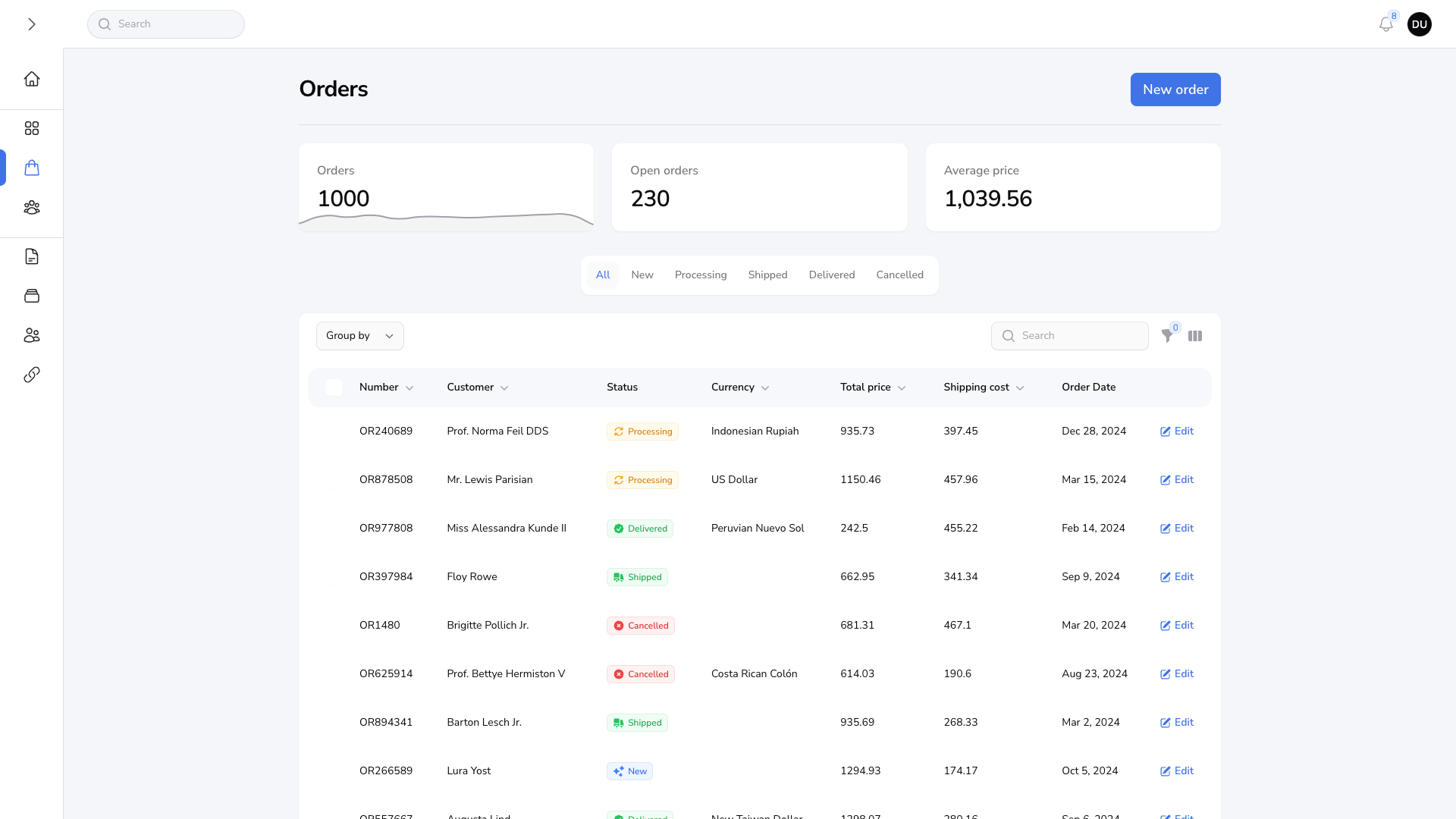
|
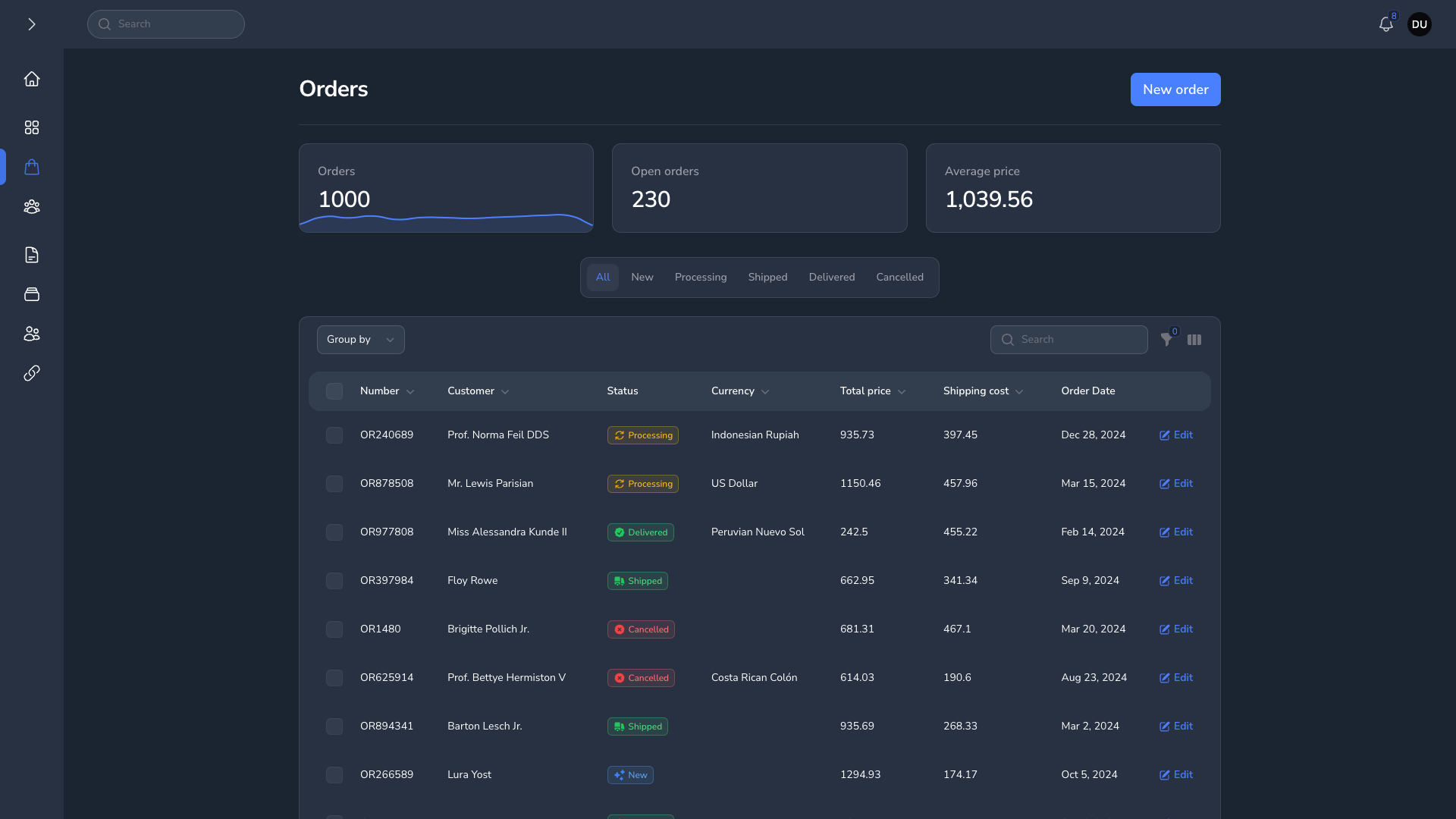
|
Grid Table
| Grid Table Light | Grid Table Dark |
|---|---|
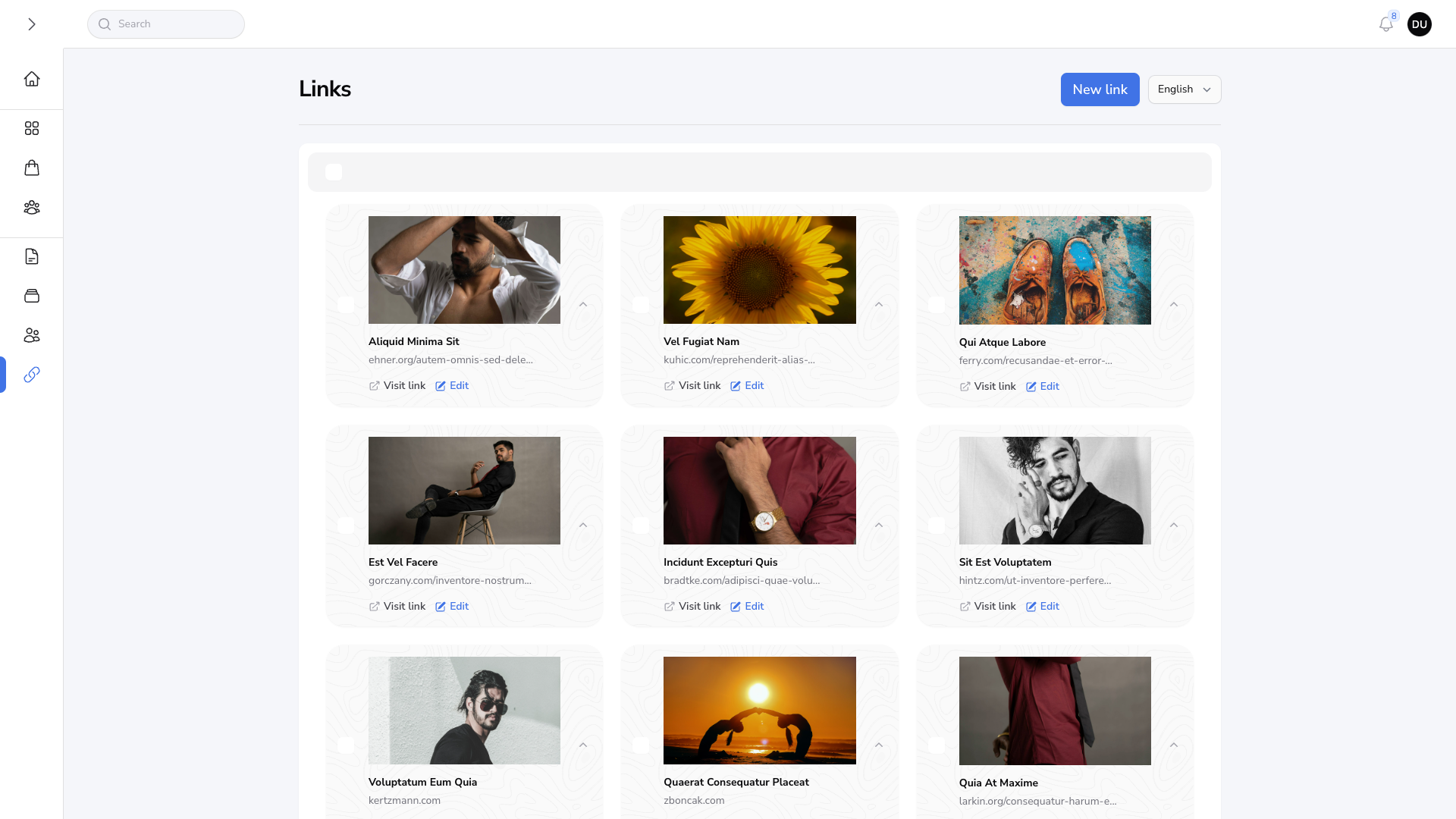
|
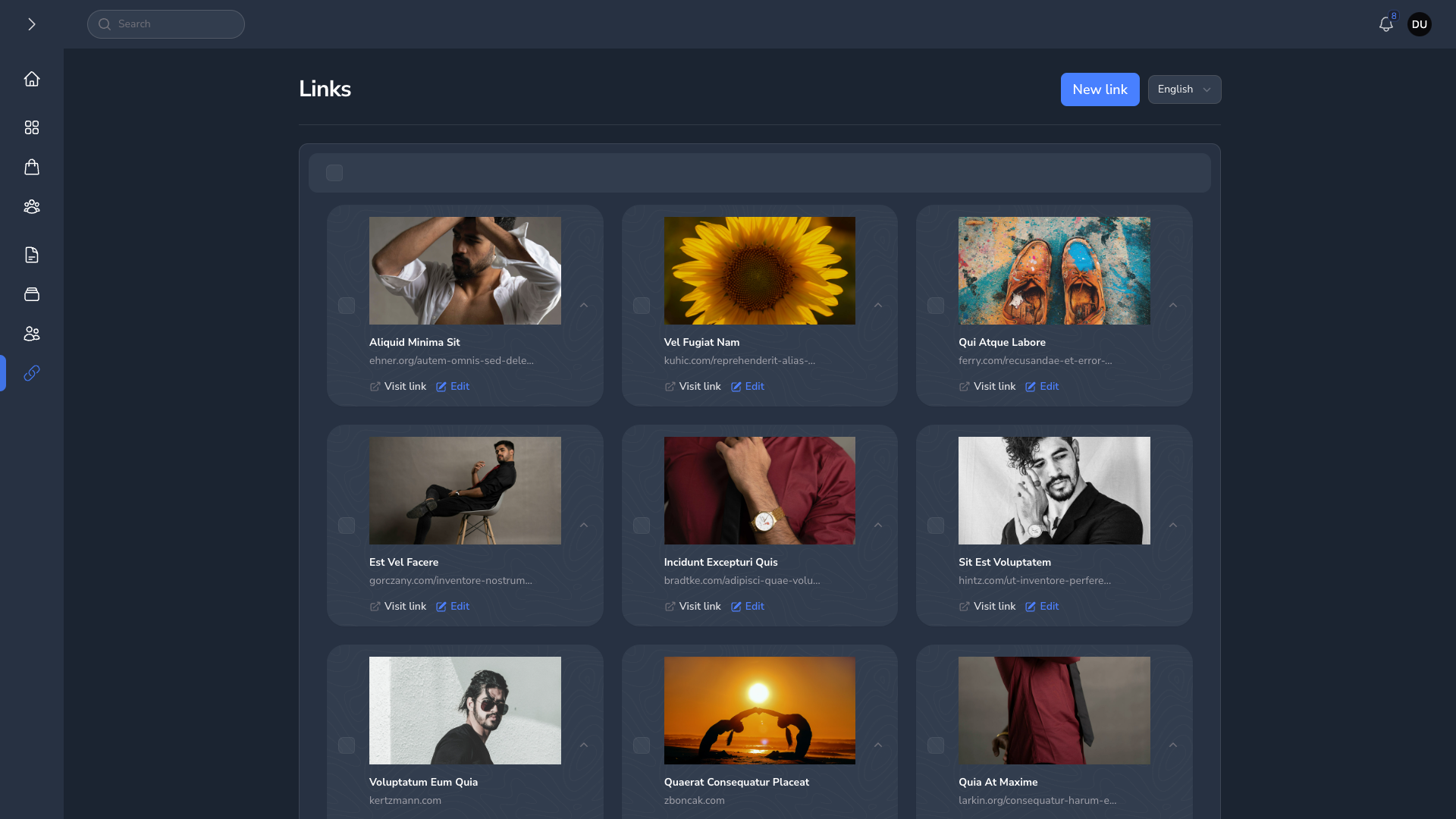
|
Forms
| Forms Light | Forms Dark |
|---|---|
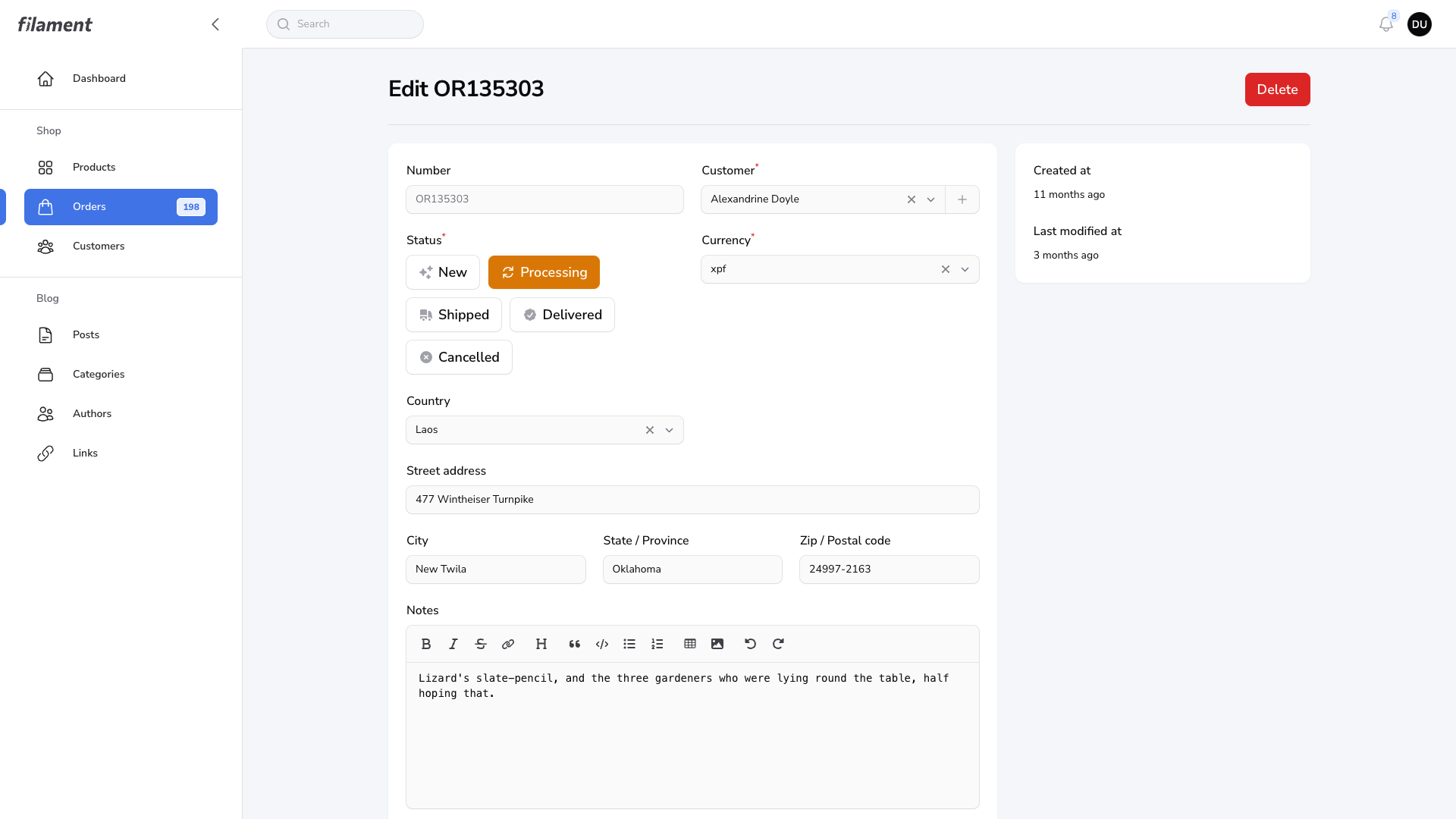
|
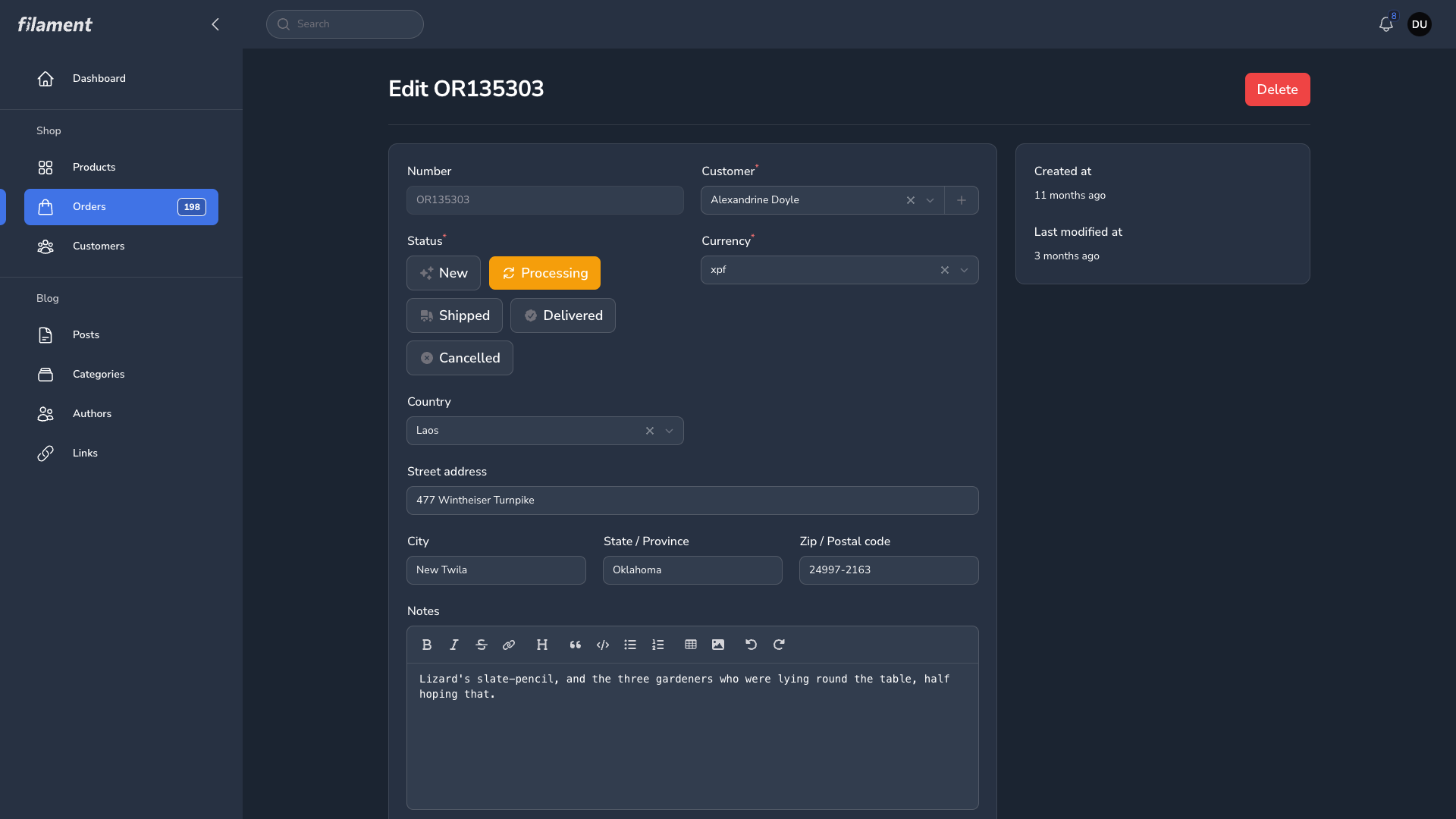
|
统计信息
- 总下载量: 509
- 月度下载量: 0
- 日度下载量: 0
- 收藏数: 0
- 点击次数: 1
- 依赖项目数: 1
- 推荐数: 0
其他信息
- 授权协议: MIT
- 更新时间: 2025-03-15