kinuz/scroll-top
最新稳定版本:1.0.0
Composer 安装命令:
composer require kinuz/scroll-top
包简介
Allow add button scroll top to website
README 文档
README
How to install
1. Install via composer (recommend)
I recommend you to install Kinuz_ScrollTop module via composer. It is easy to install, update and maintaince.
Run the following command in Magento 2 root folder.
1.1 Install
composer require kinuz/scroll-top
php bin/magento setup:upgrade
php bin/magento setup:static-content:deploy -f
Run compile if your store in Production mode:
php bin/magento setup:di:compile
2. Copy and paste
If you don't want to install via composer, you can use this way.
- Download the latest version here
- Extract
master.zipfile toapp/code/Kinuz/ScrollTop; You should create a folder pathapp/code/Kinuz/ScrollTopif not exist. - Go to Magento root folder and run upgrade command line to install
Kinuz_ScrollTop:
php bin/magento setup:upgrade
php bin/magento setup:static-content:deploy
2. Configuration
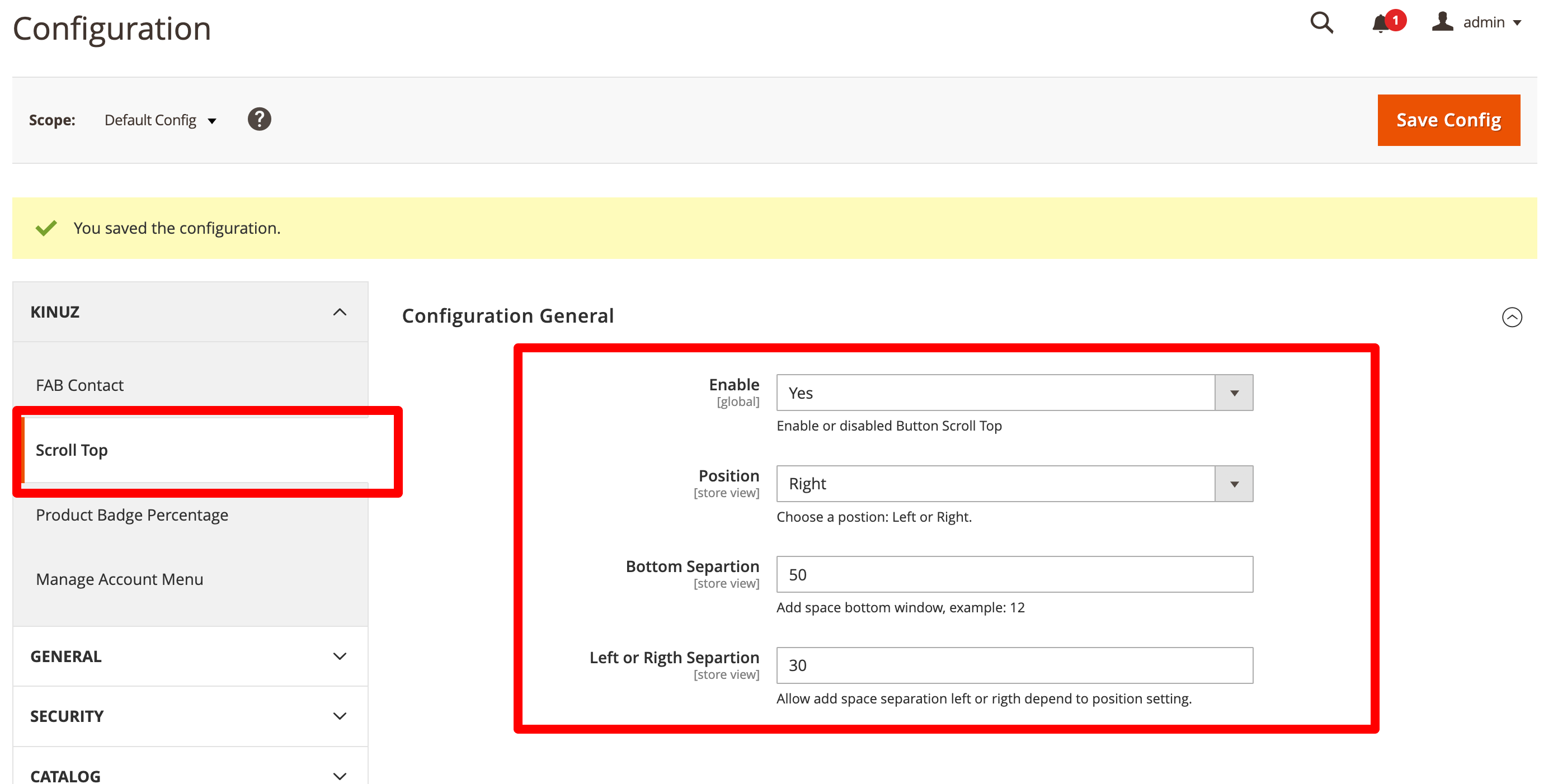
Go to section Stores > Configuration > Kinuz > Button Scroll Top
-
Enable to module
-
Setting the position, left or right spece and bottom space.
3. Preview module active
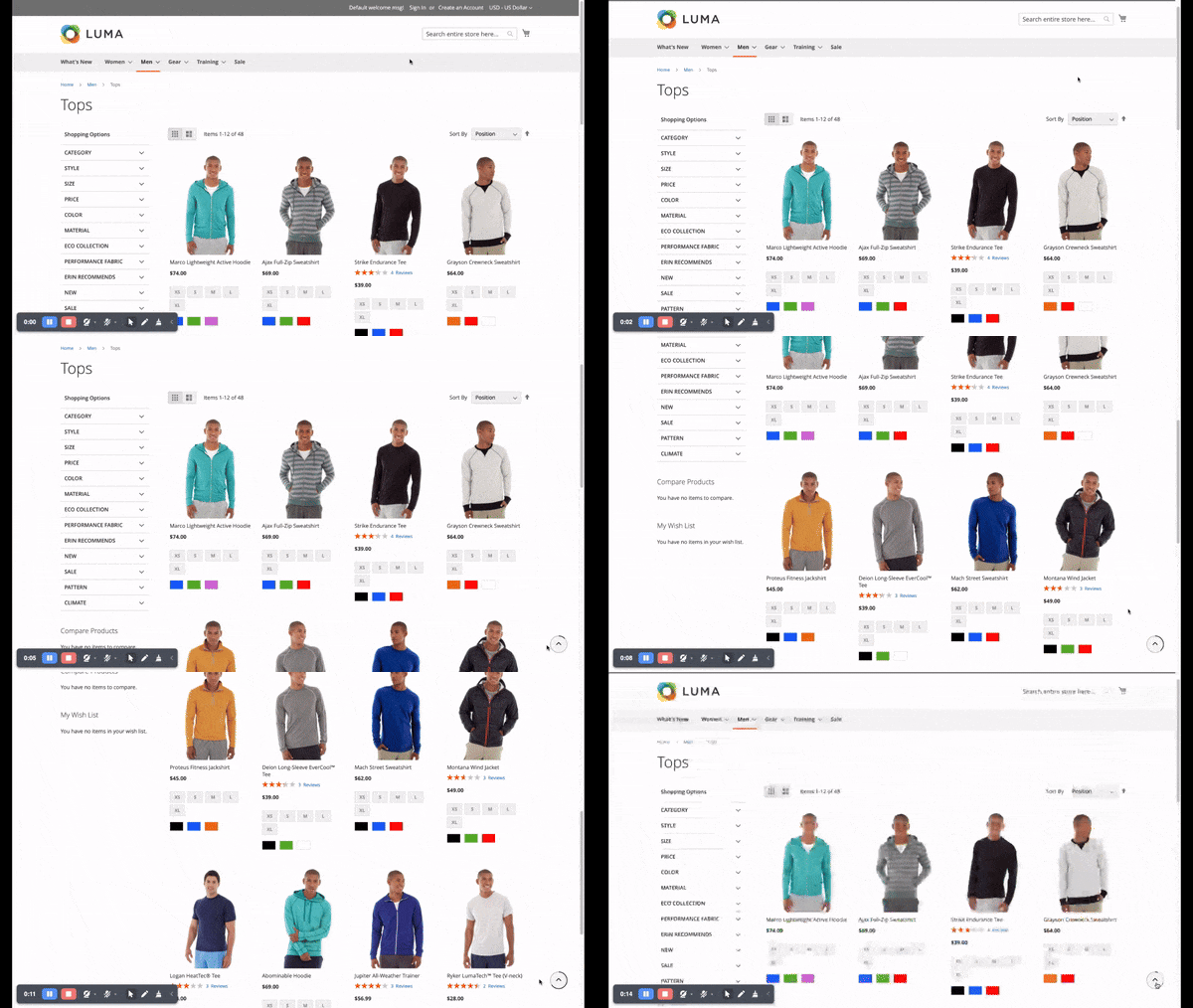
Show button scroll top.
统计信息
- 总下载量: 10
- 月度下载量: 0
- 日度下载量: 0
- 收藏数: 2
- 点击次数: 4
- 依赖项目数: 0
- 推荐数: 0
其他信息
- 授权协议: mit
- 更新时间: 2024-06-25