leewillis77/wplisttableexportable
最新稳定版本:v2.0.2
Composer 安装命令:
composer require leewillis77/wplisttableexportable
包简介
WP_List_Table_Exportable is an (almost) drop-in replacement for the WP_List_Table class that lets users export the current page of data to CSV with a simple click.
README 文档
README
What?
WP_List_Table_Exportable is an (almost) drop-in replacement for the WP_List_Table class that lets users export the current page of data to CSV with a simple click.
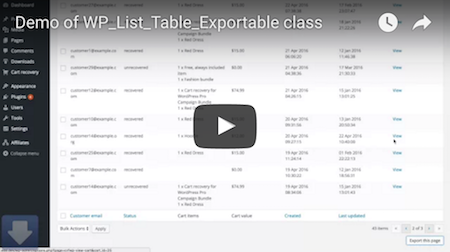
Export link included in list table

CSV Output compatible with your favourite spreadsheet app

Why…
I wanted to add CSV Export functionality to an existing WP_List_Table implementation in the Cart Recovery for WordPress Pro plugin.
My initial implementation required a lot of custom code, bodges, and workarounds. It generally seemed like something which should be generic, and simpler. So I gave it a go. WP_List_Table_Exportable is the result.
How…
If you want to use the class, here's what you can do.
Option 1 - Using composer
- Add the repo as a dependency:
$ composer require leewillis77/wplisttableexportable
- Extend
leewillis77\WpListTableExportable\WpListTableExportableinstead ofWP_List_Table - Your plugin will need to invoke
leewillis77\WpListTableExportable\Bootstrapon any request that would result in the list table being shown as early as practical in the request lifecycle - before any output is created
Option 2 - manual download
- Download, or clone this repo within your plugin
- Include the main class file before you declare your list table class
- Extend
leewillis77\WpListTableExportable\WpListTableExportableinstead ofWP_List_Table - Your plugin will need to also require bootstrap.php on any request that would result in the list table being shown as early as practical in the request lifecycle - before any output is created
Customising…
By default, the CSV file will strip any HTML tags from the cell contents, and decode HTML attributes before outputting the contents to the CSV file. Sometimes you may want an alternative representation of a cell. To do that you can implement a column_csv_{column_id} callback in your extending class. This will override the standard column_{column_id} callback when the data is being output to CSV - HTML layout will be unaffected and will use the original callback.
For example:
	// The original column callback. Used when generating the HTML list table.
	function column_cart_value( $item ) {
		return $this->currency() . ' ' . $this->get_cart_value();
	}

	// The callback for outputting to CSV. Used instead of the standard callback when
	// generating the CSV file only.
	function column_csv_cart_value( $item ) {
		return $this->get_cart_value();
	}
If you want to exclude a column from being output in the CSV, then you can return its ID from a hidden_columns_csv() method in your class. For example:
	protected function hidden_columns_csv() {
		return array(
			'excluded_column_id'
		);
	}
When…
This isn't intended as a finished solution. It's extremely icky in places (The requirement for bootstrap.php is a prime example).
There are also several obvious feature improvements that could be made - particularly supporting outputting all pages, not just the current page and/or allowing a user to select which rows to export.
The class is lightly, manually tested with a simple List Table implementation - feedback on it's usefulness with more complex list tables would be welcome.
统计信息
- 总下载量: 2
- 月度下载量: 0
- 日度下载量: 0
- 收藏数: 11
- 点击次数: 6
- 依赖项目数: 0
- 推荐数: 0
其他信息
- 授权协议: GPL-2.0-only
- 更新时间: 2025-08-04