magentiz/module-config-finder
最新稳定版本:1.0.0
Composer 安装命令:
composer require magentiz/module-config-finder
包简介
Magentiz_ConfigFinder Extension, config-finder for magento 2
关键字:
README 文档
README
Magentiz_ConfigFinder Extension, config finder for magento 2
Requirements
- Magento Community Edition 2.4.x or Magento Enterprise Edition 2.4.x
- Exec function needs to be enabled in PHP settings.
Installation Method 1 - Installing via composer
- Open command line
- Using command "cd" navigate to your magento2 root directory
- Run command: composer require magentiz/module-config-finder
Installation Method 2 - Installing using archive
- Download ZIP Archive
- Extract files
- In your Magento 2 root directory create folder app/code/Magentiz/ConfigFinder
- Copy files and folders from archive to that folder
- In command line, using "cd", navigate to your Magento 2 root directory
- Run commands:
php bin/magento module:enable Magentiz_ConfigFinder
php bin/magento setup:upgrade
php bin/magento setup:di:compile
php bin/magento setup:static-content:deploy
User guide
Log into the Magento administration panel, go to Store > Configuration.

You can see the Find Config bar with the options:
-
Find Config: Search and display the configuration.
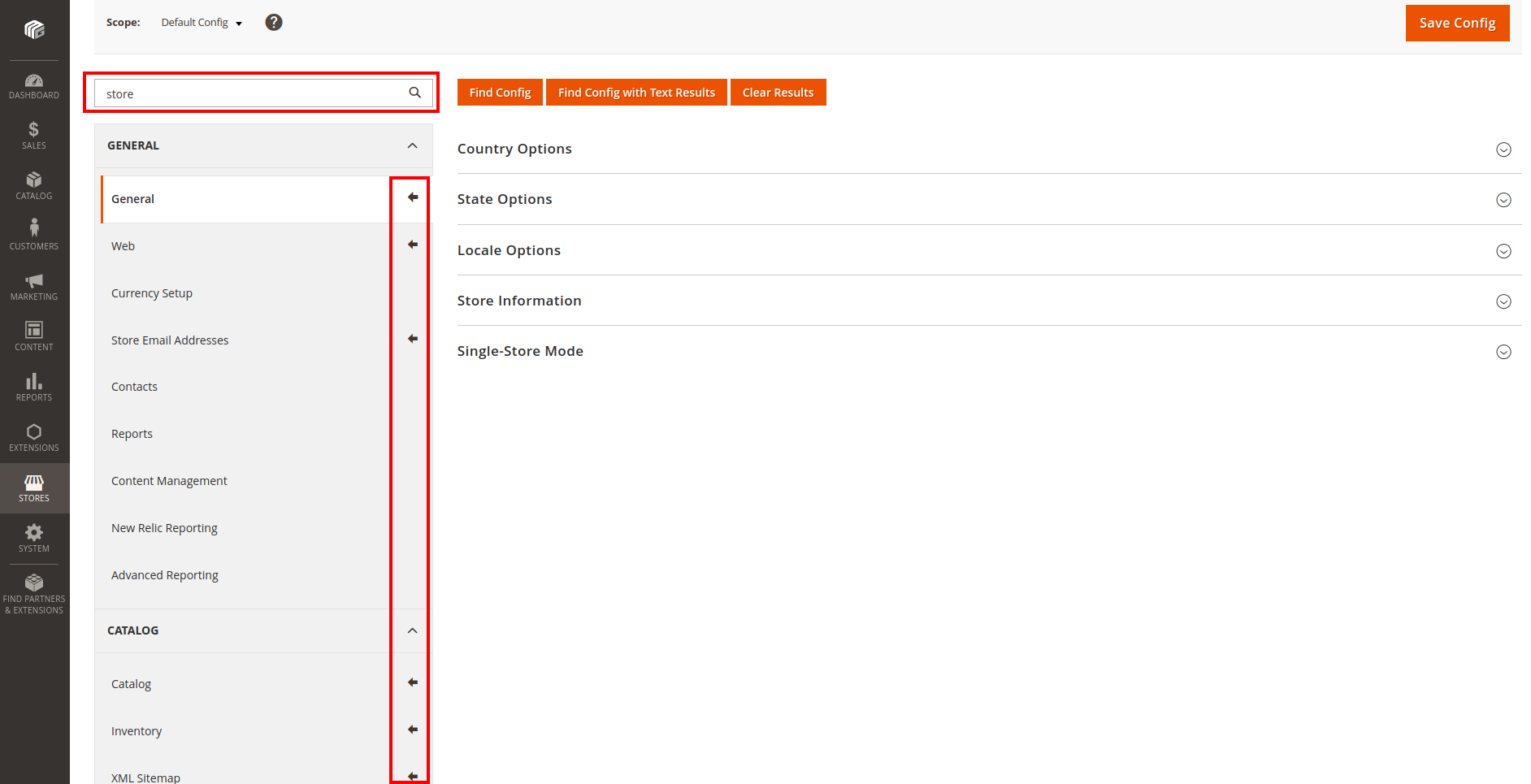
-
Find Config with Text Results: Search and display the paths (links) to configurations.
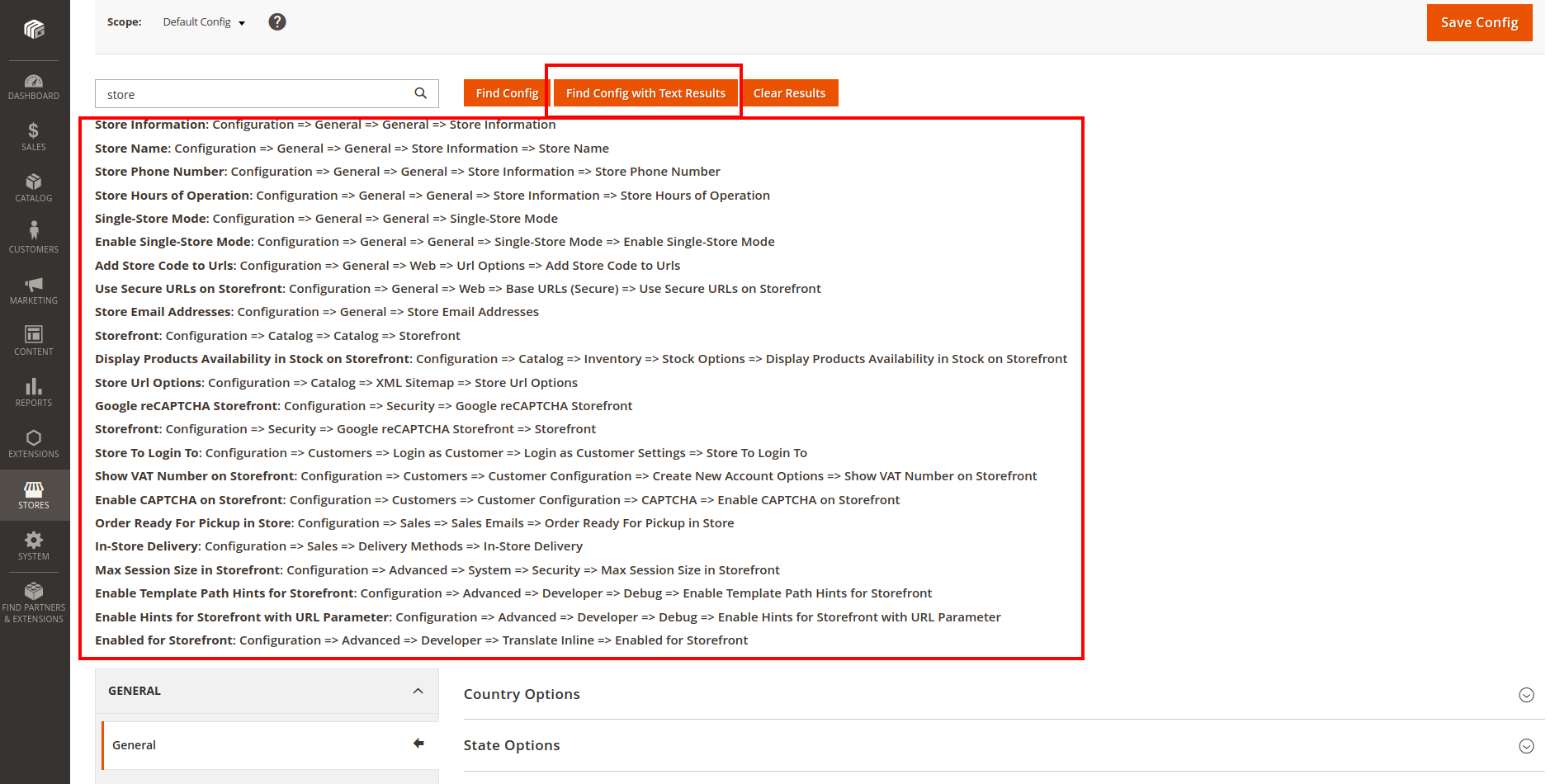
-
Clear Results: Hide search results.


You can also search for a store to configure.

Support
If you have any issues, please contact us
Need More Features?
Please contact us to get a quote https://magentiz.com/
License
The code is licensed under Open Software License ("OSL") v. 3.0.
统计信息
- 总下载量: 10
- 月度下载量: 0
- 日度下载量: 0
- 收藏数: 2
- 点击次数: 5
- 依赖项目数: 0
- 推荐数: 0
其他信息
- 授权协议: OSL-3.0
- 更新时间: 2023-12-19