malzariey/filament-lexical-editor
最新稳定版本:2.0.1
Composer 安装命令:
composer require malzariey/filament-lexical-editor
包简介
Implementation of meta's lexical editor in FilamentPHP, a modern, extensible text editor framework.
关键字:
README 文档
README
This package provides an implementation of Meta's Lexical Editor within the FilamentPHP framework. It offers a modern, extensible text editor that can be easily integrated into your FilamentPHP projects.
Installation
You can install the package via composer:
composer require malzariey/filament-lexical-editor
Optionally, you can publish the views using
php artisan vendor:publish --tag="filament-lexical-editor-views"
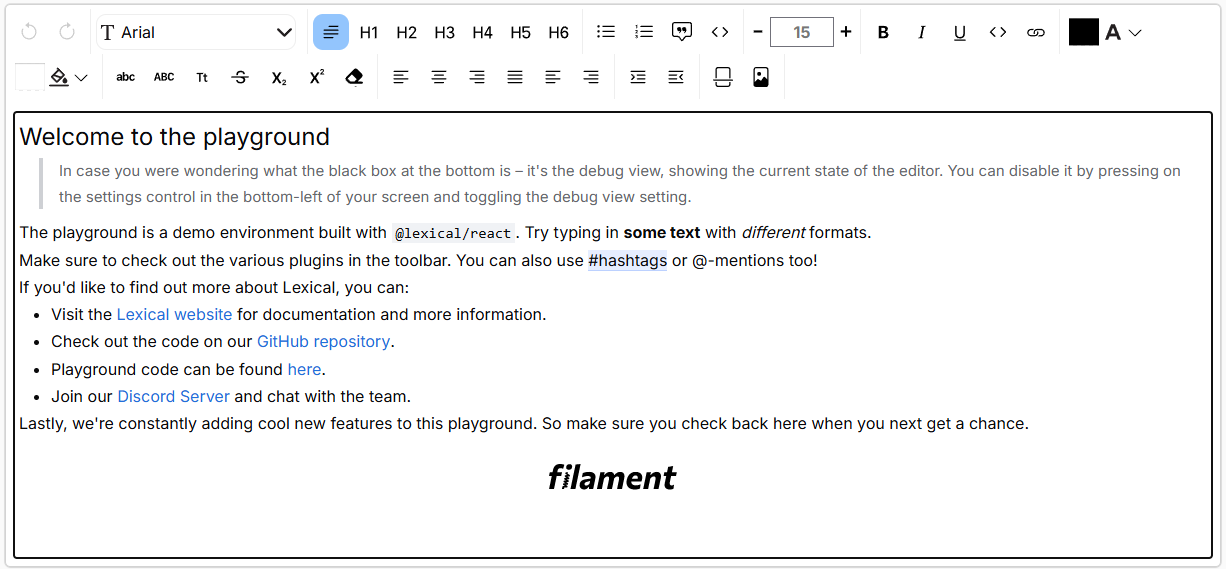
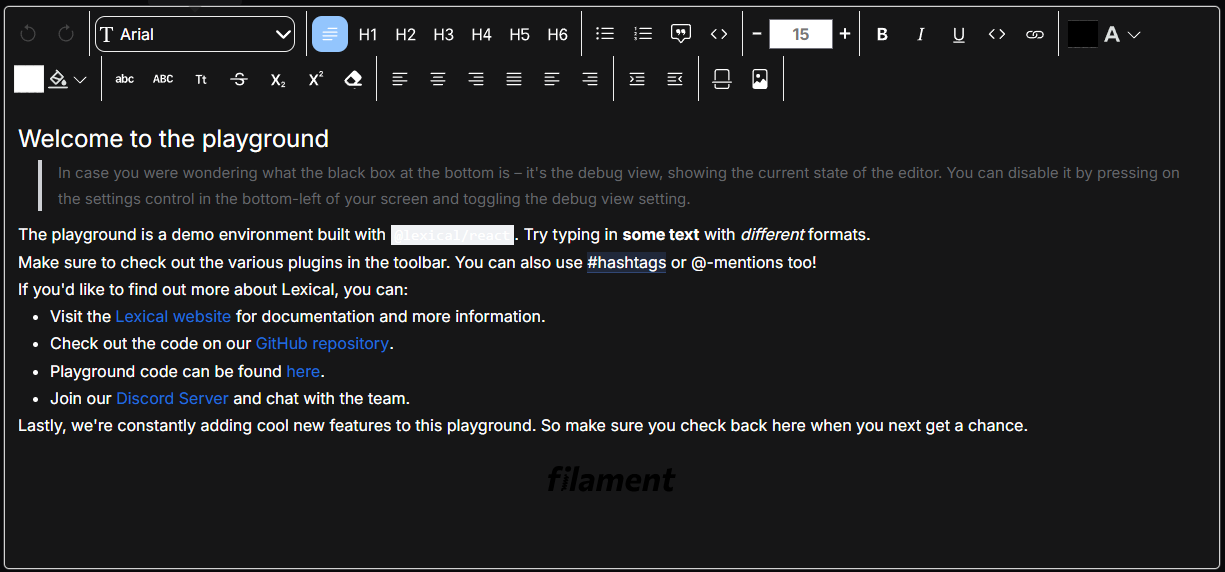
Screenshots
Light mode
Dark mode
Usage
Use the LexicalEditor field in your form schema to add the Lexical Editor to your form.
    use Malzariey\FilamentLexicalEditor\LexicalEditor;

    public static function form(Form $form): Form
    {
        return $form
            ->schema([
                LexicalEditor::make('content'),
            ]);
    }
Customize Toolbar
You can customize the toolbar by using the enabledToolbars method. The method accepts an array of ToolbarItem constants. The following is a list of available toolbar items:
    use Malzariey\FilamentLexicalEditor\LexicalEditor;

    LexicalEditor::make('content')
        ->enabledToolbars([
            ToolbarItem::UNDO, ToolbarItem::REDO,ToolbarItem::FONT_FAMILY, ToolbarItem::NORMAL, ToolbarItem::H1, ToolbarItem::H2, ToolbarItem::H3,
            ToolbarItem::H4, ToolbarItem::H5, ToolbarItem::H6, ToolbarItem::BULLET, ToolbarItem::NUMBERED, ToolbarItem::QUOTE,
            ToolbarItem::CODE, ToolbarItem::FONT_SIZE, ToolbarItem::BOLD, ToolbarItem::ITALIC, ToolbarItem::UNDERLINE,
            ToolbarItem::ICODE, ToolbarItem::LINK, ToolbarItem::TEXT_COLOR, ToolbarItem::BACKGROUND_COLOR, ToolbarItem::LOWERCASE,
            ToolbarItem::UPPERCASE, ToolbarItem::CAPITALIZE, ToolbarItem::STRIKETHROUGH, ToolbarItem::SUBSCRIPT, ToolbarItem::SUPERSCRIPT,
            ToolbarItem::CLEAR, ToolbarItem::LEFT, ToolbarItem::CENTER, ToolbarItem::RIGHT, ToolbarItem::JUSTIFY, ToolbarItem::START,
            ToolbarItem::END, ToolbarItem::INDENT, ToolbarItem::OUTDENT, ToolbarItem::HR,ToolbarItem::IMAGE
        ]),
Adding Dividers between Toolbar Actions
To add a divider between toolbar actions, you can use the ToolbarItem::DIVIDER constant.
   use Malzariey\FilamentLexicalEditor\LexicalEditor;

    LexicalEditor::make('content')
        ->enabledToolbars([
            ToolbarItem::UNDO, ToolbarItem::REDO,
            ToolbarItem::DIVIDER,
            ToolbarItem::FONT_FAMILY,
            ToolbarItem::DIVIDER,
            ToolbarItem::NORMAL,
        ]),
Styling
If you're building a custom Filament theme, you need one more step to make the editor theme match your custom theme.
Add this line to your resources/css/{panel_name}/theme.css file.
@import '/vendor/malzariey/filament-lexical-editor/resources/css/index.css';
Changelog
Please see CHANGELOG for more information on what has changed recently.
Contributing
Please see CONTRIBUTING for details.
Security Vulnerabilities
Please review our security policy on how to report security vulnerabilities.
Credits
License
The MIT License (MIT). Please see License File for more information.
Acknowledgements
- This project makes use of Lexical Editor by Meta.
- Special thanks to JetBrains, whose support to open-source projects has been tremendously valuable for our project's progress and improvement. Through their Open Source Support Program, JetBrains has generously provided us with free licenses to their high-quality professional developer tools, including IntelliJ IDEA and PhpStorm. These tools have greatly improved our productivity and made it easier to maintain high quality code. JetBrains has demonstrated a strong commitment to assisting the open source community, making a significant contribution to promoting open-source software and collaboration. We wholeheartedly thank JetBrains for their support and for having us in their open-source project support program.
统计信息
- 总下载量: 11.87k
- 月度下载量: 0
- 日度下载量: 0
- 收藏数: 14
- 点击次数: 8
- 依赖项目数: 0
- 推荐数: 0
其他信息
- 授权协议: MIT
- 更新时间: 未知