moe/color-swab
最新稳定版本:v1.0.1
Composer 安装命令:
composer require moe/color-swab
包简介
An extension of font-awesome-picker that replaces the icons with colours.
README 文档
README
An extension of font-awesome-picker that replaces the icons with colours.
Features
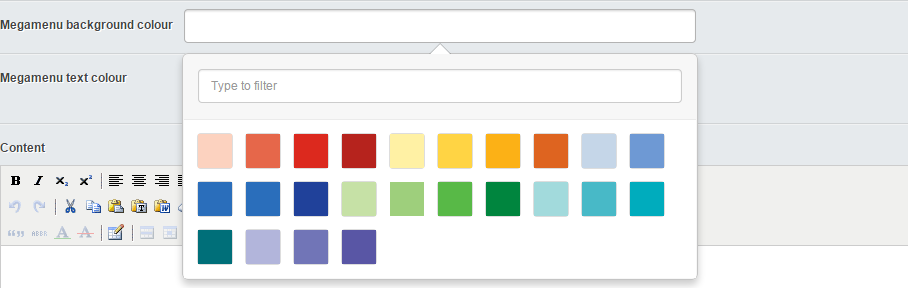
- Easily pick colour swabs to be used anywhere in the frontend
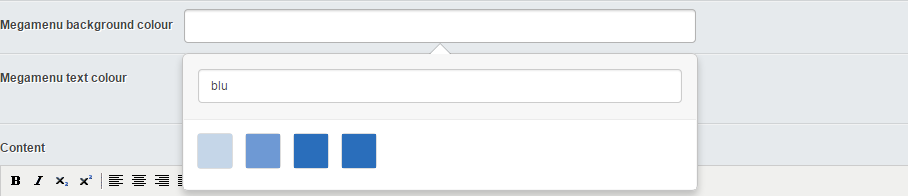
- Can filter on colour name
- Almost no development/lines of code required to add new colours
Installation
Composer
Ideally composer will be used to install this module.
composer require "moe/color-swab:@stable"
Screen shots
Color swab view
Filter view
Usage
A basic working example, include the following to any class you want the field on;
    private static $db = array(
        'MenuBackgroundColor' => 'Varchar(255)',
    );

    public function getCMSFields()
    {
        $fields = parent::getCMSFields();

        $fields->addFieldsToTab('Root.Main', array(
            ColorSwabField::create('MenuBackgroundColor', 'Megamenu background colour')
        ));

        return $fields;
    }
Then simply include in the template in a class element
<nav class="{$MenuBackgroundColor}">[...]</nav>
The controller extension should make sure you've got access to the colour swabs so you don't need to double up the CSS file.
Add/Change colours
To modify the choice of colours you need to change two files.
- js/color-swabs.js
- css/color-swabs.css
For example: To add the colour black make the following changes
// js/color-swabs.js
    var colorSwabs = [
        //[...]
        'black-500'
    ];
/* css/color-swabs.css */
    .color-black-500 {
        background: #000000;
    }
Want icons instead of colours?
Got you covered, checkout font-awesome!
Libraries used/modified
- Font Awesome Icon Picker
统计信息
- 总下载量: 759
- 月度下载量: 0
- 日度下载量: 0
- 收藏数: 10
- 点击次数: 5
- 依赖项目数: 1
- 推荐数: 0
其他信息
- 授权协议: BSD-3-Clause
- 更新时间: 2015-07-27