moonshine/apexcharts
最新稳定版本:3.0.0
Composer 安装命令:
composer require moonshine/apexcharts
包简介
Apexcharts for MoonShine
README 文档
README
Note
This package adds ApexCharts.js components to the MoonShine Laravel admin panel.
Compatibility
| MoonShine | Moonshine ApexCharts | Currently supported |
|---|---|---|
| >= v3.0 | >= v1.0.0 | no |
| >= v3.0 | >= v3.0.0 | yes |
Installation
Install the package via Composer:
composer require moonshine/apexcharts
Publish the assets:
php artisan vendor:publish --tag=moonshine-apexcharts-assets --force
Optional: Publish the configuration file to customize default settings:
php artisan vendor:publish --tag=moonshine-apexcharts-config
Available Chart Types
- Line Chart - Linear, area, and column charts for time-series data with full typing support
- Donut Chart - Circular charts for categorical data
- Raw Chart - Direct access to ApexCharts configuration for maximum flexibility
Quick Start
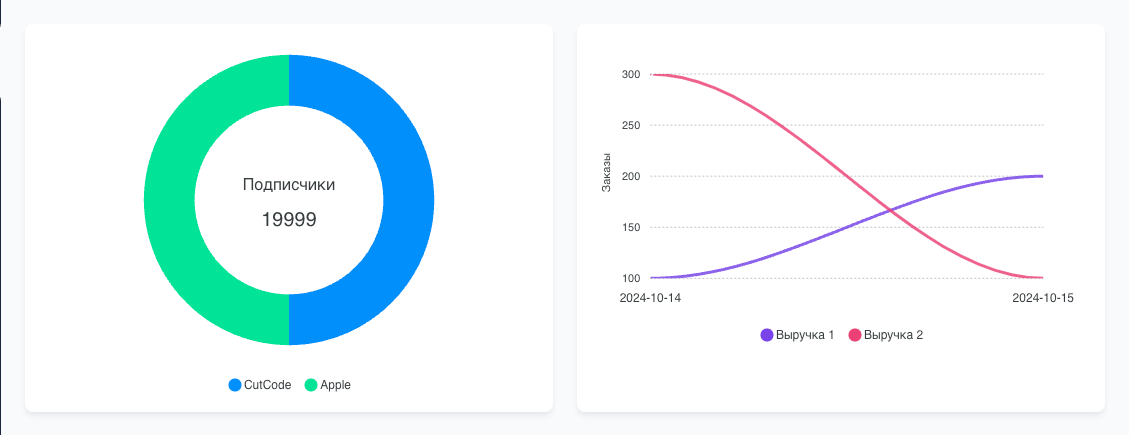
Line Chart
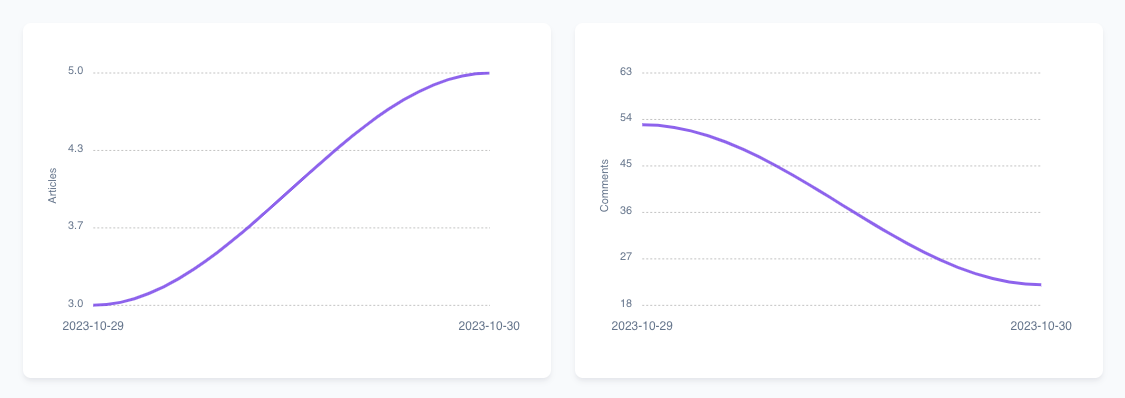
use MoonShine\Apexcharts\Components\LineChartMetric; use MoonShine\Apexcharts\Support\SeriesItem; LineChartMetric::make('Заказы') ->series([ SeriesItem::make('Выручка 1', [ now()->format('Y-m-d') => 100, now()->addDay()->format('Y-m-d') => 200, now()->addDays(2)->format('Y-m-d') => 500, now()->addDays(3)->format('Y-m-d') => 700, ])->color('#EC4176'), SeriesItem::make('Выручка 2', [ now()->format('Y-m-d') => 300, now()->addDay()->format('Y-m-d') => 400, now()->addDays(2)->format('Y-m-d') => 300, now()->addDays(3)->format('Y-m-d') => 800, ])->color('#85737E'), SeriesItem::make('Выручка 3', [ now()->format('Y-m-d') => 400, now()->addDay()->format('Y-m-d') => 500, now()->addDays(2)->format('Y-m-d') => 400, now()->addDays(3)->format('Y-m-d') => 600, ])->color('#1e96fc'), ]), LineChartMetric::make('Заказы') ->series([ SeriesItem::make('Выручка 1', [ now()->format('Y-m-d') => 100, now()->addDay()->format('Y-m-d') => 200, now()->addDays(2)->format('Y-m-d') => 500, now()->addDays(3)->format('Y-m-d') => 700, ])->line(), SeriesItem::make('Выручка 2', [ now()->format('Y-m-d') => 300, now()->addDay()->format('Y-m-d') => 400, now()->addDays(2)->format('Y-m-d') => 300, now()->addDays(3)->format('Y-m-d') => 800, ])->area(), SeriesItem::make('Выручка 3', [ now()->format('Y-m-d') => 400, now()->addDay()->format('Y-m-d') => 500, now()->addDays(2)->format('Y-m-d') => 400, now()->addDays(3)->format('Y-m-d') => 600, ])->column(), ])
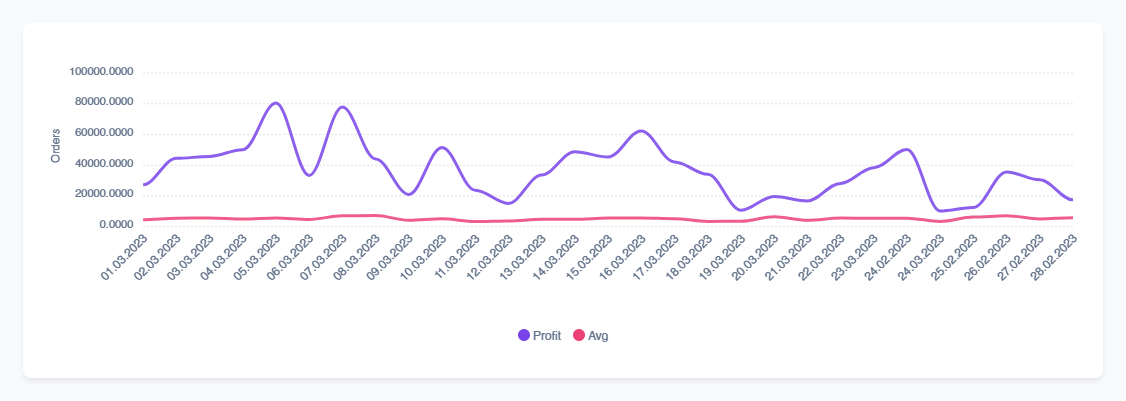
Donut Chart
use MoonShine\Apexcharts\Components\DonutChartMetric; DonutChartMetric::make('Traffic Sources') ->values([ 'Direct' => 3250, 'Organic' => 2100, 'Social' => 1850, 'Referral' => 1200, ]);
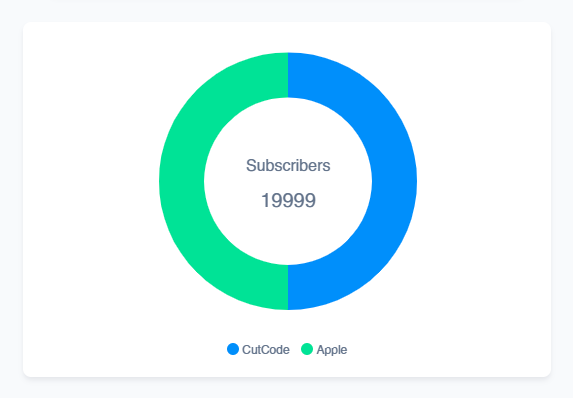
Raw Chart
For custom chart types or advanced configurations:
use MoonShine\Apexcharts\Components\RawChartMetric; RawChartMetric::make('Interactive Radar Chart') ->config([ 'chart' => [ 'type' => 'radar', 'height' => 350, ], 'series' => [ [ 'name' => 'Current Year', 'data' => [20, 90, 45, 75, 60], ], ], 'xaxis' => [ 'categories' => ['Q1', 'Q2', 'Q3', 'Q4', 'Q5'], ], ]) ->jsChartEvents(<<<'JS' { click: (chartContext, options) => { console.log('Chart clicked:', options); } } JS);
Theme Configuration
The theme() method allows you to configure chart appearance with color palettes and monochrome options:
->theme( int|string|null $palette = null, // Color palette (1-10) or palette name bool $monochromeEnabled = false, // Enable monochrome colors bool $monochromeLight = false, // Monochrome shade direction ?string $monochromeColor = null, // Custom monochrome base color float $monochromeShadeIntensity = 0.65 // Monochrome shade intensity (0-1) )
Theme Examples
Simple palette:
->theme(6) // Use predefined color palette
Monochrome with custom color:
->theme( monochromeEnabled: true, monochromeColor: '#FF6384', monochromeShadeIntensity: 0.5 )
API Reference
Common Methods
Available for all chart types:
->withoutWrapper()- Remove box wrapper for custom layouts->columnSpan(int $span)- Number of grid columns (1-12)->colors(array $colors)- Override palette with custom colors->theme(...)- Configure theme with palette and options->height(int $height)- Chart height in pixels->jsChartEvents(string $js)- JavaScript event handlers
LineChartMetric
->series(array|SeriesItem $series)- Add series->withoutSortKeys()- Preserve original key order
SeriesItem::make(string $name, array $data) ->line() // Line chart type ->area() // Area chart type ->column() // Column chart type ->color('#FF5722') // Custom color ->name('New Name') // Change display name ->data([...]) // Update data
DonutChartMetric
->values(array $values)- Chart data (key => value)->decimals(int $decimals)- Decimal places (0-100)
RawChartMetric
->config(array $config)- Full ApexCharts configuration
Events
Add interactivity with JavaScript events:
RawChartMetric::make('Interactive Chart') ->jsChartEvents(<<<'JS' { dataPointSelection: (event, chartContext, config) => { console.log('Selected:', config.w.config.labels[config.dataPointIndex]); }, click: (chartContext, options) => { // Handle chart click } } JS);
Grid Layout
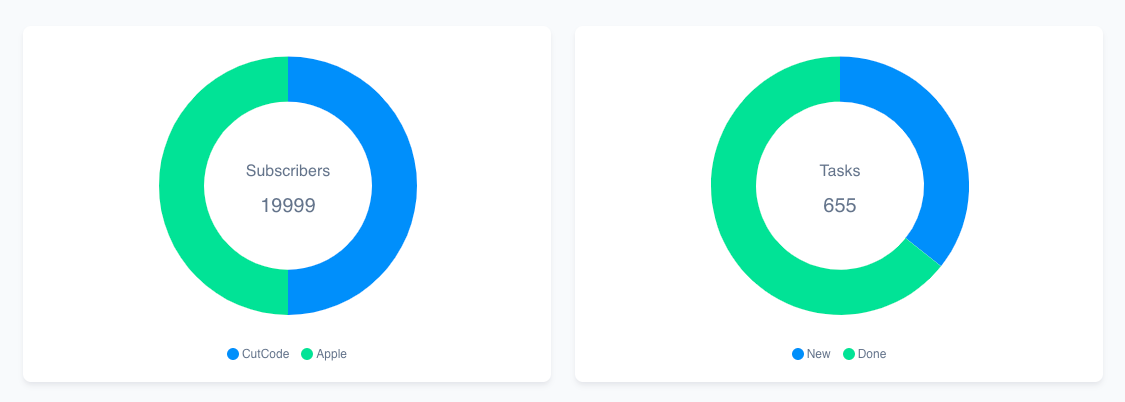
Charts can be arranged in a responsive grid using MoonShine's Grid component and the columnSpan() method.
Basic Grid Usage
use MoonShine\UI\Components\Layout\Grid; use MoonShine\Apexcharts\Components\DonutChartMetric; use MoonShine\Apexcharts\Components\LineChartMetric; use MoonShine\Apexcharts\Components\RawChartMetric; Grid::make([ DonutChartMetric::make('Traffic Sources') ->values([ 'Direct' => 3250, 'Organic' => 2100, 'Social' => 1850, 'Referral' => 1200, ]) ->theme(2) ->columnSpan(4), DonutChartMetric::make('Sales by Category') ->values([ 'Electronics' => 45320, 'Clothing' => 32150, 'Food' => 28900, 'Books' => 12300, ]) ->theme(7) ->columnSpan(4), DonutChartMetric::make('User Activity') ->values([ 'Active' => 1250, 'Inactive' => 320, 'New' => 180, 'Old' => 250, ]) ->theme(1) ->columnSpan(4), ])
License
This package is open-sourced software licensed under the MIT license.
统计信息
- 总下载量: 12.06k
- 月度下载量: 0
- 日度下载量: 0
- 收藏数: 3
- 点击次数: 6
- 依赖项目数: 1
- 推荐数: 0
其他信息
- 授权协议: MIT
- 更新时间: 2026-01-04