moonshine/easymde
最新稳定版本:2.0.1
Composer 安装命令:
composer require moonshine/easymde
包简介
Markdown editor for MoonShine
README 文档
README
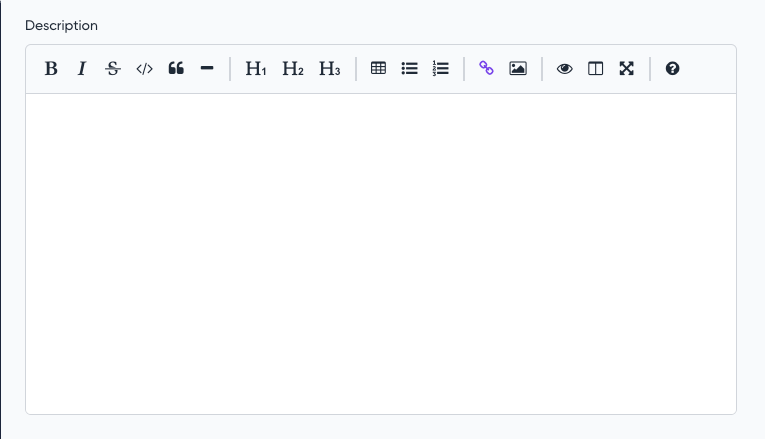
Extends Textarea and has the same features
Compatibility
| MoonShine | Moonshine EasyMDE | Currently supported |
|---|---|---|
| >= v3.0 | >= v1.0.0 | yes |
| >= v4.0 | >= v2.0.0 | yes |
Installation
composer require moonshine/easymde
Usage
use MoonShine\EasyMde\Fields\Markdown; // ... Markdown::make('Description')
Default config
Markdown field uses the most common settings such as plugins, menubar and toolbar by default
To change the default settings, you need to publish the configuration file:
php artisan vendor:publish --tag="moonshine-easymde-config"
You can also add additional options to the configuration file that will apply to all Markdown fields
'previewClass' => ['prose', 'dark:prose-invert'], 'forceSync' => true, 'spellChecker' => false, 'status' => false, 'toolbar' => [ 'bold', 'italic', 'strikethrough', 'code', 'quote', 'horizontal-rule', '|', 'heading-1', 'heading-2', 'heading-3', '|', 'table', 'unordered-list', 'ordered-list', '|', 'link', 'image', '|', 'preview', 'side-by-side', 'fullscreen', '|', 'guide', ],
Toolbar
The toolbar() method allows you to completely override toolbar for a field
toolbar(string|bool|array $toolbar)
Markdown::make('Description') ->toolbar(['bold', 'italic', 'strikethrough', 'code', 'quote', 'horizontal-rule'])
Options
The addOption() method allows you to add additional options for a field
addOption(string $name, string|int|float|bool|array $value)
Markdown::make('Description') ->addOption('toolbar', ['bold', 'italic', 'strikethrough', 'code', 'quote', 'horizontal-rule'])
统计信息
- 总下载量: 3.23k
- 月度下载量: 0
- 日度下载量: 0
- 收藏数: 2
- 点击次数: 6
- 依赖项目数: 0
- 推荐数: 0
其他信息
- 授权协议: MIT
- 更新时间: 2026-01-04