neckerrman/like
Composer 安装命令:
composer require neckerrman/like
包简介
README 文档
README
This addon was created by
    ____  ____  ____  _____   __   ____  _______   ________________ __ __________  ______
   / __ \/ __ \/ __ )/  _/ | / /  / __ \/ ____/ | / / ____/ ____/ //_// ____/ __ \/ ____/
  / /_/ / / / / __ \ / //  |/ /  / / / / __/ /  |/ / __/ / /   / ,<  / __/ / /_/ / __/
 / _, _/ /_/ / /_/ // // /|  /  / /_/ / /___/ /|  / /___/ /___/ /| |/ /___/ _, _/ /___
/_/ |_|\____/_____/___/_/ |_/  /_____/_____/_/ |_/_____/\____/_/ |_/_____/_/ |_/_____/
for education purposes
Like Button
Like Button is a Statamic addon that does something pretty neat.
Features
This addon does:
- Adds & updates the likes attached to your entry (a blog, an event ...)
- No login required
- Adds IP blocking to protect the entry from getting like-spammed
How to Use
Installing
composer require neckerrman/like
Simply add the like button to your entry or the show.**.php and you're off!
OR
- Download and place the folder in root
- Add the following line to composer.json in the require section
"neckerrman/like": "dev-main",
It should look like this:
    "require": {
        "php": "^8.0",
        ...,
        "neckerrman/like": "dev-main",
        ...,
    },
- Add the following at the bottom in your composer.json
"repositories": [
        {
            "type": "path",
            "url": "addons/neckerrman/like"
        }
    ]
- Run composer update to add the package
composer update
- Add {{ like }} to any show.**.php to start using this button!
Adding custom field in Statamic
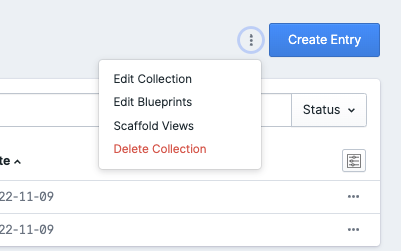
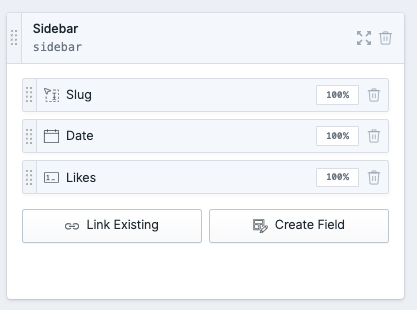
- Navigate to collections and choose edit blueprints by clicking the three dots in the top right corner.
- Click on the blueprint that you want to edit.

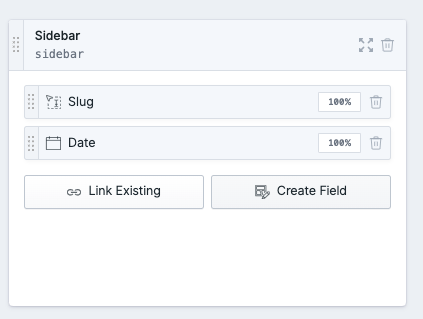
- In sidebar click 'create field'.
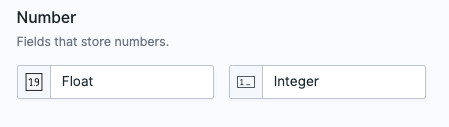
- Choose the integer field.
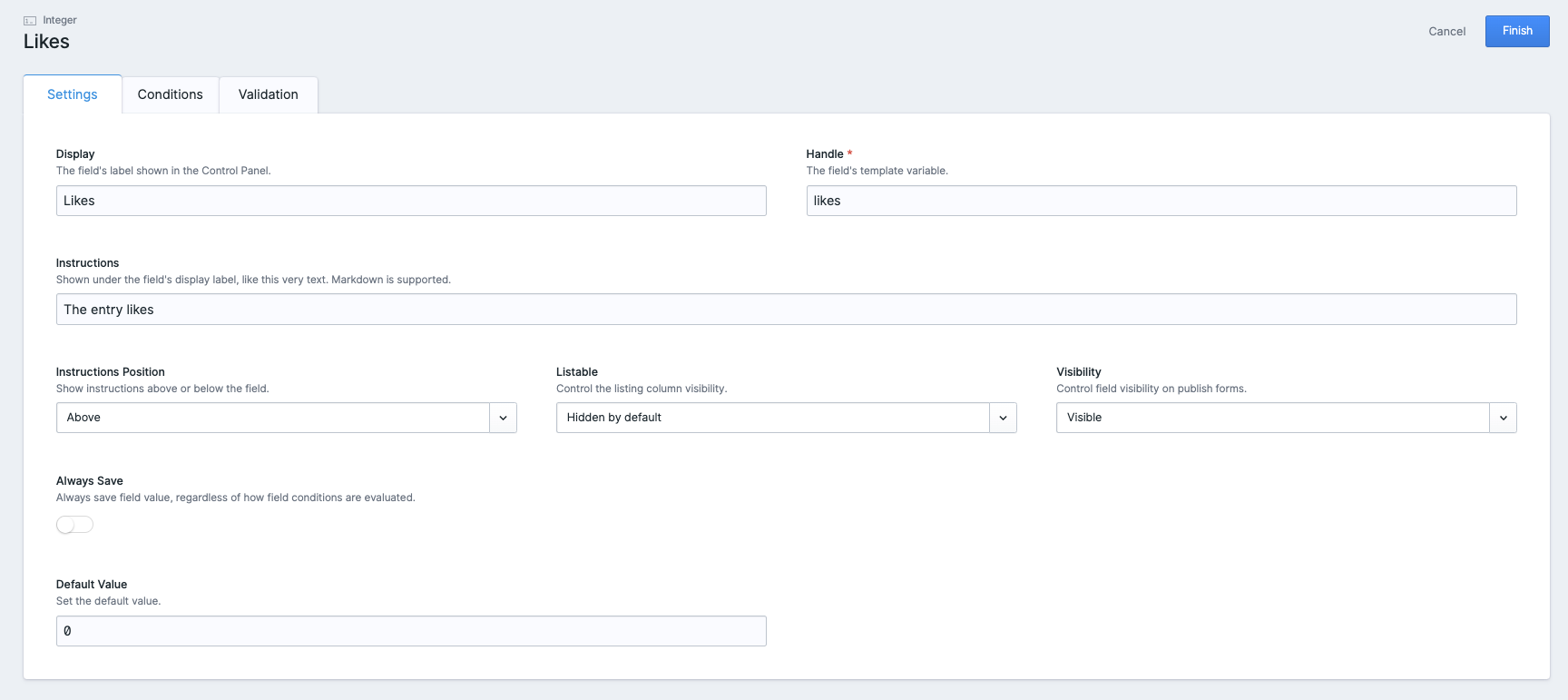
- Add the correct data (name should be Likes and value zero !), save by clicking finish. The field likes is now added!
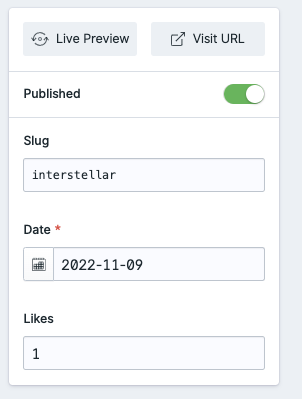
- When navigating to an entry you can see the corresponding number of likes.


统计信息
- 总下载量: 3
- 月度下载量: 0
- 日度下载量: 0
- 收藏数: 2
- 点击次数: 0
- 依赖项目数: 0
- 推荐数: 0
其他信息
- 授权协议: Unknown
- 更新时间: 2022-11-11