neosrulez/neos-monacoeditor
最新稳定版本:1.0.0
Composer 安装命令:
composer require neosrulez/neos-monacoeditor
包简介
A Neos CMS plugin which provides the Monaco editor for the inspector.
README 文档
README
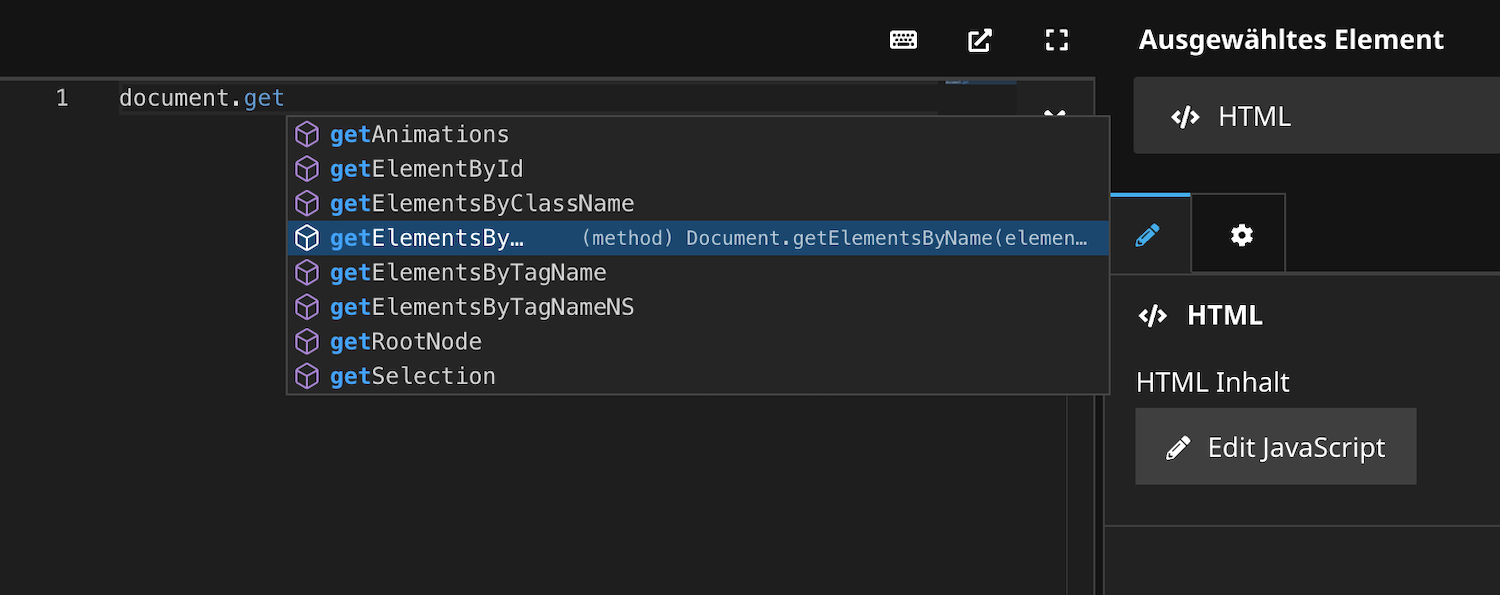
This Neos CMS plugin provides the Monaco editor as property editor for the inspector. The Monaco Editor is the code editor that powers Visual Studio Code.
You can simply replace Neos.Neos/Inspector/Editors/CodeEditor with NeosRulez.Neos.MonacoEditor/MonacoEditor. In the best case, your code will be accepted without errors.
Installation
The NeosRulez.Neos.MonacoEditor package is listed on packagist (https://packagist.org/packages/neosrulez/neos-monacoeditor) - therefore you don't have to include the package in your "repositories" entry any more.
Just run:
composer require neosrulez/neos-monacoeditor
How to use
Look here for more highlighting modes and themes to customize the editor: https://microsoft.github.io/monaco-editor/
'Acme.Site.Content:Code':
  properties:
    source:
      type: string
      ui:
        label: My custom javascript
        reloadIfChanged: true
        inspector:
          editor: NeosRulez.Neos.MonacoEditor/MonacoEditor
          editorOptions:
            theme: 'vs-dark'
            buttonLabel: 'Edit JavaScript'
            highlightingMode: 'javascript'
#            highlightingMode: 'scss'
#            highlightingMode: 'html'
Author
- E-Mail: mail@patriceckhart.com
- URL: http://www.patriceckhart.com
统计信息
- 总下载量: 4.78k
- 月度下载量: 0
- 日度下载量: 0
- 收藏数: 1
- 点击次数: 0
- 依赖项目数: 0
- 推荐数: 0
其他信息
- 授权协议: Unknown
- 更新时间: 2022-07-02