padosoft/laravel-notifier
最新稳定版本:1.9.0
Composer 安装命令:
composer require padosoft/laravel-notifier
包简介
Laravel Laravel Package for beautifull JS notification.
README 文档
README
This package provides a wrapper of commands to Padosoft JS notifier, to display beautifull notifications with js plugin.
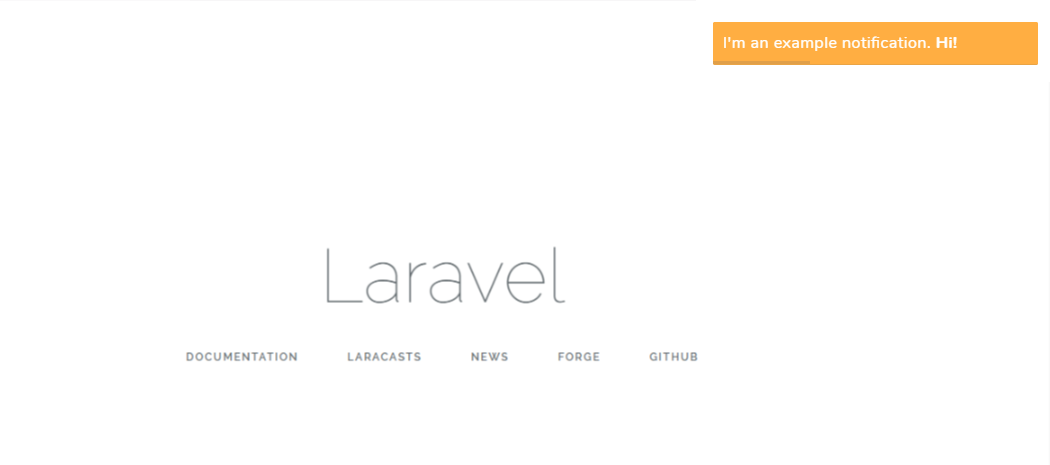
Table of Contents
##Requires
- "php" : ">=7.0.0",
- "illuminate/support": "^5.0|^6.0|^7.0",
- "illuminate/session": "^5.0|^6.0|^7.0"
Installation
You can install the package via composer:
$ composer require padosoft/laravel-notifier
FOR LARAVEL 5.6+
No additional steps required because the service provider use new L5.5+ autodiscovery feature.
FOR LARAVEL <=5.5
You must install this service provider.
// config/app.php
'provider' => [
    ...
    Padosoft\Laravel\Notification\Notifier\NotifierServiceProvider::class,
    ...
];
USAGE
Call one of these methods in your controllers to insert a notification:
Notify::warning($message, $onlyNextRequest = false, $options = [])- add a warning notificationNotify::error($message, $onlyNextRequest = false, $options = [])- add an error notificationNotify::info($message, $onlyNextRequest = false, $options = [])- add an info notificationNotify::success($message, $onlyNextRequest = false, $options = [])- add a success notificationNotify::add($theme, $timeout, $type: warning|error|info|success, $layout, $text, $sounds = null, $soundsVolume = null)- add a notificationNotify::clear()- clear all current notification
If you need to show the notification only if a particular condition is true, you can use these methods:
Notify::ifWarning($condition, $message, $onlyNextRequest = false, $options = [])- add a warning notification if $condition is trueNotify::ifError($condition, $message, $onlyNextRequest = false, $options = [])- add an error notification if $condition is trueNotify::ifInfo($condition, $message, $onlyNextRequest = false, $options = [])- add an info notification if $condition is trueNotify::ifSuccess($condition, $message, $onlyNextRequest = false, $options = [])- add a success notification if $condition is true
Example: instead of use this:
if($condition){
    Notify::success('You have an email!');
}
you can use this:
Notify::IfSuccess($condition, 'You have an email!');
{!! notify() !!}
EXAMPLE:
Notify::info('You have an email!');
Change log
Please see CHANGELOG for more information what has changed recently.
Testing
$ composer test
Contributing
Please see CONTRIBUTING for details.
Security
If you discover any security related issues, please email instead of using the issue tracker.
Credits
About Padosoft
Padosoft (https://www.padosoft.com) is a software house based in Florence, Italy. Specialized in E-commerce and web sites.
License
The MIT License (MIT). Please see License File for more information.
统计信息
- 总下载量: 11.69k
- 月度下载量: 0
- 日度下载量: 0
- 收藏数: 1
- 点击次数: 1
- 依赖项目数: 0
- 推荐数: 0
其他信息
- 授权协议: MIT
- 更新时间: 2018-04-23