redchamps/module-clean-admin-menu
最新稳定版本:1.1.7
Composer 安装命令:
composer require redchamps/module-clean-admin-menu
包简介
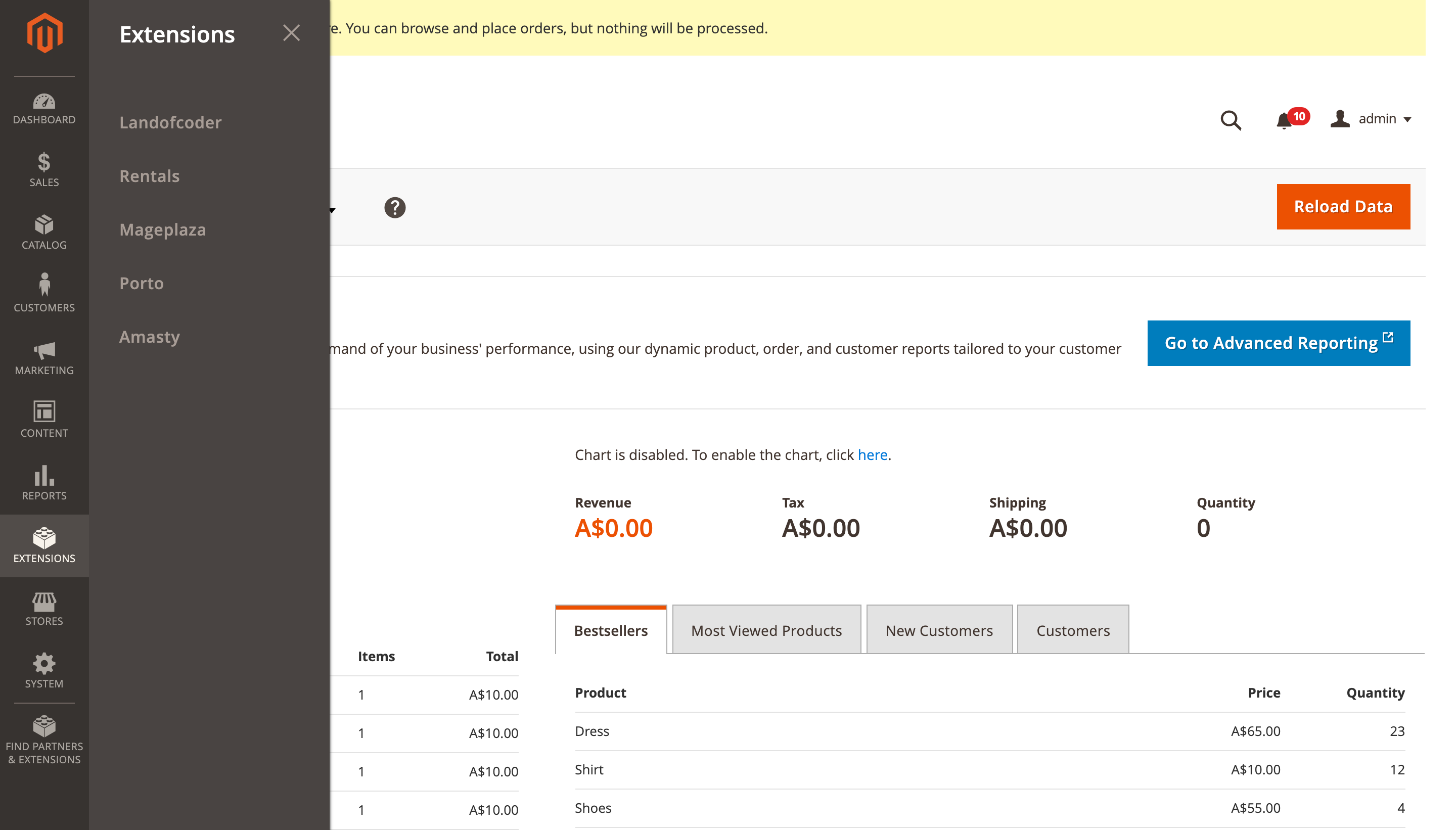
It will merge all third party extensions menu items to single menu item named 'Extensions'.
README 文档
README
Overview
Clean Admin Menu is a Magento 2 extension that organizes and simplifies your admin panel by consolidating third-party extension menus. It follows Magento's best practices for admin menu organization by:
- Merging all third-party extension menu items into a single "Extensions" menu item in the backend's primary navigation
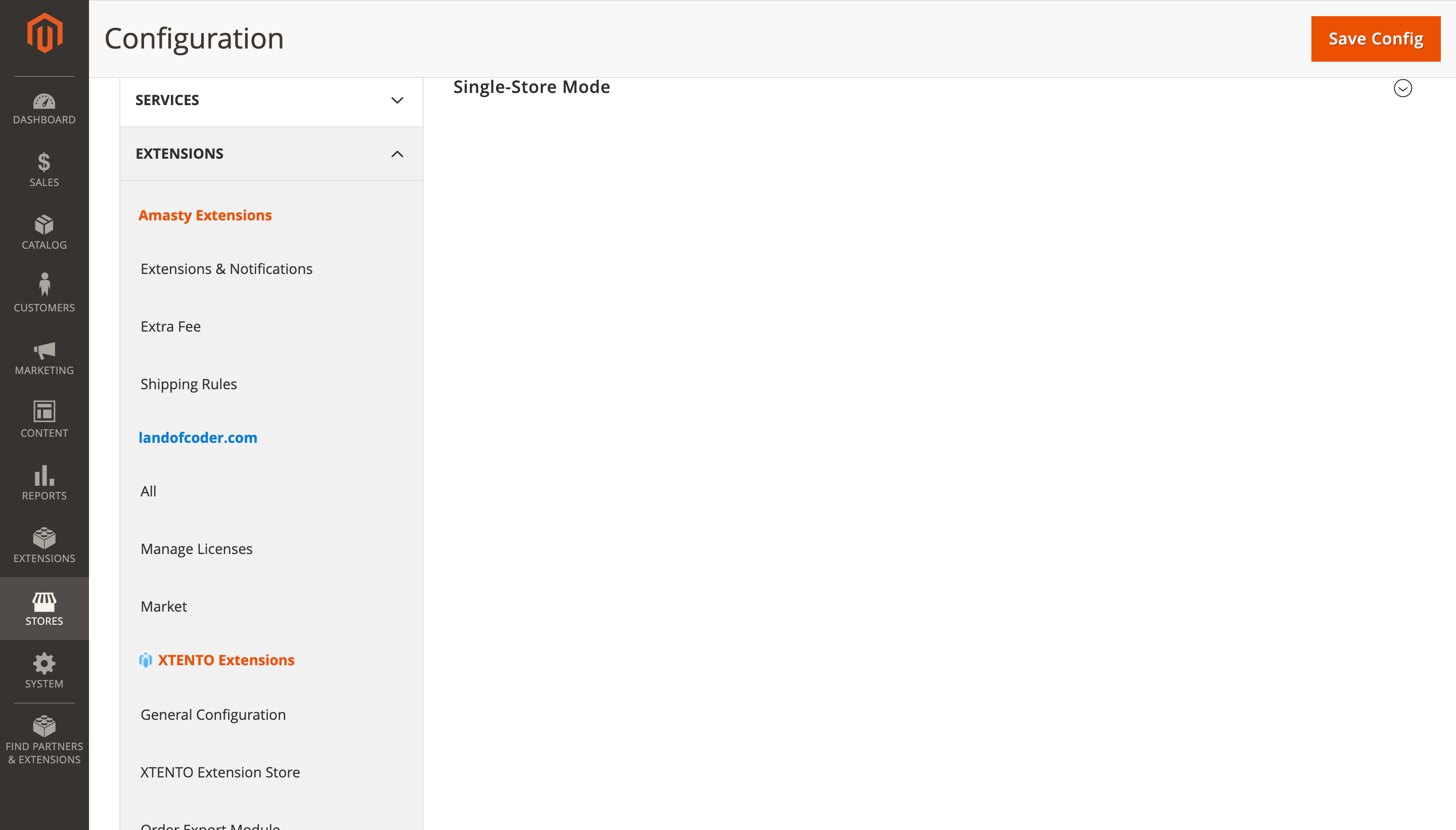
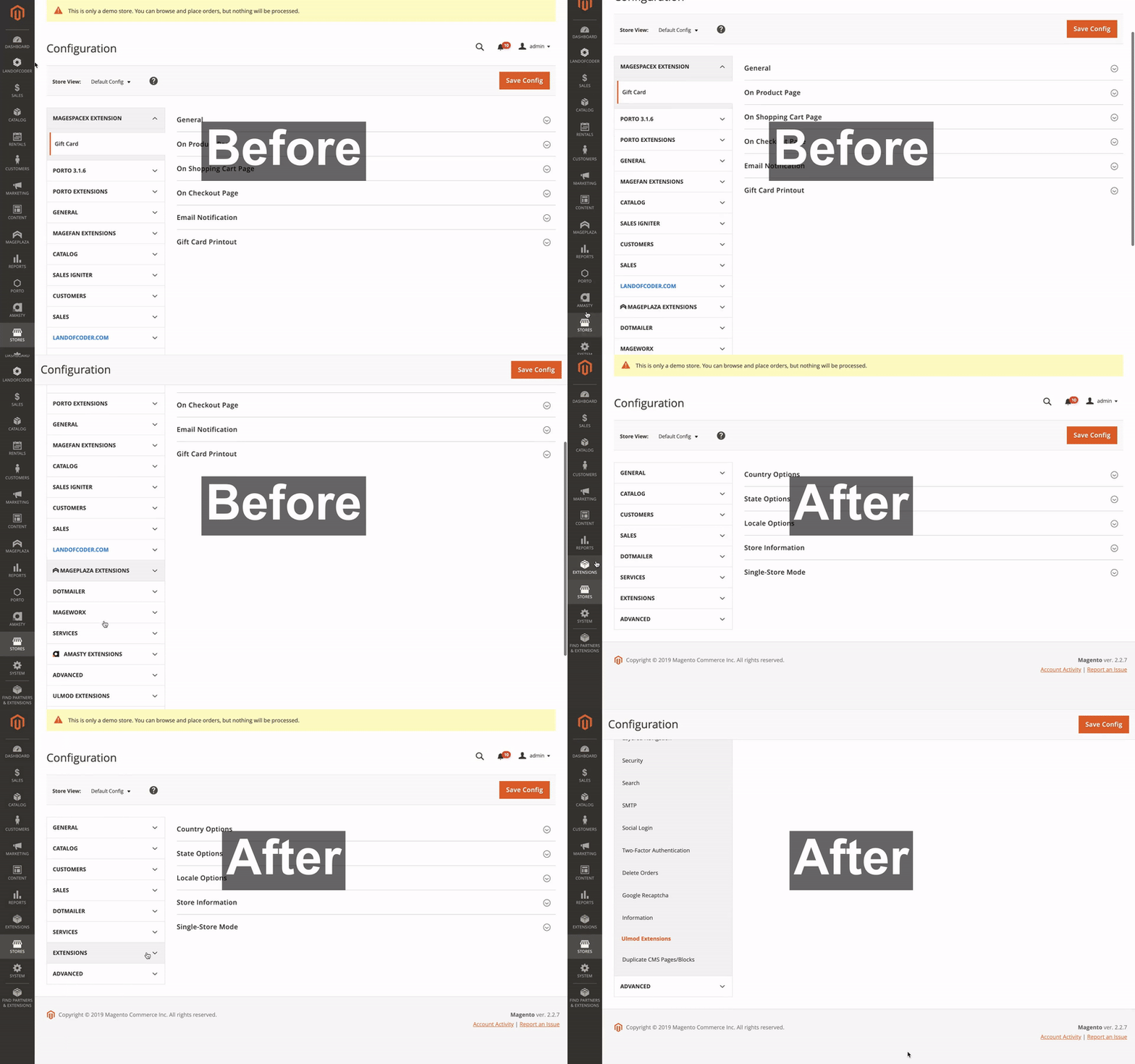
- Consolidating third-party extension configuration tabs under
Stores > Configurationinto a single "Extensions" tab - Placing the consolidated "Extensions" tab after native Magento tabs
This organization aligns with Magento's official Admin Best Practices for feature-level extensions.
Features
- Consolidates all third-party extension menus into a single "Extensions" section
- Organizes extension configuration settings under a unified tab
- Follows Magento's recommended admin menu structure
- Customizable menu organization through admin configuration
- Compatible with Magento 2.4.0 through 2.4.8+
Installation
Install via Composer:
composer require redchamps/module-clean-admin-menu
After installation:
- Run
bin/magento setup:upgrade - Run
bin/magento setup:di:compile - Run
bin/magento cache:clean
Configuration
Access the extension settings at:
Stores > Configuration > Extensions > RedChamps > Clean Admin Menu
Available Settings:
- Menu organization preferences
- Configuration tab placement
- Developer tools for custom menu ID management
Visual Examples
Main Navigation
Extensions Configuration
Before and After Comparison
Troubleshooting
If any extension menu item is not automatically moved under the "Extensions" menu:
- Navigate to: Stores > Configuration > Extensions > RedChamps > Clean Admin Menu > Developer Tools
- Find the menu ID of the extension that needs to be moved
- Add the menu ID to the "Move Menu ID's" setting
Requirements
- Magento 2.4.0 or higher
- PHP 7.4 or higher
Support
Authors
- RedChamps [Maintainer]
- Ravinder [Maintainer]
- Thomas Klein [Contributor]
- Prince Antil [Contributor]
License
This project is licensed under the MIT License - see the LICENSE file for details.
More Extensions
Visit our store for more free and paid Magento 2 extensions.
统计信息
- 总下载量: 388.49k
- 月度下载量: 0
- 日度下载量: 0
- 收藏数: 155
- 点击次数: 11
- 依赖项目数: 0
- 推荐数: 0
其他信息
- 授权协议: MIT
- 更新时间: 2026-01-04