saade/filament-adjacency-list
最新稳定版本:v4.0.0
Composer 安装命令:
composer require saade/filament-adjacency-list
包简介
A Filament package to adjacency lists.
README 文档
README
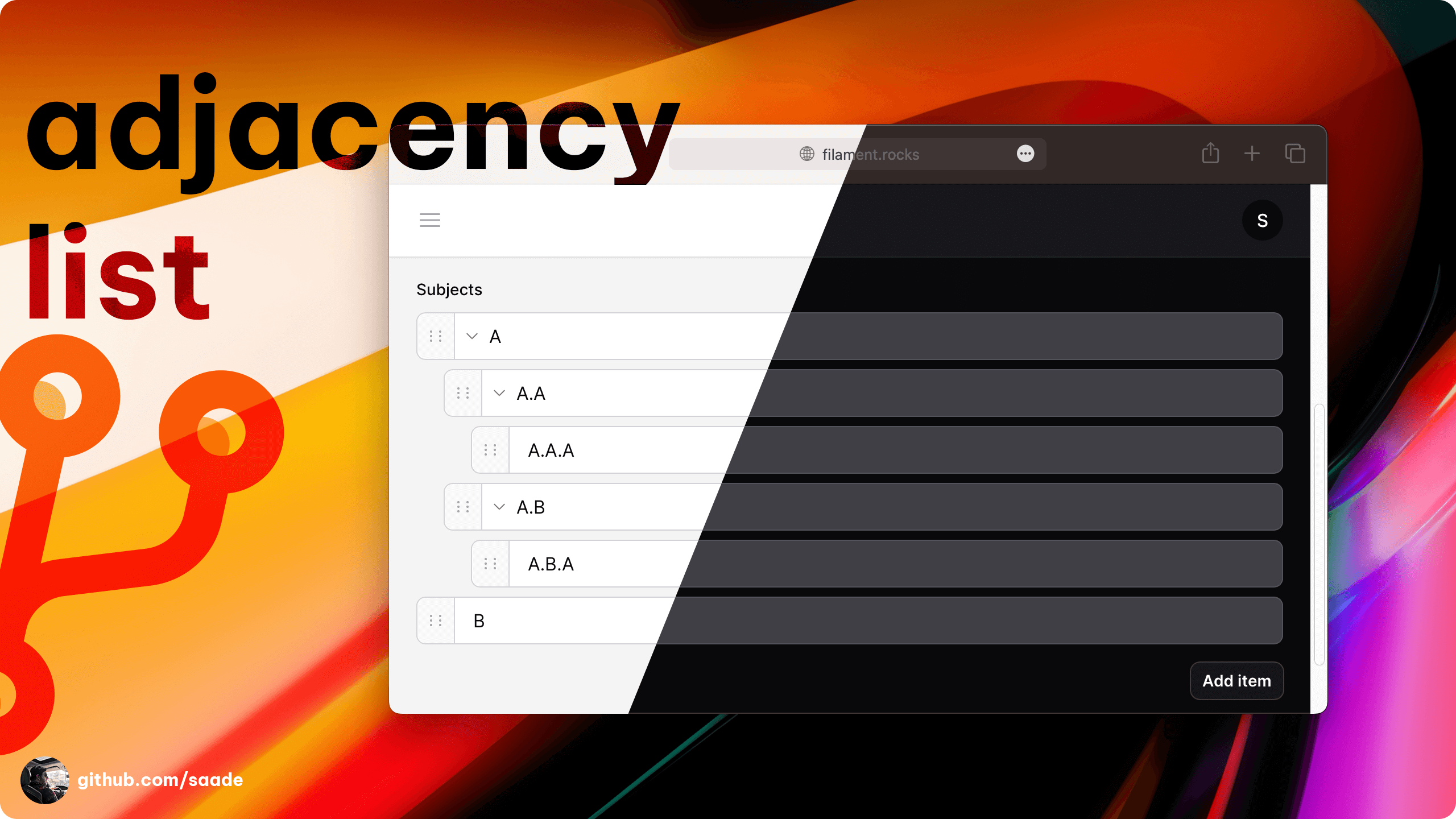
A Filament package to manage adjacency lists (aka trees).
Installation
You can install the package via composer:
composer require saade/filament-adjacency-list
Important
If you have not set up a custom theme and are using Filament Panels follow the instructions in the Filament Docs first.
After setting up a custom theme add the plugin's views to your theme css file or your app's css file if using the standalone packages.
@source '../../../../vendor/saade/filament-adjacency-list/resources/views/**/*.blade.php';
Usage
use Saade\FilamentAdjacencyList\Forms\Components\AdjacencyList;

AdjacencyList::make('subjects')
    ->form([
        Forms\Components\TextInput::make('label')
            ->required(),
    ])
Configuration
Customizing the label key used to display the item's label
AdjacencyList::make('subjects')
    ->labelKey('name')          // defaults to 'label'
Customizing the children key used to gather the item's children.
Note: This is only used when not using relationships.
AdjacencyList::make('subjects')
    ->childrenKey('children')   // defaults to 'children'
Customizing the MaxDepth of the tree.
AdjacencyList::make('subjects')
    ->maxDepth(2)               // defaults to -1 (unlimited depth)
Triggering an action or opening a URL when clicking on an item.
AdjacencyList::make('subjects')
    ->itemAction('edit') // or view, delete, moveUp, indent etc ...
    ->itemUrl(
        fn (array $item) => YourResource::getUrl('view', ['record' => $item['id']]) // for example
    )
Customizing the item label using a closure.
AdjacencyList::make('subjects')
    ->itemLabel(
        fn (array $item): ?string => Page::find($item['data']['id'], ['name'])?->name)
    )
Creating items without a modal.
AdjacencyList::make('subjects')
    ->modal(false)      // defaults to true
Disabling creation, edition, deletion, reordering, moving, and indenting.
AdjacencyList::make('subjects')
    ->addable(false)
    ->editable(false)
    ->deletable(false)
    ->reorderable(false)
    ->moveable(false)
    ->indentable(false)
Customizing actions
use Filament\Forms\Actions\Action;

AdjacencyList::make('subjects')
    ->addAction(fn (Action $action): Action => $action->icon('heroicon-o-plus')->color('primary'))
    ->addChildAction(fn (Action $action): Action => $action->button())
    ->editAction(fn (Action $action): Action => $action->icon('heroicon-o-pencil'))
    ->deleteAction(fn (Action $action): Action => $action->requiresConfirmation())
    ->reorderAction(fn (Action $action): Action => $action->icon('heroicon-o-arrow-path-rounded-square'))
Relationships
In this example, we'll be creating a Ticketing system, where tickets can be assigned to a department, and departments have subjects.
Building the relationship
// App/Models/Department.php

class Department extends Model
{
    public function subjects(): HasMany
    {
        return $this->hasMany(Subject::class)->whereNull('parent_id')->with('children')->orderBy('sort');
    }
}
// App/Models/Subject.php

class Subject extends Model
{
    protected $fillable ['parent_id', 'name', 'sort']; // or whatever your columns are

    public function children(): HasMany
    {
        return $this->hasMany(Subject::class, 'parent_id')->with('children')->orderBy('sort');
    }
}
Now you've created a nested relationship between departments and subjects.
Using the relationship
// App/Filament/Resources/DepartmentResource.php

AdjacencyList::make('subjects')
    ->relationship('subjects')          // Define the relationship
    ->labelKey('name')                  // Customize the label key to your model's column
    ->childrenKey('children')           // Customize the children key to the relationship's method name
    ->form([                            // Define the form
        Forms\Components\TextInput::make('name')
            ->label(__('Name'))
            ->required(),
    ]);
That's it! Now you're able to manage your adjacency lists using relationships.
Working with Staudenmeir's Laravel Adjacency List
This package also supports Staudenmeir's Laravel Adjacency List package.
First, install the package:
composer require staudenmeir/laravel-adjacency-list:"^1.0"
- Use the
HasRecursiveRelationshipstrait in your model, and override the default path separator.
// App/Models/Department.php

class Department extends Model
{
    use \Staudenmeir\LaravelAdjacencyList\Eloquent\HasRecursiveRelationships;

    public function getPathSeparator()
    {
        return '.children.';
    }
}
If you're already using the HasRecursiveRelationships trait for other parts of your application, it's probably not a good idea to change your model's path separator, since it can break other parts of your application. Instead, you can add as many path separators as you want:
class Department extends Model
{
    use \Staudenmeir\LaravelAdjacencyList\Eloquent\HasRecursiveRelationships;

    public function getCustomPaths()
    {
        return [
            [
                'name' => 'tree_path',
                'column' => 'id',
                'separator' => '.children.',
            ],
        ];
    }
}
- Use the
relationshipmethod to define the relationship:
AdjacencyList::make('subdepartments')
    ->relationship('descendants')   // or 'descendantsAndSelf', 'children' ...
    ->customPath('tree_path')       // if you're using custom paths
That's it! Now you're able to manage your adjacency lists using relationships.
Customizing the query
AdjacencyList::make('subdepartments')
    ->relationship('descendants', fn (Builder $query): Builder => $query->where('enabled', 1))
Ordering
If your application needs to order the items in the list, you can use the orderColumn method:
AdjacencyList::make('subdepartments')
    ->orderColumn('sort')   // or any other column
Widget
The AdjacencyListWidget can be used to render a tree for any model with a recursive child relationship (including many-to-many graph relationships, using Staudenmeir's HasGraphRelationships trait).
The simplest use case is ...
class DepartmentTreeWidget extends AdjacencyListWidget
{
    protected static string $relationshipName = 'descendantsAndSelf';

    // If you're using a widget on an Edit or View page, the plugin will automatically set the $record for you.
    // However, you're free to override this method to customize the record.
    public function getModel(): Model | string | null
    {
        return Department::query()->where(['is_root' => true])->first();
    }

    // You can configure the widget using the same methods as the form component.
    protected function adjacencyList(AdjacencyList $adjacencyList): AdjacencyList
    {
        return $adjacencyList
            ->label('Foo')
            ->editable()
            ->labelKey('nombre')
            ->childrenKey('hijos');
    }
}
Changelog
Please see CHANGELOG for more information on what has changed recently.
Contributing
Please see CONTRIBUTING for details.
Security Vulnerabilities
Please review our security policy on how to report security vulnerabilities.
Credits
- Saade
- Ryan Chandler's Navigation Plugin for his work on the tree UI and complex tree actions.
- Hugh for his help on supporting trees/ graphs relationships.
- All Contributors
License
The MIT License (MIT). Please see License File for more information.
统计信息
- 总下载量: 43.69k
- 月度下载量: 0
- 日度下载量: 0
- 收藏数: 93
- 点击次数: 7
- 依赖项目数: 5
- 推荐数: 0
其他信息
- 授权协议: MIT
- 更新时间: 2026-01-04