saade/filament-laravel-log
最新稳定版本:v4.0.0
Composer 安装命令:
composer require saade/filament-laravel-log
包简介
Access laravel.log file through Filament admin panel
README 文档
README
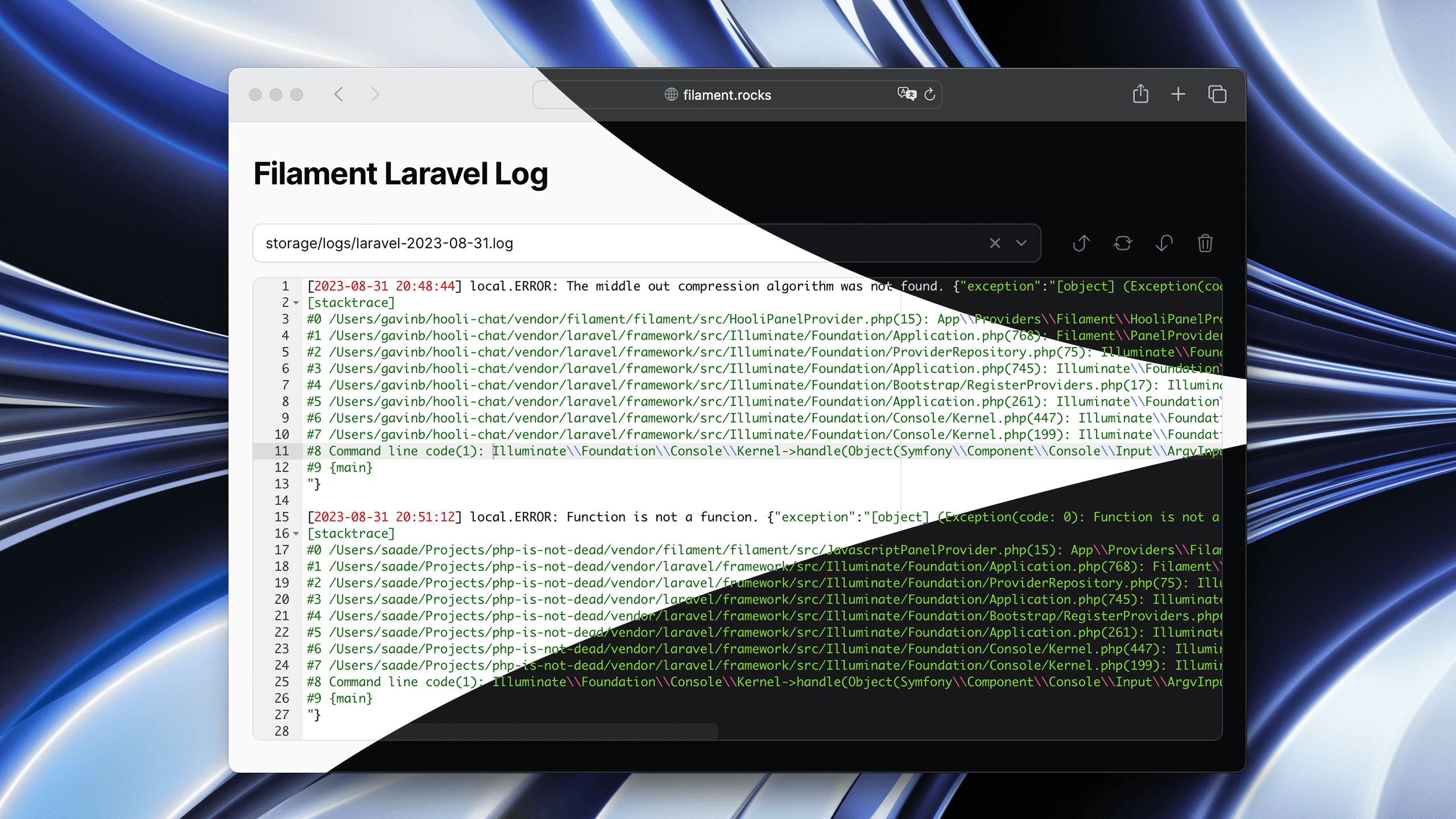
Features
- Syntax highlighting
- Light/ Dark mode
- Quickly jump between start and end of the file
- Refresh log contents
- Clear log contents
- Search multiple files in multiple directories
- Ignored file patterns
Installation
You can install the package via composer:
composer require saade/filament-laravel-log:^3.0
Important
If you have not set up a custom theme and are using Filament Panels follow the instructions in the Filament Docs first.
After setting up a custom theme add the plugin's views to your theme css file or your app's css file if using the standalone packages.
@import '../../../../vendor/saade/filament-laravel-log/resources/css/filament-laravel-log.css';

@source '../../../../vendor/saade/filament-laravel-log/resources/views/**/*.blade.php';
Usage
Add the Saade\FilamentLaravelLog\FilamentLaravelLogPlugin to your panel config.
use Saade\FilamentLaravelLog\FilamentLaravelLogPlugin;

class AdminPanelProvider extends PanelProvider
{
    public function panel(Panel $panel): Panel
    {
        return $panel
            // ...
            ->plugin(
                FilamentLaravelLogPlugin::make()
            );
    }
}
Configuration
Customizing the navigation
FilamentLaravelLogPlugin::make()
    ->navigationGroup('System')
    ->navigationParentItem('Tools')
    ->navigationLabel('Logs')
    ->navigationIcon('heroicon-o-bug-ant')
    ->activeNavigationIcon('heroicon-s-bug-ant')
    ->navigationBadge('+10')
    ->navigationBadgeColor('danger')
    ->navigationBadgeTooltip('New logs available')
    ->navigationSort(1)
    ->title('Application Logs')
    ->slug('logs')
Customizing the log search
FilamentLaravelLogPlugin::make()
  ->logDirs([
      storage_path('logs'),     // The default value
  ])
  ->excludedFilesPatterns([
      '*2023*'
  ])
Authorization
If you would like to prevent certain users from accessing the logs page, you should add a authorize callback in the FilamentLaravelLogPlugin chain.
FilamentLaravelLogPlugin::make()
  ->authorize(
      fn () => auth()->user()->isAdmin()
  )
Customizing the log page
To customize the log page, you can extend the Saade\FilamentLaravelLog\Pages\ViewLog page and override its methods.
use Saade\FilamentLaravelLog\Pages\ViewLog as BaseViewLog;

class ViewLog extends BaseViewLog
{
    // Your implementation
}
use App\Filament\Pages\ViewLog;

FilamentLaravelLogPlugin::make()
  ->viewLog(ViewLog::class)
Customizing the editor appearance
Publish the config file:
php artisan vendor:publish --tag="log-config"
This is the contents of the published config file:
<?php

return [
    /**
     * Maximum amount of lines that editor will render.
     */
    'maxLines' => 50,

    /**
     * Minimum amount of lines that editor will render.
     */
    'minLines' => 10,

    /**
     * Editor font size.
     */
    'fontSize' => 12
];
Changelog
Please see CHANGELOG for more information on what has changed recently.
Contributing
Please see CONTRIBUTING for details.
Security Vulnerabilities
Please review our security policy on how to report security vulnerabilities.
Credits
License
The MIT License (MIT). Please see License File for more information.

统计信息
- 总下载量: 229.51k
- 月度下载量: 0
- 日度下载量: 0
- 收藏数: 116
- 点击次数: 8
- 依赖项目数: 4
- 推荐数: 0
其他信息
- 授权协议: MIT
- 更新时间: 2022-03-18