scaleflex/shopware-cloudimage-plugin
最新稳定版本:1.0.8
Composer 安装命令:
composer require scaleflex/shopware-cloudimage-plugin
包简介
Cloudimage by Scaleflex
README 文档
README
Download and Installation Cloudimage module
Installation from Github
- Step 1: Download the latest version Download Latest release of Module
- Step 2: Zip the file with the name "cloudimage.zip"
- Step 3: In Admin go to Extensions -> My extensions -> Upload extension
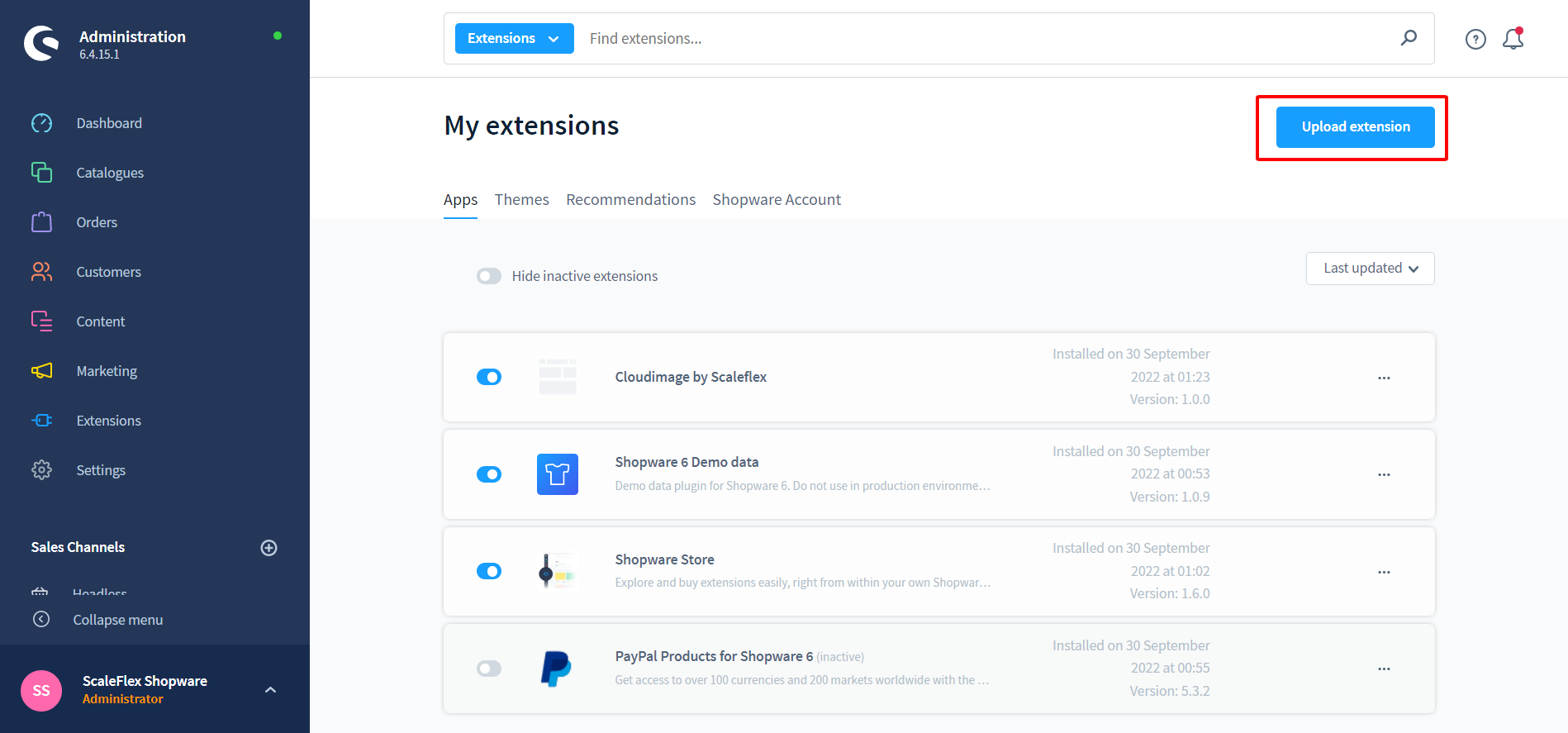

Or installation from Store
- Step 1: In Admin go to Extensions -> Store -> Catalog search for "Clouldimage by Scaleflex"

- Step 2: Click on extension and after that "Add extension"
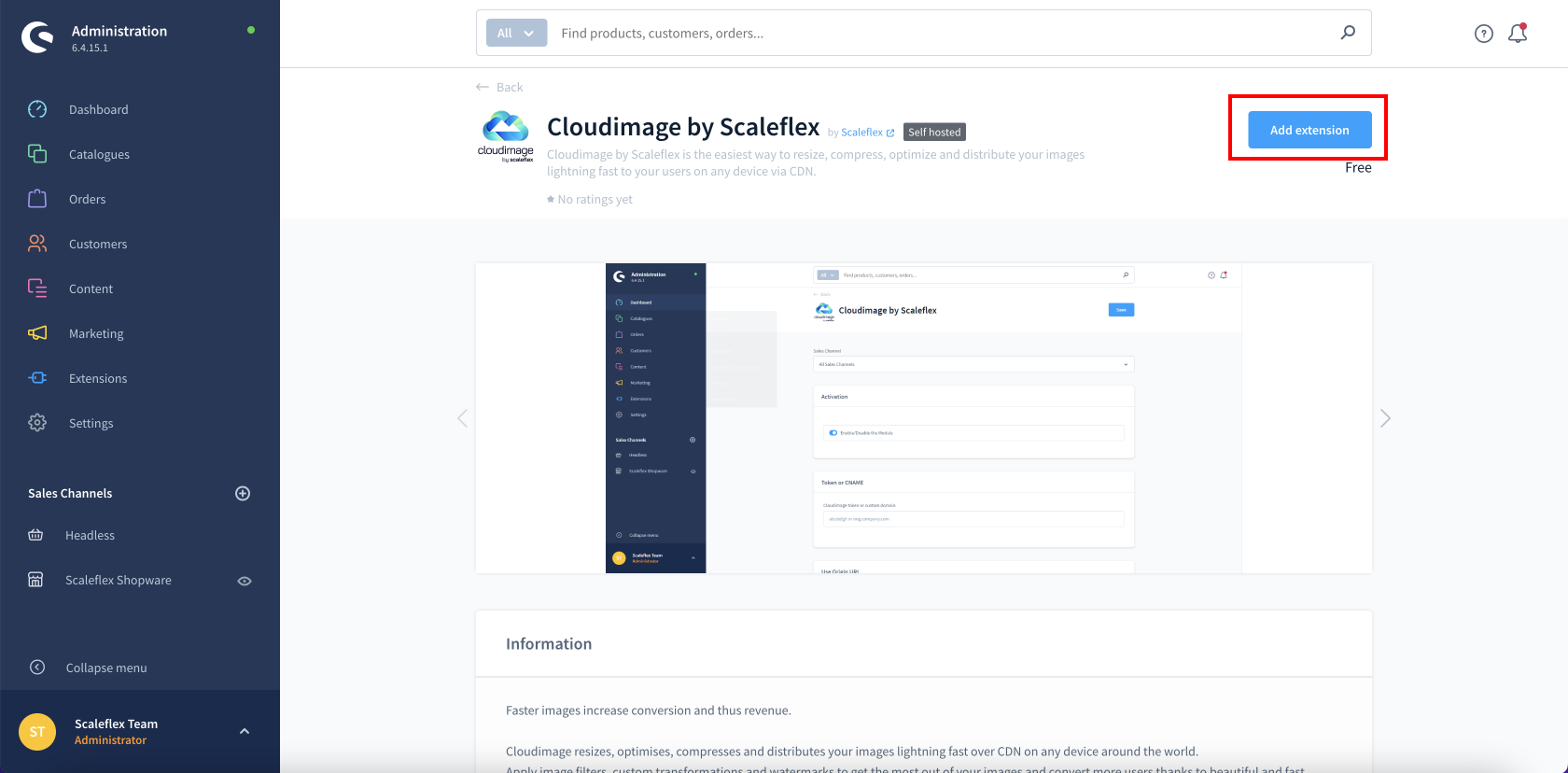
- Step 3: Go to Extensions -> My extensions -> Cloudimage by Scaleflex -> Click on Configuration
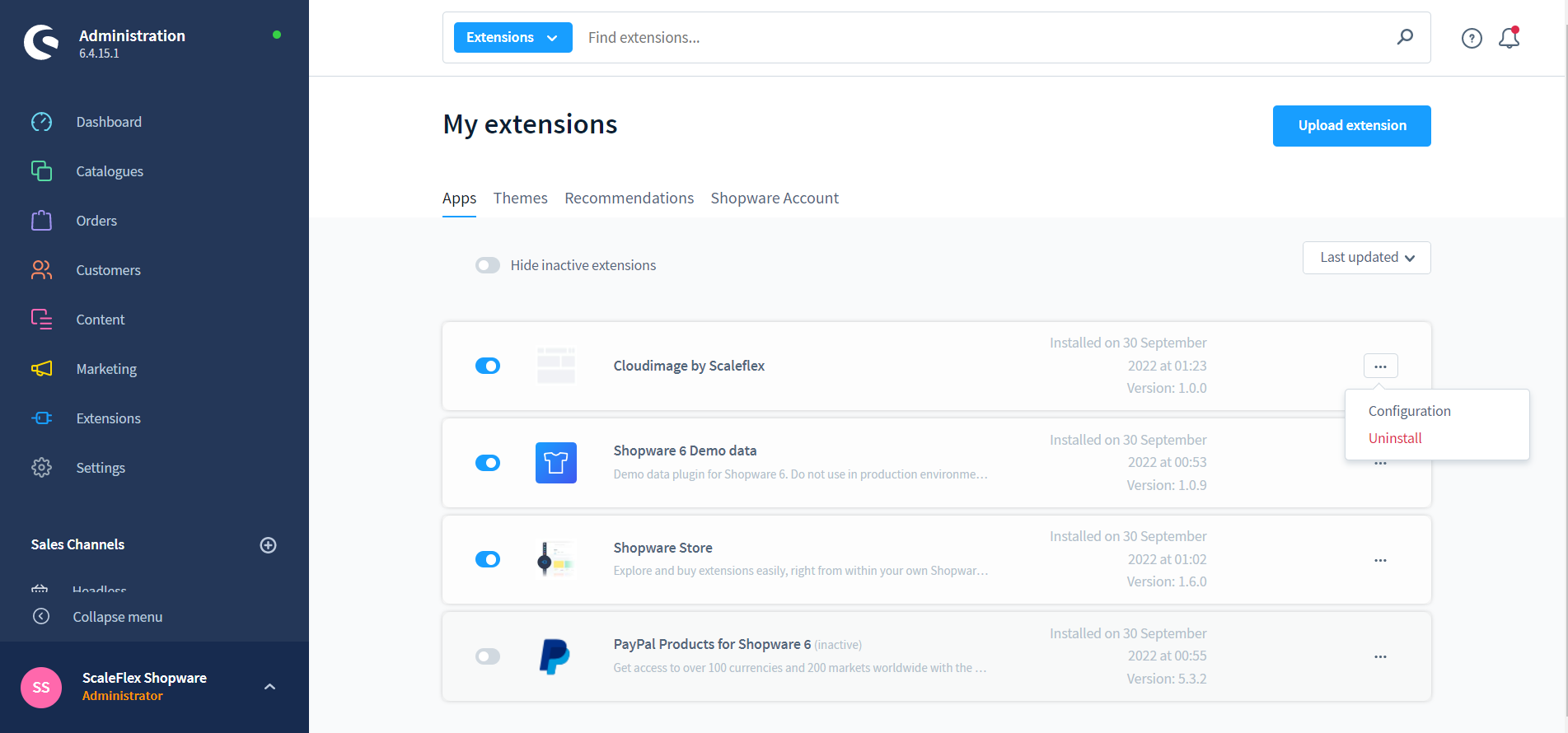
- Step 4: Update configuration and activate the Module, then your site is ready to go.
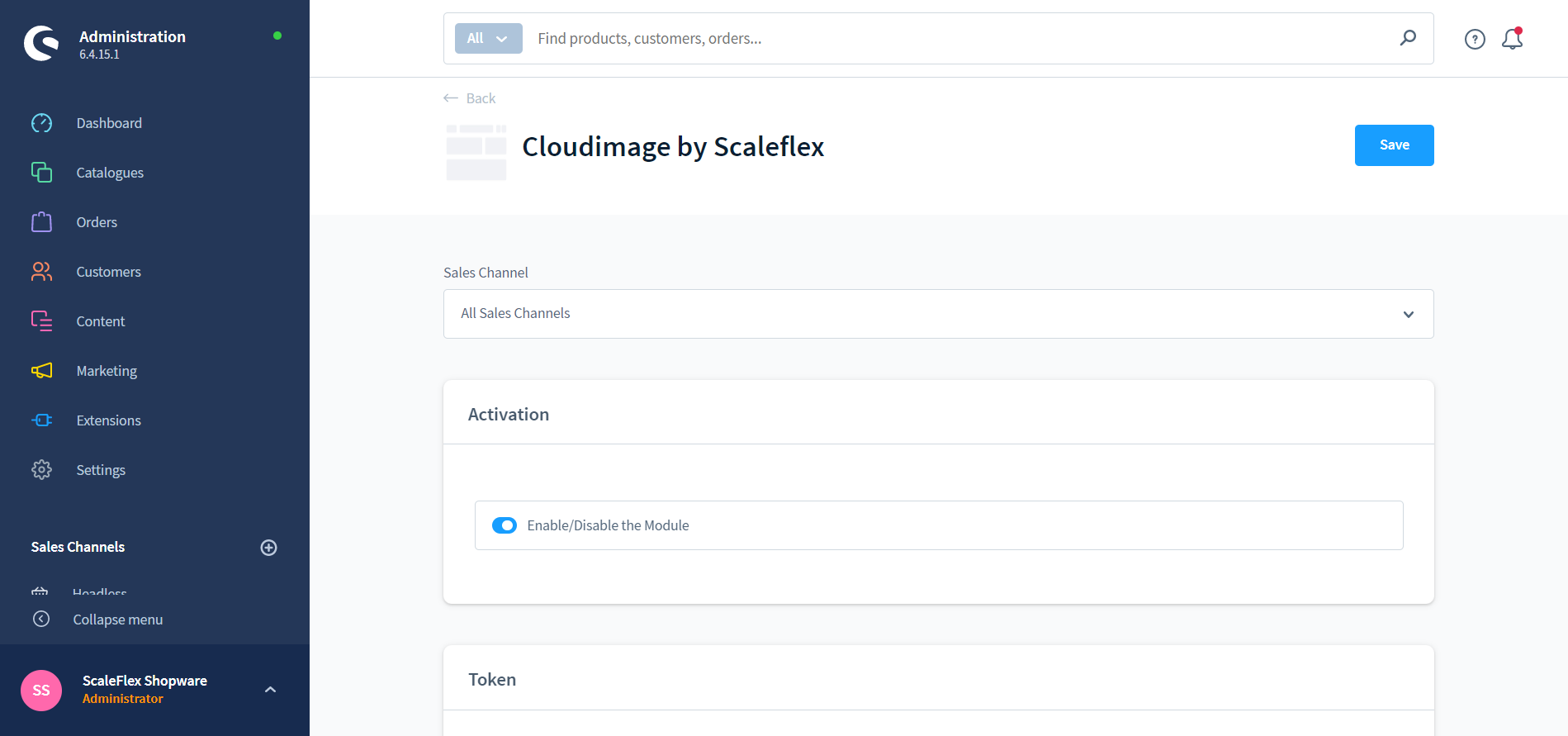


Configuration
- Activation: Enable/Disable the module.
- Standard Mode: Replace image URLs not using any Javascript or Javascript library.
- Token or CNAME: Please enter your cloudimage token here (eg: abcdefgh), or your complete CNAME (eg. media.company.com) if the configuration is already validated in your Cloudimage Admin.
- Use origin URL: If enabled, the module will only add query parameters to the image source URL without prefixing it with
{token}.cloudimg.io. - Lazy Load: If enabled, only images close to the current viewpoint will be loaded.
- Ignore SVG Size: If enabled, the module will ignore the image size node in the SVG file.
- Prevent Image Upsize: If you set Maximum "Pixel ratio" equal to 2, but some of your assets does not have min retina size(at least 2560x960), please enable this to prevent image resized. By default, yes.
- Image Quality: The smaller the value, the more your image will be compressed. Careful — the quality of the image will decrease as well. By default, 90.
- Maximum Pixel Ratio: The maximum pixel ratio of the image. By default, 2.
- Remove V7: If enabled, the module will remove the "/v7" part in URL format. Activate for token created after October 20th 2021.
- Image Size Attributes: Used to calculate width and height of images (Read more).
Advanced User
- Custom JS Function: The valid js function starting with { and finishing with }
- Custom Library Options: Modifies the library URL (to add transformations)
统计信息
- 总下载量: 2
- 月度下载量: 0
- 日度下载量: 0
- 收藏数: 0
- 点击次数: 3
- 依赖项目数: 0
- 推荐数: 0
其他信息
- 授权协议: proprietary
- 更新时间: 2023-06-07