scaleflex/shopware-filerobot-plugin
最新稳定版本:1.0.1
Composer 安装命令:
composer require scaleflex/shopware-filerobot-plugin
包简介
Filerobot by Scaleflex normalizes, resizes, optimizes and distributes your images rocket fast around the world.
README 文档
README
Download and Installation the Filerobot module
- Step 1: Download the latest version Download Latest release of Module
- Step 2: Zip the file with the name "filerobot.zip"
- Step 3: In Admin go to Extensions -> My extensions -> Upload extension
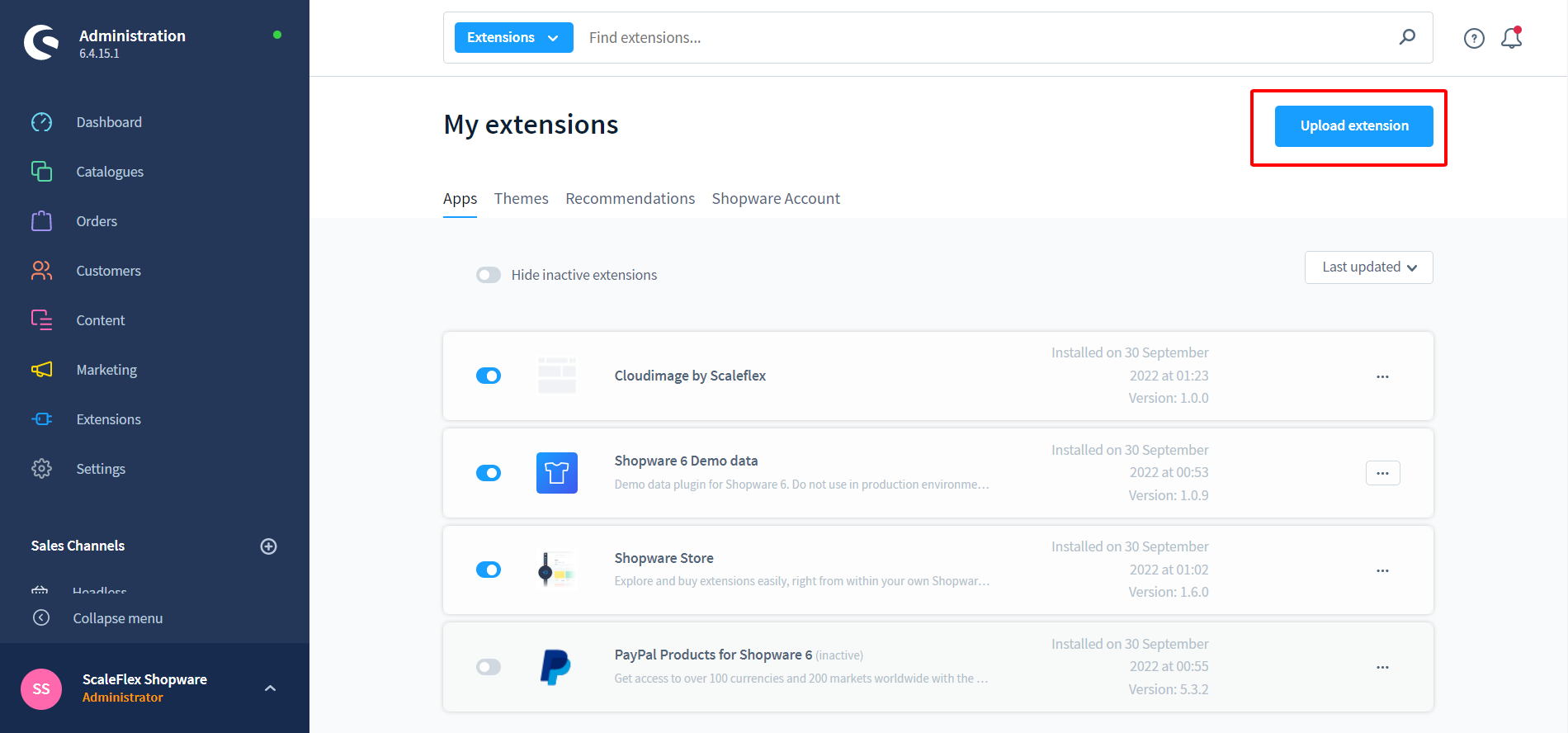

Installation with Shopware store
- Step 1: In Admin go to Extensions -> Store -> Catalog search for "Filerobot by Scaleflex"
- Step 2: Click into extension and after that "Add extension"
- Step 3: Go to Extensions -> My extensions -> "Filerobot by Scaleflex - Digital Asset Management, Media Optimisation and Acceleration" -> Click on "Configuration"
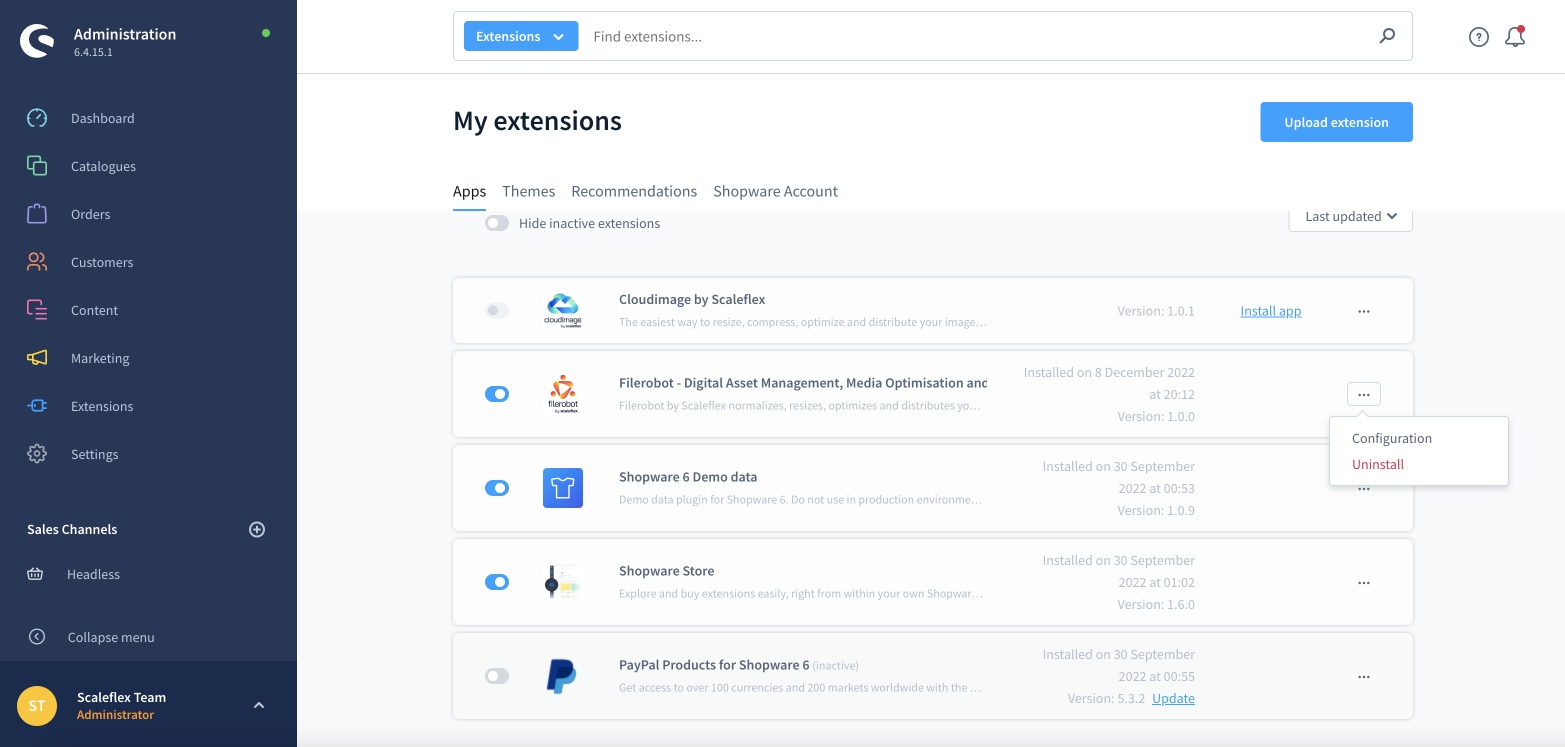
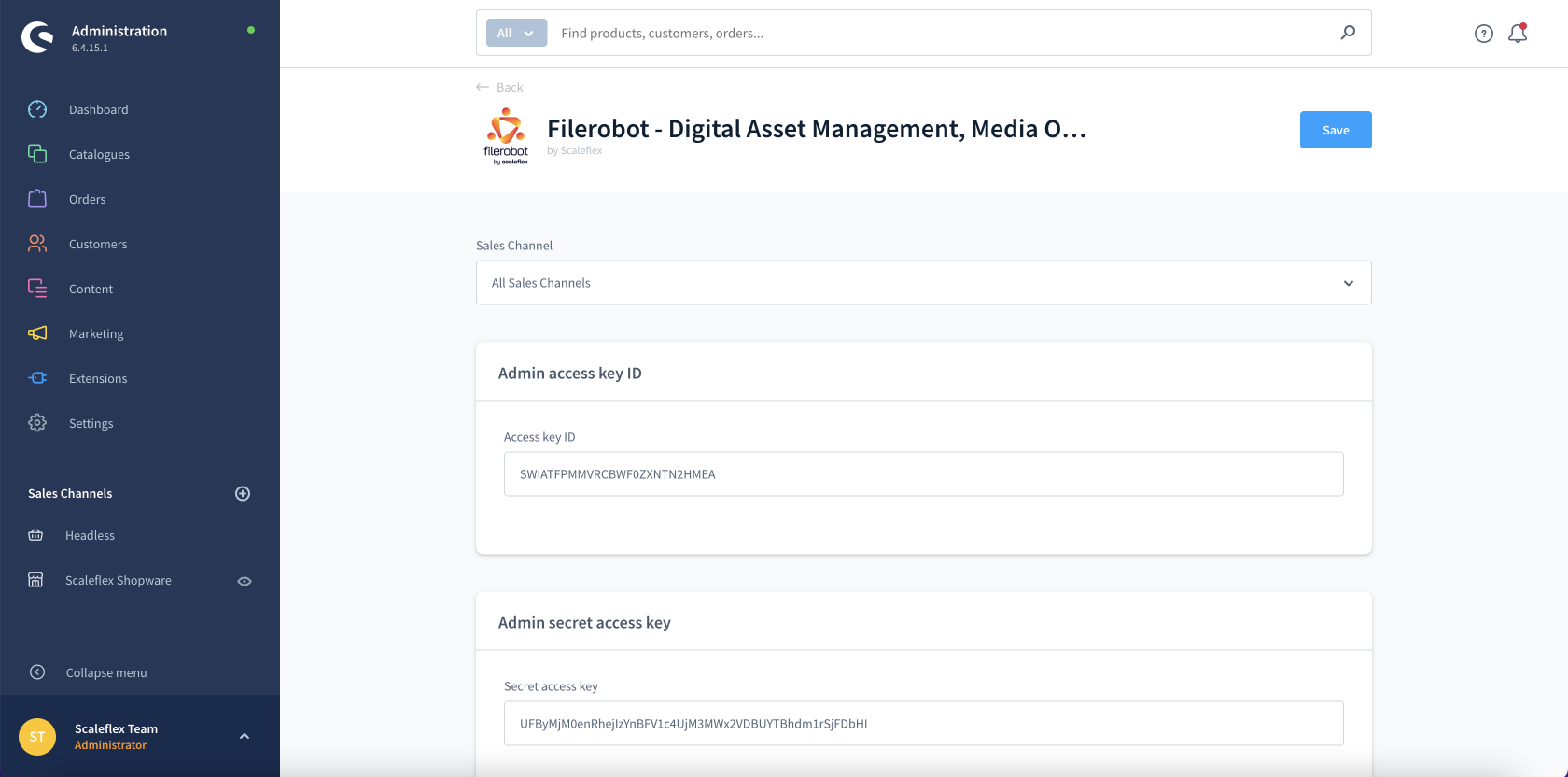
- Step 4: Update configuration and activate the Module, then your site is ready to go.


Configuration
- Admin access key ID: Need to generate in "Setting" to call API in Admin Dashboard.
- Admin secret access key: Need to generate in "Setting" to call API in Admin Dashboard.
- Folder Id: This key will auto generate when the plugin activate.
- Activation: Enable/Disable the module
- Token: Please enter your Filerobot token here (eg: abcdefgh)
- CNAME: Enter the CNAME as per the configuration done in your Filerobot Asset Hub interface, once validated and the SSL certificate is accepted. (Or leave blank if none).
- Security Template Identifier: To load the Filerobot Widget or Filerobot Image Editor, you need to create a Security Template in your Filerobot Asset Hub first, in order for your Shopware instantiation of the Filerobot Widget to obtain proper credentials and access your storage.
- Filerobot upload directory: The directory in your Filerobot account, where the files will be stored.
The step to get "Admin access key ID" and "Admin secret access key":


统计信息
- 总下载量: 2
- 月度下载量: 0
- 日度下载量: 0
- 收藏数: 0
- 点击次数: 4
- 依赖项目数: 0
- 推荐数: 0
其他信息
- 授权协议: proprietary
- 更新时间: 2023-06-07