standaniels/image-generator
最新稳定版本:1.1.0
Composer 安装命令:
composer require standaniels/image-generator
包简介
A package to generate random images.
README 文档
README
This package makes generating images easy. Use them for placeholders without being dependent on some external service.
use StanDaniels\ImageGenerator\Canvas; use StanDaniels\ImageGenerator\Color; use StanDaniels\ImageGenerator\Image; use StanDaniels\ImageGenerator\Shape\Shape; $transparency = random_int(60, 80) / 100; $canvas = Canvas::create(400, 400, 2) ->background(Color::random($transparency)); for ($i = random_int(100, 150); $i > 0; $i--) { $transparency = random_int(60, 80) / 100; Shape::random($canvas, Color::random($transparency))->draw(); } // By default, the image is stored in the directory used for temporary files $image = Image::create($canvas);
Of which this could be the output:

Using color palettes
If you would like to generate an image based on a given set of colors like the one below, you can do it like this.
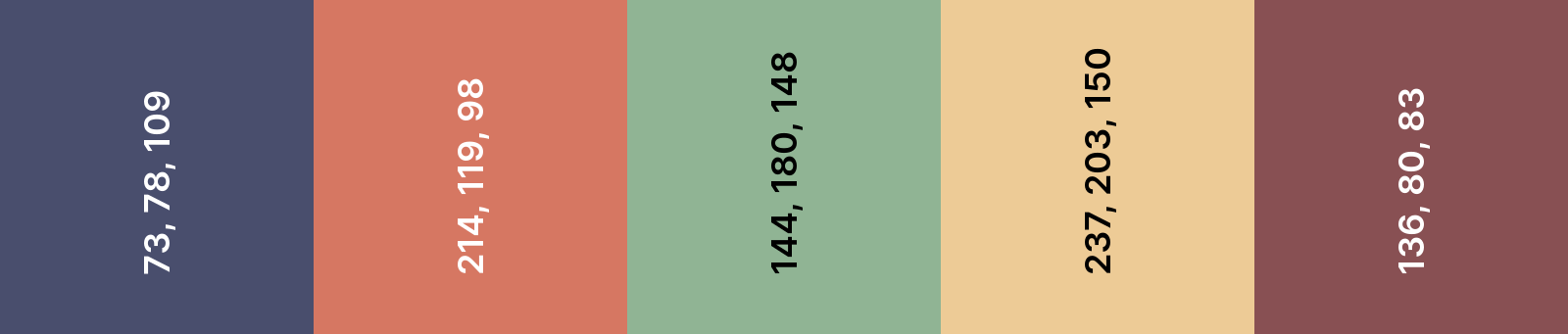
use StanDaniels\ImageGenerator\Canvas; use StanDaniels\ImageGenerator\Color; use StanDaniels\ImageGenerator\Image; use StanDaniels\ImageGenerator\Shape\Shape; $colors = [ new Color(73, 78, 109), new Color(214, 119, 98), new Color(144, 180, 148), new Color(237, 203, 150), new Color(136, 80, 83), ]; $canvas = Canvas::create(400, 400, 2) ->background(new Color(34, 36, 50)); for ($i = random_int(50, 100); $i > 0; $i--) { $color = clone $colors[random_int(0, count($colors) - 1)]; $color->setAlpha(random_int(50, 60) / 100); Shape::random($canvas, $color)->draw(); } $image = Image::create($canvas);
The output would be something like this:

Installation
You can install the package via composer:
composer require standaniels/image-generator
License
The MIT License (MIT). Please see License File for more information.
统计信息
- 总下载量: 93.8k
- 月度下载量: 0
- 日度下载量: 0
- 收藏数: 16
- 点击次数: 6
- 依赖项目数: 1
- 推荐数: 0
其他信息
- 授权协议: MIT
- 更新时间: 2026-01-04