stephenjude/filament-blog
最新稳定版本:4.2.2
Composer 安装命令:
composer require stephenjude/filament-blog
包简介
Filament Blog Builder
README 文档
README
Filament Blog Builder
A faceless blog content manager with configurable richtext and markdown support for a filament admin panel.
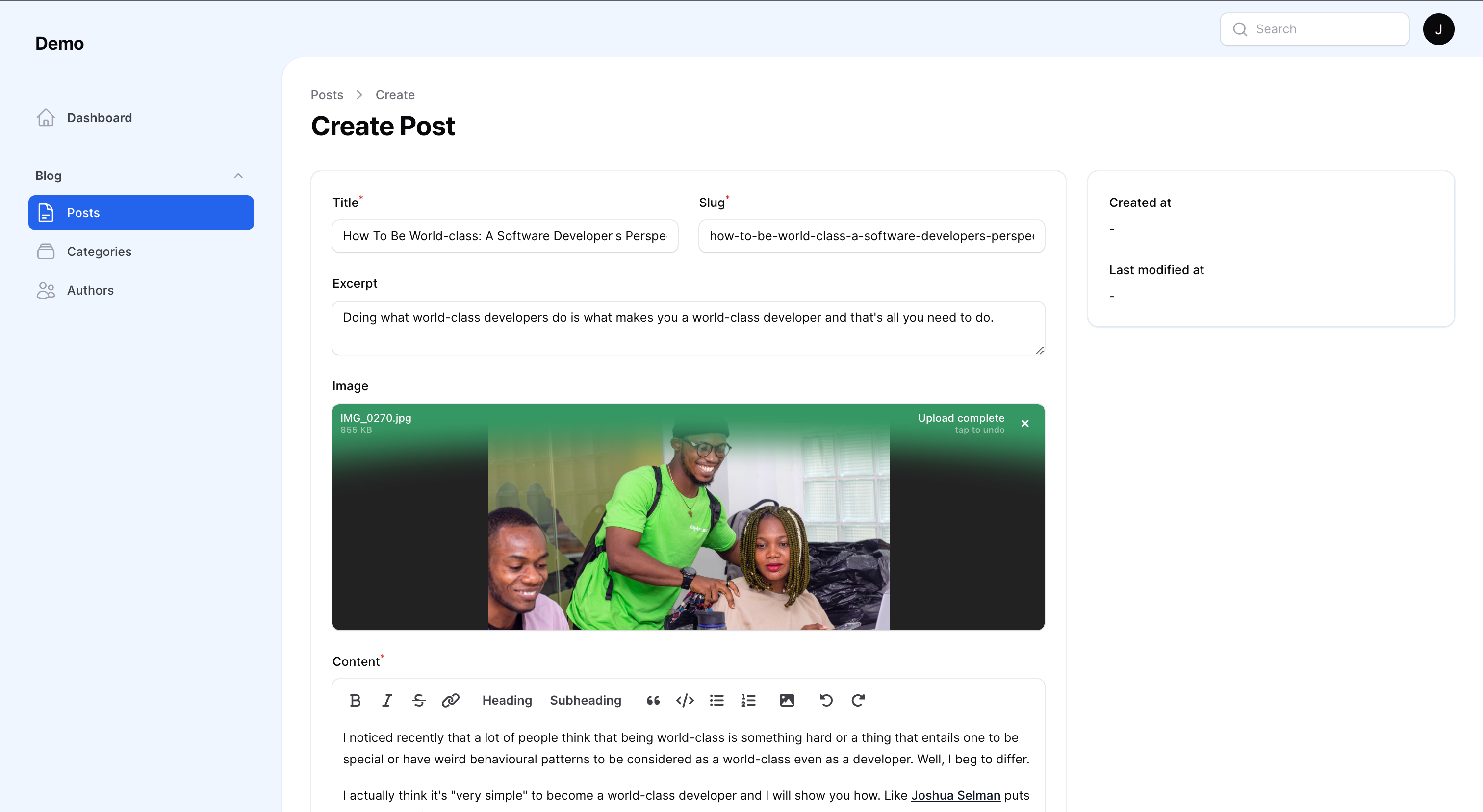
Filament Admin Panel
This package is tailored for Filament Admin Panel.
Make sure you have installed the admin panel before you continue with the installation. You can check the documentation here
Supported Versions
PHP: 8.1 & 8.2
Laravel: 10
Installation
You can install the package via composer:
composer require stephenjude/filament-blog

php artisan filament-blog:install

php artisan storage:link

php artisan migrate
You'll have to register the plugin in your panel provider.
use Stephenjude\FilamentBlog\BlogPlugin;

public function panel(Panel $panel): Panel
{
    return $panel
        ...
        ->plugin(
            BlogPlugin::make()
        );
}
Authorization/Access Control
You can authorize the plugin for users with a specific role/permission:
\Stephenjude\FilamentBlog\BlogPlugin::make()
    ->authorizePost(fn() => auth()->user()->can('edit.posts'));
    ->authorizeAuthor(fn() => auth()->user()->can('edit.authors'));
    ->authorizeCategory(fn() => auth()->user()->can('edit.category'));
Displaying your content
Filament blog builder is faceless, it doesn't have any opinions on how you display your content in your frontend. You can use the blog models in your controllers to display the different resources:
Stephenjude\FilamentBlog\Models\PostStephenjude\FilamentBlog\Models\AuthorStephenjude\FilamentBlog\Models\Category
Posts & Drafts
$posts = Post::published()->get();

$drafts = Post::draft()->get();
Post Content
$post = Post::find($id);

$post->id;
$post->title;
$post->slug;
$post->excerpt;
$post->banner_url;
$post->content;
$post->published_at;
Post Category & Author
$post = Post::with(['author', 'category'])->find($id);

$author = $post->author;

$author->id;
$author->name;
$author->email;
$author->photo;
$author->bio;
$author->github_handle;
$author->twitter_handle;


$category = $post->category;

$category->id;
$category->name;
$category->slug;
$category->description;
$category->is_visible;
$category->seo_title;
$category->seo_description;
Configurations
This is the contents of the published config file:
<?php

return [

    /**
     * Supported content editors: richtext & markdown:
     *      \Filament\Forms\Components\RichEditor::class
     *      \Filament\Forms\Components\MarkdownEditor::class
     */
    'editor'  => \Filament\Forms\Components\RichEditor::class,

    /**
     * Buttons for text editor toolbar.
     */
    'toolbar_buttons' => [
        'attachFiles',
        'blockquote',
        'bold',
        'bulletList',
        'codeBlock',
        'h2',
        'h3',
        'italic',
        'link',
        'orderedList',
        'redo',
        'strike',
        'undo',
    ],

    /**
     * Configs for Posts that give you the option to change
     * the sort column and direction of the Posts.
     */
    'sort' => [
        'column' => 'published_at',
        'direction' => 'asc',
    ],
];
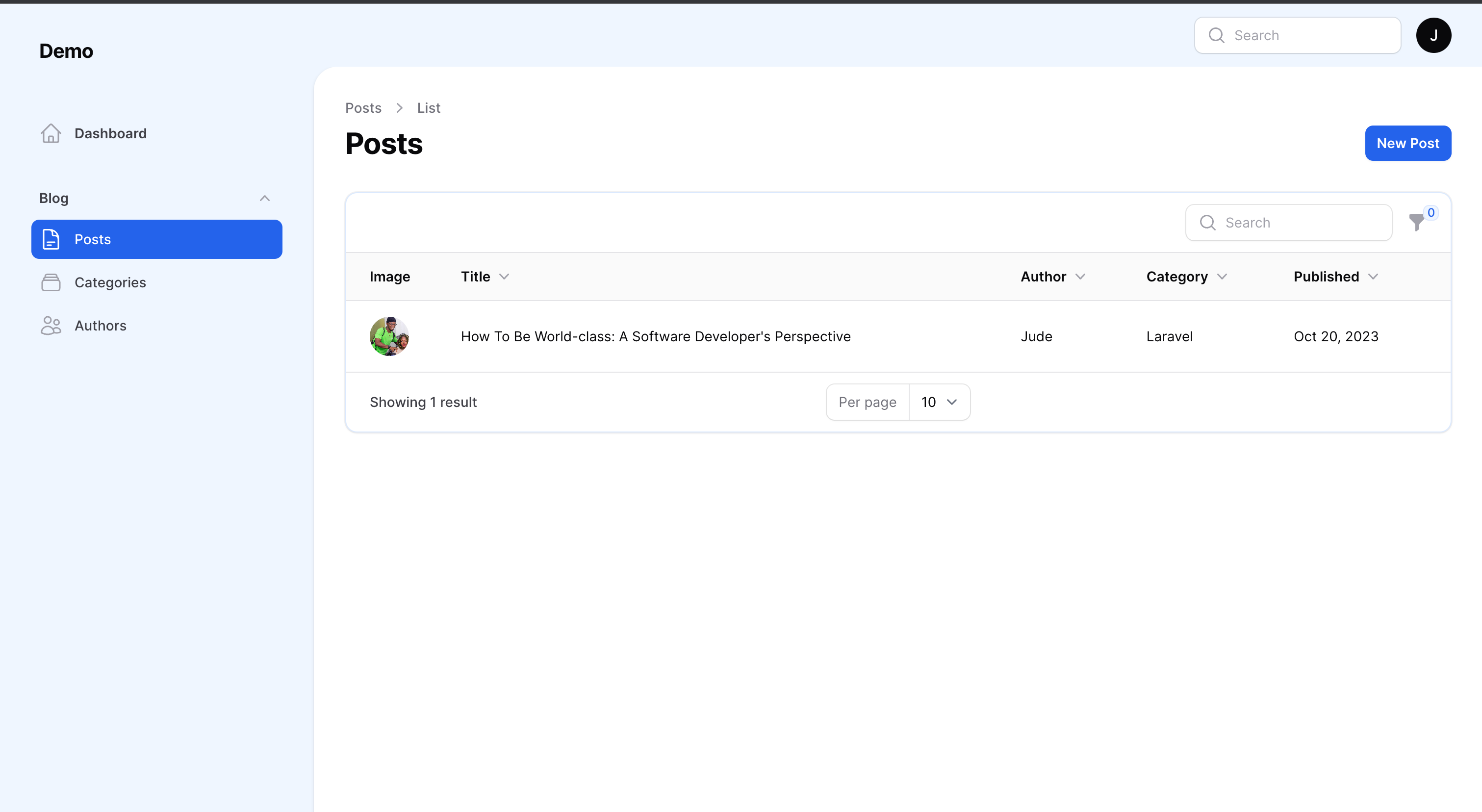
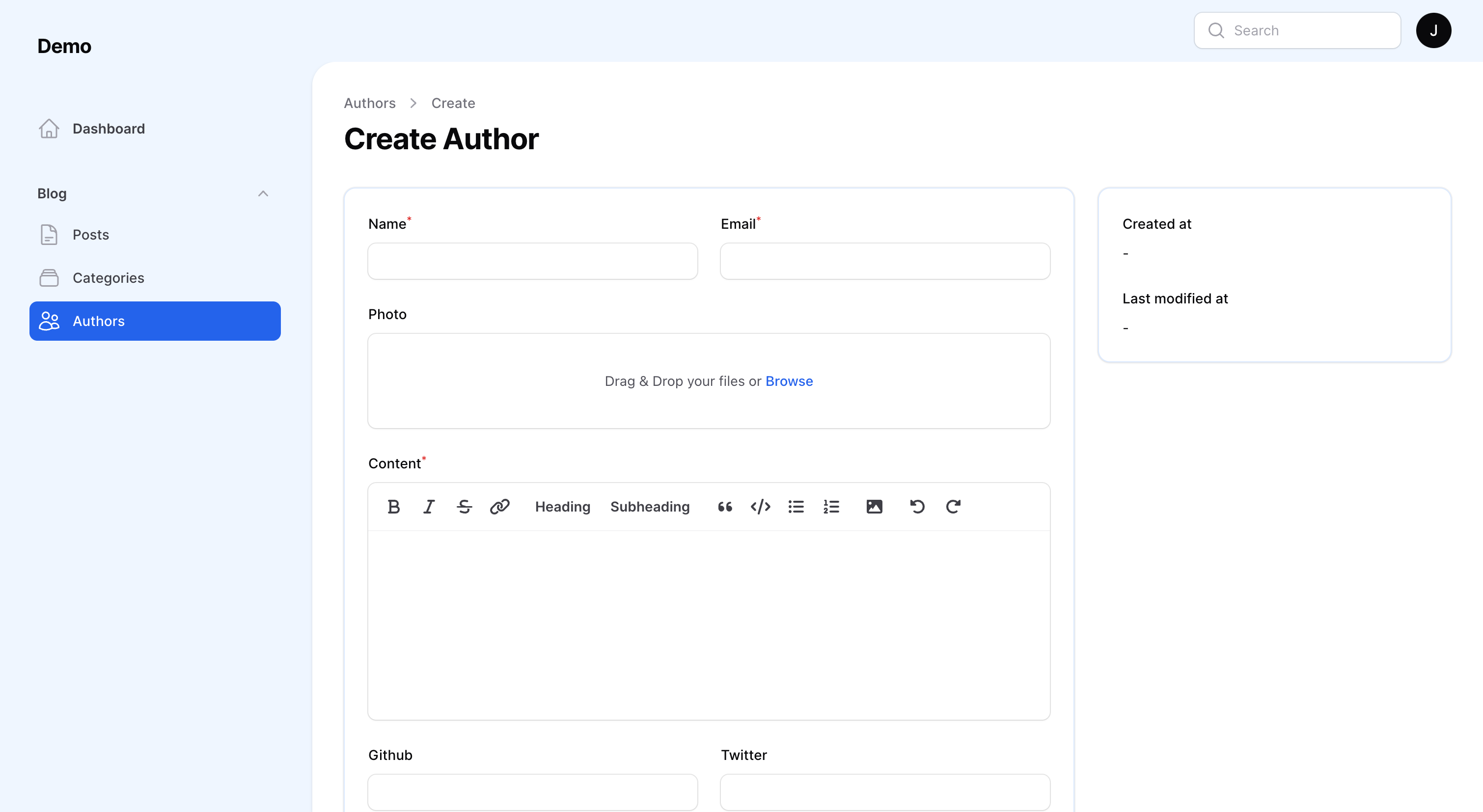
More Screenshots
Testing
composer test
Changelog
Please see CHANGELOG for more information on what has changed recently.
Contributing
Please see CONTRIBUTING for details.
Security Vulnerabilities
Please review our security policy on how to report security vulnerabilities.
Credits
License
The MIT License (MIT). Please see License File for more information.
统计信息
- 总下载量: 14.66k
- 月度下载量: 0
- 日度下载量: 0
- 收藏数: 200
- 点击次数: 8
- 依赖项目数: 0
- 推荐数: 0
其他信息
- 授权协议: MIT
- 更新时间: 未知